




Carrythxd
Members
-
Joined
-
Last visited
Everything posted by Carrythxd
-
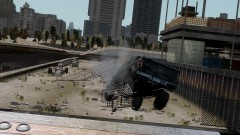
From the album: Carrythxd's Pics [IV]
Policefanatic's 2009 Ford F-150 "Custom Lift" This vehicle is not for release. -
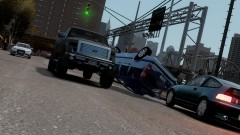
From the album: Carrythxd's Pics [IV]
Policefanatic's 2009 Ford F-150 "Custom Lift" This vehicle is not for release. -
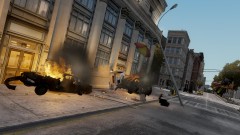
From the album: Carrythxd's Pics [IV]
Was actually just testing the damage on the Caprice taxi and didnt notice that there was a hotdog stand in front of the taxi and oh well.. -
Are you using Simple Native Trainer v6.4? You need to have that version so that the objects spawn correctly Yeah, thats because the buildings are objects. They couldnt be made in the map maker coz IV's engine couldnt handle the map anymore so they had to be made in SNT. And no, objects files doesnt crash mp games If they are in the air use Simple Native Trainer v6.4
-
Nice :)
-
-
Well theres a 1986 one
-
I dont know.. I didnt make the map, you should contact StillDre and ask him
-
The slowmo is caused by IV, because it has the super jump on that place lol :P And they are trees, but some of the trees wont work in IV, only in EFLC.
-
-
I changed the vehicle Lod distances to 100 :) In the visualsettings.dat file
-
Nop Yes, the Mega link works.
-
I havent tried Braveheart, I was just talking about the LCPD:FR mod lol It sure is, but its not made by me. Its by StillDre :)
-
Naah, they go about 20-30mph. Theres a road going to the map, you can see it in the videos beginning, and you spawn in LC.. Its just an addon not a replacement of LC.
-
Fixed!
-
No, only the Merit, Banshee & Sabre chases will... Other calls wont work here. Yes, StillDre is fixing em atm :) The download links are now fixed! If the Dropbox one doesnt work the Mega one will work.
-
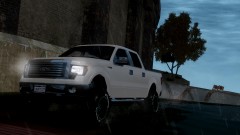
From the album: Carrythxd's Pics [IV]
Policefanatic's 2009 Ford F-150 "Custom Lift" This vehicle is not for release. -
IT IS NOW RELEASED!!! :D
-
Just talked to StillDre and he said that he will release the map in a few hours! :D
-
Oh yeah :D Its epic, and in this map the cops actually try to stop the suspect.. Not just crash into each other :)
-
Thank you so much for this dude! :D
-
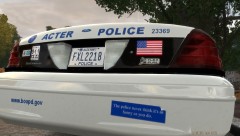 LoL
LoL -
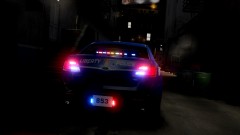
From the album: Carrythxd's Pics [IV]
EVI's 2013 Police Interceptor "Generic LCPD" http://www.gta-modding-chest.com/database/142-2013-poice-interceptor-generic-lcpd/index.html?saved=1 -
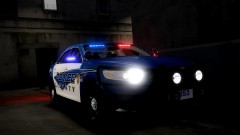
From the album: Carrythxd's Pics [IV]
EVI's 2013 Police Interceptor "Generic LCPD" http://www.gta-modding-chest.com/database/142-2013-poice-interceptor-generic-lcpd/index.html?saved=1 -
Yeap you should :)


