




Carrythxd
Members
-
Joined
-
Last visited
Everything posted by Carrythxd
-
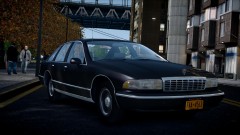
From the album: Carrythxd's Pics [IV]
-
-
-
Nice but you should use some NoN-ELS cop cars :P Instead of the stock cars :)
-
Looks cool :D
-
If you have a backup of your vehicles.img, just replace the current one with the original in GTA IV/pc/models/cdimages EDIT: You might find it from here: http://www.gta-downloads.com/en/gta4/file-backups/
-
 :=D
:=D -
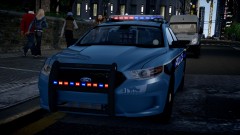
From the album: Carrythxd's Pics [IV]
UndercoverChicken's 2013 Ford Taurus LCPD http://gtapolicemods.com/downloads.php?do=file&id=2180 Vertelvis' Mercedes-Benz Sprinter 2500 http://www.gta4-mods.com/vehicles/mercedes-benz-sprinter-2500---v13-f16347 -
That dashcam looks really nice!
-
Did you try this version of Game4Video? http://www.gta4-mods.com/misc/game4video-enb-107-f17186
-
-
 Hmm... Might even try to add that to the truck :P
 -
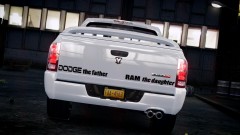
From the album: Carrythxd's Pics [IV]
Spidereon's 2006 Dodge Ram SRT-10 http://www.gta4-mods.com/vehicles/2006-dodge-ram-srt-10-epm-f20830 Carrythxd's Bad Boy paintjob -
I prefer option 1, I really like how the lights look on that one!
-
Nice, and I really like that BMW :P
-
Options -> Second page -> Disable Trainer Keys
-
-
-
-
-
Tutorial: http://www.youtube.com/watch?v=N9j0d6mLAL4 Download link for the newest version of SNT: http://www.gta4-mods.com/script/simple-trainer-version-65-f2115
-
Really great car dude! :)
-
-
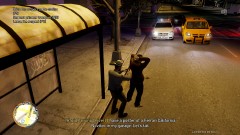
From the album: Carrythxd's Pics [IV]
Rapid Towing drivers. xD -
Link for the Chikamru Real Traffic http://gtamania.ru/load/mods_for_gta_4/script_mods_for_gta_4/chikamru_real_traffic_v1_0/128-1-0-5199


