Carrythxd
Members
-
Joined
-
Last visited
Everything posted by Carrythxd
-
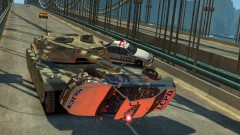
From the album: Carrythxd's Pics [IV]
-
-
-
Westdyke Safehouse by Vertelvis This script adds a new safehouse to GTA IV, in the Westdyke area on the western island. Features: - Save and load at the safehouse - Saving at the safehouse is tracked, assuring you spawn at the right safehouse when restarting the game - Up to 8 vehicles can be saved at the safehouse, including model, car colors 1-4, livery and extra's. - Teleport from any point in the world to the safehouse - Respawn a single or all vehicles at the safehouse - Safehouse garage doors can be opened and closed - Customizable key bindings via the .ini-file - All features are controlled via an ingame menu system - Compatible with ikt's Traffic Load Fix - Compatible with and can be run together with my Meadows Park Safehouse mod - Detailed instructions on saving cars and making them spawn ingame included - Document with all numeric key bindings included Requirements: - GTA IV 1.0.7.0 - .Net Scripthook 1.7.1.7 Beta - Any ASI-loader Furthermore all prerequisites for the above are also needed in order to run this mod. Download: http://www.gta4-mods.com/script/westdyke-safehouse-f22349 http://www.gtainside.com/en/download.php?do=getfile&id=51159&t=1 http://www.vertelvis.com/index.php?p=script&id=2 Screenshots: ' Video(s) Meadows Park Safehouse: '?do=embed' frameborder='0' data-embedContent>>
-
I got it on PS3, what a great game! But it would be nice to have it on PC too, but like Troy said it might not come to PC since Sony is involved in it..
-
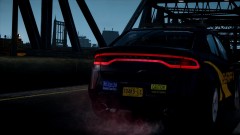
From the album: Carrythxd's Pics [IV]
RobertB's 2013 Dodge Dart "LCSO" -
From the album: Carrythxd's Pics [IV]
-
Well atleast its different, not just a wall xD
-
Yeap, not the first time... There was that same prob a few days ago too
-
 Michael.. Uh.. Uhm.. Wh... What? O.O
 -
-
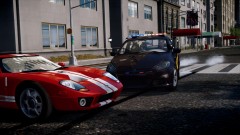
From the album: Carrythxd's Pics [IV]
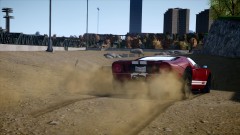
Spidereon's 2006 Ford Hennessey GT1000 -
Um.. I uh.. Its on the roof. Yeah, on the roof. Climb up the ladder and youll see it
-
Yeah I know, my mistake
-
From the album: Carrythxd's Pics [IV]
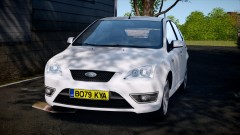
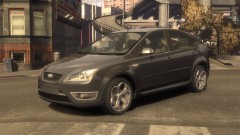
KevinDV's 2006/2007 Ford Focus ST Click "Show" to see more images Spoiler -
Looks nice
-
 This is going to be so epic :')
 -
^ That is just part of it ;) You have to also replace the frontend_360 with the original in pc/textures
-
 EPIC!
EPIC! -
 Lol ^^
 -
From the album: Carrythxd's Pics [IV]
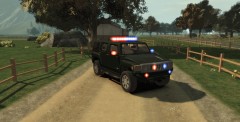
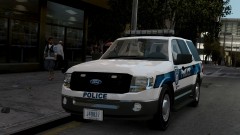
Dhruv's 2009-2010 Ford Expedition - SSV v2.5F-ELS -
BenQ G2420HDB 24" Full HD (1920x1080) Love it.
-
^ If that doesnt work try this http://gtamania.ru/load/mods_for_gta_4/script_mods_for_gta_4/chikamru_real_traffic_v1_0/128-1-0-5199 or this http://www.gta4-mods.com/script/trafficload-f9780
-
Maybe you should create a topic and post your videos there instead of making a new topic every time you upload a video? Just a suggestion. But nice video
-
E3 Gameplay: But personally I think it looks great :D