




Carrythxd
Members
-
Joined
-
Last visited
Everything posted by Carrythxd
-
From the album: Carrythxd's Pics [IV]
-
From the album: Carrythxd's Pics [IV]
-
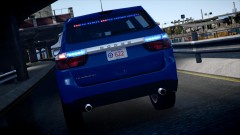
From the album: Carrythxd's Pics [IV]
Bxbugs123's 2013 Dodge Durango BCOS-LCSO -
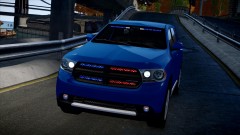
From the album: Carrythxd's Pics [IV]
Bxbugs123's 2013 Dodge Durango BCOS-LCSO -
Yeah, Ive seen something like that too :P
-
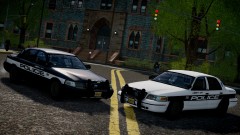
From the album: Carrythxd's Pics [IV]
Michael V.'s LCPD Skins Bxbugs123's Ford Crown Victoria -
-
![[REL] 2013 Dodge Druango](//s3-gallery.int-cdn.lcpdfrusercontent.com/gallery/album_703/sml_gallery_940_703_90155.png) Holy shit :O
Holy shit :O -
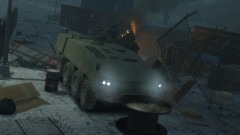
From the album: Carrythxd's Pics [IV]
SkylineGTRFreak's Lockheed Martin Havoc -
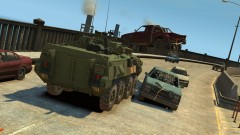
From the album: Carrythxd's Pics [IV]
SkylineGTRFreak's Canadian Armed Forces LAV III -
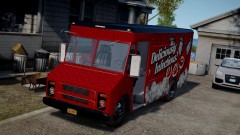
From the album: Carrythxd's Pics [IV]
Compeast's 1985 Chevrolet Stepvan Delivery Van -
You can buy it from Steam for example
-
Yeah, really nice pic!
-
This:
-
If you use 1.0.4.0 you wont be able to play online, and the newest version of LCPD:FR only works on 1.0.7.0
-
I use Bandicam (for LCPD:FR etc type of videos) and the ingame video editor for presentation videos. To edit I use Sony Vegas 12/Cyberlink Powerdirector 11, and then just upload it to YouTube directly.
-
-
Its not that hard to Google it you know.. And like sKuare told you its on GTA4-Mods, he also told you the name of it.
-
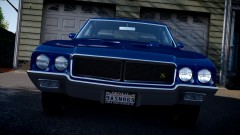
From the album: Carrythxd's Pics [IV]
Policefanatic's 1970 Buick GSX -
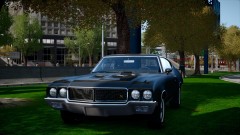
From the album: Carrythxd's Pics [IV]
Policefanatic's 1970 Buick GSX -
-
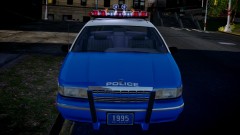
From the album: Carrythxd's Pics [IV]
Compeast's 1994 NYPD Highway Patrol Chevrolet Caprice -
No idea, Ive only managed to get em to shoot me lol
-
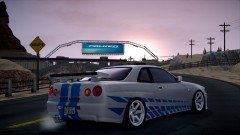 Well yeah, but it isnt meant to be the Skyline that was in 2F2F ;)
 -
Yes, alot of people has said that 1.0.4.0 has better performance than 1.0.7.0 but if you install 1.0.4.0 patch you wont be able to play LCPD:FR 0.95 RC2


![[REL] 2013 Dodge Druango](http://s3-gallery.int-cdn.lcpdfrusercontent.com/gallery/album_703/sml_gallery_940_703_90155.png)
