


McAwesome6934
Members
-
Joined
-
Last visited
Everything posted by McAwesome6934
-
-
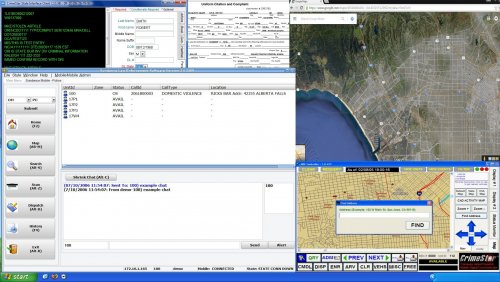 I like to have my game as realistic as possible, and although the default computer+ backgrounds looked nice, they just didn't cut it for me. So I decided to share this simple background I made. There are two versions, the first has multiple windows open, ranging from Google Maps to a Citation, with the Windows XP taskbar at the bottom. The second version has no programs open with one of the default backgrounds and Windows XP taskbar at the bottom. To install download Computer+, then navigate to C:\Program Files (x86)\Steam\steamapps\common\Grand Theft Auto V\Plugins\LSPDFR\ComputerPlus\backgrounds and replace backgrounds you wish.
- 3 comments
- 7 reviews
-
-

- 4
-
-
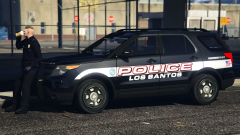 The quality of your skins is mesmerizing.
 -
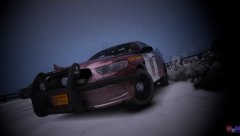
From the album: McAwesome's GTA V Pics
Part of an MSP pack that will be released. Being that it is a WIP there is no release date known, but I anticipate it being complete by the end of August at the very latest. -
The moment we've all been waiting for :D That'd be awesome to be able to fill out the citations!
-
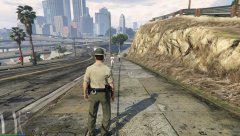 One minor suggestion, I'm not sure if you have control over it or not, but it'd be awesome if you could edit the handcuffs/holder to be more like this -
 -
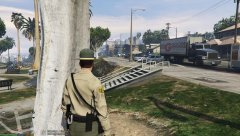 Looking great! Your peds are by far my favorite :D
 -
 I read that, but I wasn't sure if there was a corrupted one and one that worked. Which is why I asked.
- 2,341 comments
- 236 reviews
-
So there's no campaign hat with the update, correct? 7.0 added a corrupted one and 7.3a gets rid of it? Or am I misunderstanding something.
- 2,341 comments
- 236 reviews
-
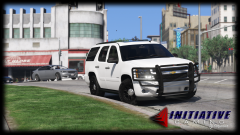 Implying it's going to be released lmfao. Hopefully we'll have a release eventually w/a decent light setup, but I'm not gonna hold my breath.
 -
Gotcha. Just assumed he could, since he's able improve much of the other AI functionality.
-
It would be awesome if you could set how far out your backup spawns. Personally, I'd like to have a few minute delay between calling for backup and them getting there. As well as the ability to set the distance at which cars spawn. Not sure if it's possible, but these would be great additions to your already superb script.
-
-
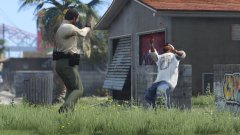 It's GTA.. what exactly do you expect from a game rated M, in which you are meant to murder people?
 -
Yes, just yes.
-
I'm offended (;
-
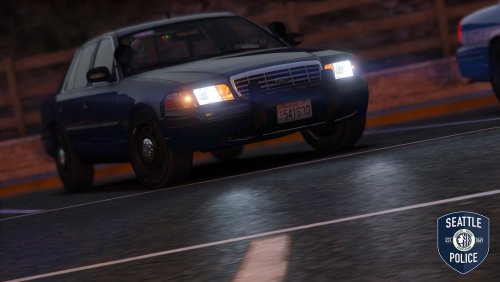 Very unique setup, great choice of emulating SPD. There definitely isn't an LOD problem, like some users have claimed.
- 19 comments
- 19 reviews
-
-
- 1
-
-
![something huge is coming [WIP]](//s3-gallery.int-cdn.lcpdfrusercontent.com/monthly_2016_03/small.test2.png.b70f1239e37c301c0efa402d41ac5468.png) Yayyyy <3
Yayyyy <3 -
A while? :/ I need that campaign hat in my life, like yesterday :P
-
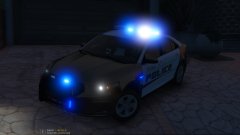 10/10 would bang again<3
 -
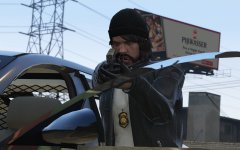 Any chance of getting an ETA or like a progress bar? My balls are beyond blue lol
 -
.png.52c5ce4a4fa8a6bf6d5b182867a09f3d.png) Gorgeous! Nice job buddy.
Gorgeous! Nice job buddy. -
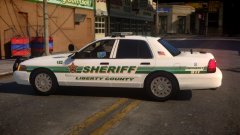 So sexxxy. Since you're going to V, you should ship me your ENB <3
 -
 Phenomenal work! Thanks for the opportunity to test and showcase these! :D
- 273 comments
- 61 reviews
-
-
- 1
-
-
Just because he isn't active on a site doesn't mean he has contributed to the community. I don't understand why you resent the decision to feature him in the community spotlight. I think it's well deserved, if it weren't for youtubers like Zach there would be a lot less people in the community.


![something huge is coming [WIP]](http://s3-gallery.int-cdn.lcpdfrusercontent.com/monthly_2016_03/small.test2.png.b70f1239e37c301c0efa402d41ac5468.png)
.png.52c5ce4a4fa8a6bf6d5b182867a09f3d.png)
