McAwesome6934
Members
-
Joined
-
Last visited
Everything posted by McAwesome6934
-
-
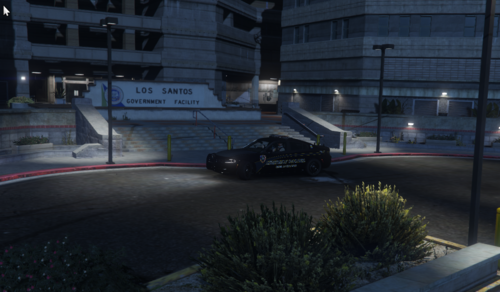 They were a great help! Don't suppose you could do this for Vespucci Beach as well? I'm not sure where a good spot would be, but it'd be nice when I do beach patrols.
- 10 comments
- 1 review
-
Great simple addition! I agree that it's a perfect location for highway patrol, go 10-8 from there and jump right on the Interstate to catch speeders!
- 10 comments
- 1 review
-
 You didn't provide any screenshots..................
 -
 Was hoping to install this, but the file is corrupt..
 -
-
 Overall, I think that this mod has great potential, but there are a few things that are still holding me back from using this over Compulite. The first of which is that it often provides me with a name that isn't the person I have pulled over or stopped, and it isn't possible to find the correct person I have stopped. The next, which sorta seems minor, but really detracts from the lore is that often times the previous cases that people have are ridiculous and make no sense - like Murder, Attempted Murder, etc., crimes that would cause the individual to be in prison, not out roaming the street. Compulite seems to have a much better selection for this, and it also has citations under the history. Lastly, I wish there was an option to disable the the firearms, since the felony records are so frequent, these subjects wouldn't be able to possess a firearm/obtain a permit. That aside, the easier thing to address (I assume) would be allowing the position of the computer to be adjusted (not the physical one, but the overlaid one). Also, also, I am not seeing the court system with previous cases anywhere.. am I missing something? With that said, great mod, and I can't wait to see the future development of this!
- 713 comments
- 33 reviews
-
-

- 1
-
-
(Meant to make a review, not a comment) Have you considered/would it be possible that instead of having the entire laptop model, you simply have the screen/the overlay as an option so that it could be placed over the MDT that is already in most vehicles. I am not sure if I am describing this well - but essentially just a very small model that is simply the screen, not even the bezels and such of a laptop, just the overlay/display portion of the laptop.
- 713 comments
- 33 reviews
-
OMG I JUST UPDATED IT AND IT WORKED. THANK YOU SO EFFING MUCH! Do you have Venmo or Paypal, I'd love to buy you a coffee! ❤️
-
Appreciate the response, but since updating RHP and scripthook my singleplayer won't even load.
-
Good day, Unfortunately, I was out of town and my game updated 😕 I was pleased to see that RPH, LSPDFR, and scripthook got updated, but even after installing the updated version of them my game will not launch. I saw something similar on another thread on here, but there wasn't a clear solution. I think the issue can be seen here on the RPH Log: [10/29/2022 17:05:30.863] Checking game support [10/29/2022 17:05:31.053] Product name: TODO: <Product name> But I am not sure how to resolve this, or if it is even the issue. Attached is the whole log. Thanks in advance! Edit: I've already verified my game files RagePluginHook.log
-
 Wish someone would either make a new version of this.. or that it will be updated one day 😞
- 477 comments
- 73 reviews
-
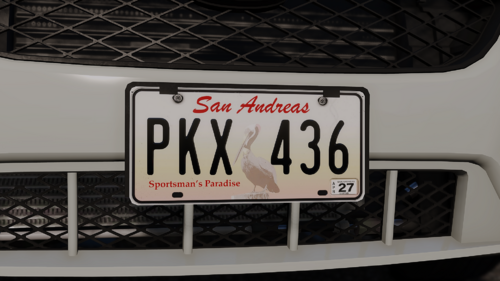 Did you make it so they spawn on AI traffic?
 -
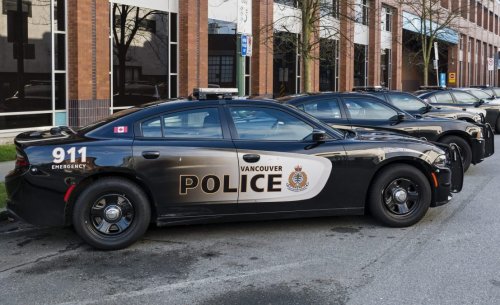 First off, I strongly dislike that the author of this mod couldn't take the time to rename the files or include instructions on what the option were to rename this file to.. but that aside, this mod is broken, after the trial and error of figuring out what it should be named (Ambulance.wav btw) I found out it isn't able to be installed because it was improperly exported. If you would like to use this mod for yourself, 1) Rename your desired sound to Ambulance.wav - 2) Then you need to use the program Audacity to change the sound type from Stereo to Mono then: Export Audio...' (Ctrl+Shft+E) > 'Save as type' dropdown = 'WAV (Microsoft) signed 16-bit PCM' > 'Save' - Finally, then you can drag it into the Vehicles folder provided with the linked siren - and import it as an OpenFormat. Overall, this sound quality is good, but the Author did a terrible a job with making this easy for anyone to use.
- 5 comments
- 1 review
-
Why did you release it like this.. why not have it ready to install.... What do you rename it to...?
- 5 comments
- 1 review
-
-
-
Good day, any help would be greatly appreciated! So I'm trying to use the Spotlight Mod (see link), however the menu (used to adjust the position, brightness, and color of the spotlight) does not work properly. This is how it displays when in game. I have changed the key to open the menu, removed my ENB, removed all installed plugins beside this one, and have not found a solution yet 😕 )
 Unfortunately, every time I open the spotlight editor menu, it looks like this: I've tried changing the key, only running the spotlight plugin, not using an ENB, and have had no luck trouble shooting this issue. Any help/suggestions are greatly appreciated!
- 477 comments
- 73 reviews
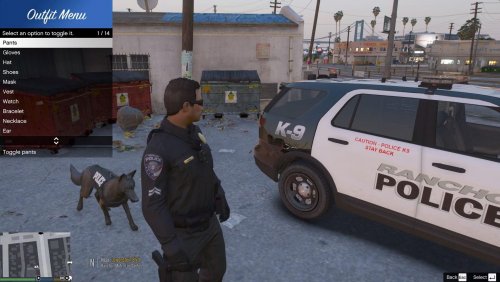 Phenomenal, works flawlessly! Would love a hotkey to add/remove hat as well - but that's my only suggestion!
- 28 comments
- 12 reviews
 Love it! This is one of these things that is missing that you don't ever realize is essential until you have it! I do wish that there was a mappable hotkey so that I could activate the body cam whenever I wanted - (traffic stops, pedestrian stops, etc) - and I also wish the amount of time between the sound was customizable (personally, I would set mine to about 45 seconds). But overall this is great!
- 168 comments
- 35 reviews
-
-
- 1
-
 OMG Yes! Minnesota resident here (Anoka Co.) as well, and I would love these. I have some great videos and pictures if you need some for reference!
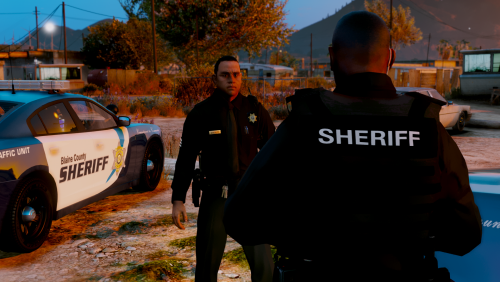 These look absolutely phenomenal! Now if you could do something similar for EUP, you'd be a godsend!
- 58 comments
- 8 reviews
-
-
- 1
-