


NicolaiB
Members
-
Joined
Everything posted by NicolaiB
-
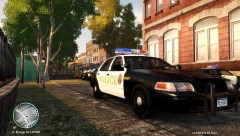
Look like a FedSig Aerodynic to me.
-
Please do not double-post, edit your existing post instead, I've merged your two posts.
-
You've posted in the wrong section, I'll go ahead and move it to GTA IV > discussion.
-
Not LCPDFR related, moving to GTA > IV support.
-
Nothing to see here! This topic has been closed by G17 Media staff. If you feel that this topic has been closed in error, please report this post.
-
You've posted in the wrong section, this belongs in the support section, remember to read the stickies and follow the troubleshooter that comes up when you attempt to make a new thread in the support section, you will be allowed to post a thread if the troubleshooter cannot solve the issue.
-
-
-
If you read the stickies in this section, or paid any attention during the troubleshooter, you would know to post your logfiles.
-
 You didn't have to ask, you could have looked at the forum, there's been several posts regarding their site,otherwise look at their own means of communication (twatter, facebook etc), we are not affiliated with the site, and we do not know any further details, nor do we wish to know any further.
 -
Please do not post more posts in succession of each other, edit the existing one instead, I have merged your three posts.
-
How about trying it out, that's how the rest of us figures stuff out.
-
Nothing to see here! This topic has been closed by G17 Media staff. If you feel that this topic has been closed in error, please report this post.
-
That menu sounds like one of the functions of the Simple Native Trainer, you're able to equip yourself with weapons from a menu, a Google search should find it for you.
-
It isn't, if anything, GTA IV > Support would be appropriate as well.
-
Either get back on topic, or this thread will be closed, this may be the "random" section, you still have to stay on topic.
-
You have been told several times now to stop making multiple posts in succession after each other, we do not allow it, edit your existing post. You have to start thinking before posting new threads and posts. I've merged your tri-posting.
-
Nothing to see here! This topic has been closed by G17 Media staff. If you feel that this topic has been closed in error, please report this post.
-
You already a thread about this: Thread closed
-
Do not double-post, edit your existing post instead, I have merged the two posts.
-
No, you'll have to use their means of communication (facebook, twatter etc), we're not affiliated with GPM in any way so no-one here knows anything.
-
You need to find and install police cars that are ELS enabled, otherwise un-install ELS.
-
There's no need to use an all-caps response, it's seen as shouting, don't do that. I've moved this thread to Grand Theft Auto IV > Support.
-
As stated above, you could be using non-els cars, ELS only works on vehicles that are designed to be ELS cars. Using it on the default cars, or car that aren't made for ELS will result in objects appearing and disappearing
-
I believe the only person who has that model is BxBugs, and he really likes K-9 units, check his download section on GtaPoliceMods when their site is back up.


