
virxuis
Members
-
Joined
-
Last visited
Everything posted by virxuis
-
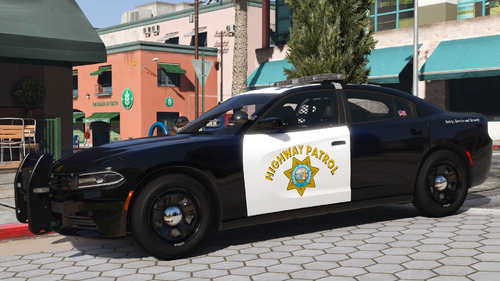
 Since my CHP Siren UI was unfortunately leaked and redistributed without my permission, I’ve decided there really isn’t a reason to keep the original version private anymore. Rather than having people download a re-uploaded or potentially modified version from someone else, I would rather the community have access to the original files directly from the person who actually created them. This UI was originally worked on and showcased by me earlier this year, and because it has already made its way around without my authorization, I’m releasing the official version publicly. Please feel free to use it and enjoy it. All I ask is that you do not re-upload it while claiming it as your own work and that proper credit is given when applicable. At this point, I would much rather everyone have the legitimate original release than continue watching another person re-upload or redistribute my work. Enjoy the release, and thank you to everyone who has supported my work. Installation Guide Step 1 – Install SirenMaster Before using this UI, you must install SirenMaster. Download it here: https://www.lcpdfr.com/downloads/gta5mods/scripts/54553-sirenmastery-ui-only-mode/?tab=comments&sort=newest Step 2 – Install the UI Drag the "UI" into plugins>LSPDFR>SirenMastery Step 3 - Unpack the UI Unzip the files in this path or drag them from winrar into this path and enjoy. Thank you for downloading and using my SirenMaster UI!
 -
 Working on an UI for it
 -
 The plugin itself is fine but the requirements are upsetting, having to use Policing Redefined in order for it to work is beyond many of us not everyone likes it or knows how to use it. Plugin would have been amazing if it was compatible without the need for plugins that aren't even stable and constantly have repairs needed.
- 392 comments
- 9 reviews
-
-
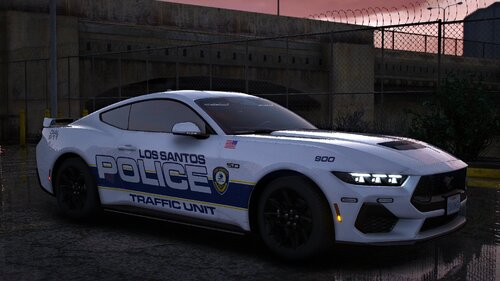 10/10 livery. Love it on a slicktop
 -
-
 What exactly were you looking or is missing from it?
 -
 After a long break... I was able to work on it as asked! Enjoy 2.0. Done! Enjoy 2.0
 -
 No not the tuning fork, the "self test" that it has. Similar to this one https://www.youtube.com/watch?v=YioP_OT6ZAs
- 235 comments
- 37 reviews
-
Doppler tone was the cherry on top for this plugin. Do you think you will ever add a "calibration" function, maybe when you first initiate the radar you are able to calibrate it just like real life, would add an extra layer of realism but again.. not that deep. Great plugin.
- 235 comments
- 37 reviews
-
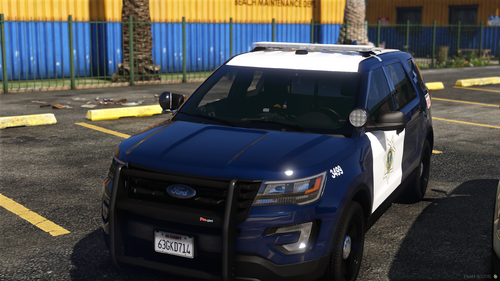 He literally stated in his descrition "I will hopefully be updating this pack to include the 2016 FPIU K9 version, as well as the 2020 FPIU hardtop/K9 version. As well as updating the interiors and inaccuracies whenever I can. I am also planning on converting this pack to ELS, although that will not be released for a while."
 -
Yes! I was thinking of adding a probability feature too, to see how many actually resulted in a shootout vs how many were false alarms, any other suggestions? I want a good amount before I push out another update. This pack. I use version 2.0
-
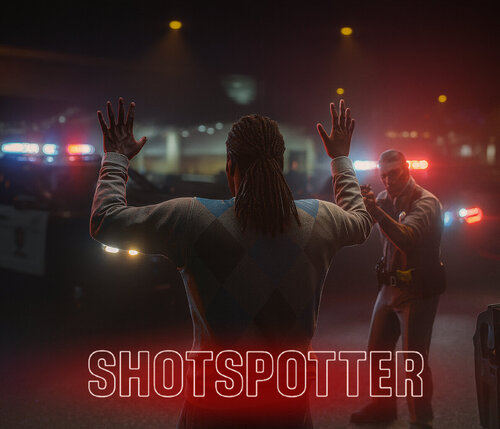
Hello everyone, This is my first official LSPDFR callout, adapted from a FiveM concept to bring the realism of ShotSpotter technology to single-player patrols. The ShotSpotter system uses acoustic sensors to detect and triangulate gunfire locations across the city, dispatching officers to investigate possible shootings. When responding to a ShotSpotter alert, you will arrive in a defined search area where shots were detected. The outcome of each call is randomized for a more dynamic and unpredictable patrol experience. Features Each ShotSpotter activation can result in one of the following outcomes: Flee on Arrival – The suspect flees immediately upon your arrival. Engage on Arrival – The suspect begins firing as soon as you approach. Fired in the Air – The suspect is located and has discharged a firearm into the air. Shoot Player then Flee – The suspect engages briefly, then runs from the scene. False Alarm – No suspect is located, indicating a false detection or someone who fled prior to your arrival. INI Configuration An included .ini file allows full customization of callout behavior, including: Adjusting the probability of each possible outcome. Forcing specific outcomes for testing or preference. Modifying search radius, scene timing, and other response settings.
-
I can definitely add a modifier for the extra key, but wouldn't shift interfere with the traffic stops?
-
I would totally do this if GTA had a better window animation other than it just disappearing and appearing bro!
-
I see what you mean, I will try to update it as soon as I get more feedback/suggestions.
-
No problem!!! Lmk any bugs/features to add.! I got the same question lol it was so simple to make. It's normal, dll files do this all the time.
-
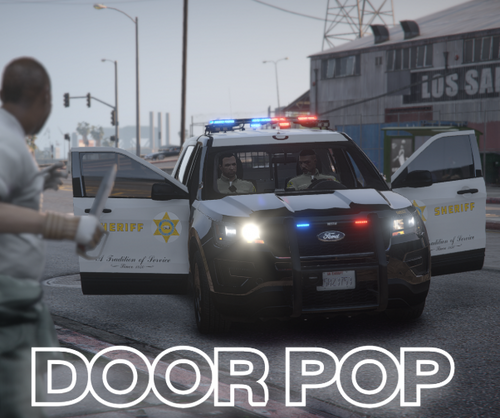
I figured no one made a script like this for LSPDFR and if they did you had to open a menu and do it from there, with this plugin all you have to do is press a key and the door will open. To install you must drag the ini and the dll file into your plugins folder. Not Plugins>LSPDFR just PLUGINS this is a standalone meaning it doesn't need LSPDFR to function. Load the plugin with the F4 menu in game or with rage on startup your choice enjoy. Showcase: Features: Press a configurable key to toggle the driver's door. (Default is T / Control+T for passenger side) Use a modifier key + another key to toggle the passenger's door. Doors can only be opened at speeds below a configurable threshold. If an attempt is made to open a door above the speed limit, a notification appears. Fully customizable keybinds and speed limit via an INI file. Works with all emergency and civilian vehicles in GTA V. Lightweight, efficient, and does not conflict with other plugins. Requirements: RagePluginHook This mod is ideal for players looking to become pro LARPERS of the LASD/LAPD fandom it includes added realism and tactical options when engaging in traffic stops, high-risk arrests, or pursuits.
-
 No example video/sound was provided which could have absolutely helped before downloading as this is a low quality audio file.
- 1 comment
- 2 reviews
-
.thumb.png.38fdcdf4032739b2ea56a61a64d5fcfd.png) |It just makes guns semi-automatic use your brain for it.
|It just makes guns semi-automatic use your brain for it. -
-
-
-
 Hello everyone. Made this script since I am a chippie nerd. Currently works for the sedans not for the SUV or utility vehicles. Demo/Showcase Features: Toggle Dashcam (Key: O) to activate or deactivate. Fixed, rigid dashcam view attached to the vehicle. Camera follows vehicle heading and adjusts with elevation changes. Dashcam automatically deactivates when exiting the vehicle. Unit ID display at the top left corner (e.g., 022605). Real-time timestamp at the bottom right. Serial number displayed at the bottom left (e.g., 5251549045). HUD and radar automatically hidden when dashcam is active, restored when deactivated. HUD remains hidden when re-entering the vehicle if dashcam is still active. If this get the attention it deserves I will make more vehicle compatibility or a custom menu for custom views.
 -







.thumb.png.38fdcdf4032739b2ea56a61a64d5fcfd.png)