HOLLISTUPID
Members
-
Joined
-
Last visited
Everything posted by HOLLISTUPID
-
 safety rating?
 -
I'll try it out, thanks.
-
Just why did you have to post this here????
-
Any reputable free antivirus and malwarebytes pro will do. However you should never have two antivirus programs installed at once. You might have the best antivirus available, but it's not going to stop you from doing something foolish online that could give you a virus. You need to be smart and in the end it's going to be YOU who keeps your computer rid of those pests.
-
They added some new pictures of the station parking garage that look nice. Whether you believe in this game or not it is what it is. http://steamcommunity.com//sharedfiles/filedetails/?id=252178673
-
Always get covered cuff cases. IMO open top and those simple cuff snaps look really unprofessional.
-
Whew, been a while since this was discussed here. Honestly I was a skeptic myself to begin with questioning the game's legitimacy. On the January newsletter it says that Wingman games will soon be operational (actually purchasing equipment and office space) and they will be able to start real work on the game. Regardless of the turnout, I'm just plain interested on what's going to happen/what the game's going to be like because of all the fuss.
-
Controlled helicopter spotlight
-
The advice and information they give you seems like genuine, honest options for you (even though they are really limited in your hopes of becoming an LEO). Also, your final solution is to leave the country to pursue LE elsewhere??? It's not just about being sorry, I think you need to SHOW you can be better and not have such a negative attitude towards the outcome of things. Don't lose faith and maybe try what DisharmoniousUnmutual said and maybe pursue a different career choice and making steps toward a pardon?
-
- helmetcam (NSFW) without the idiotic commentary All I can say is WTF? Why didn't they use beanbag beforehand? The old geezer's mentality seemed a bit crazy but I don't think any of them were in immediate danger. He also did have two knives in his hands -not unarmed.
-
http://www.rockstargames.com/newswire/article/52374/gtav-pc-new-release-date-first-screens-and-system-specs We'll all still buy it anyways.
-
I really like the idea of more emphasis on Air Support role. With the spotlight being controllable and it only gives you callouts AI are able to complete. Detective and FBI roles might be more complicated.
-
The amount of ignorance in the comment section is ridiculous. It should be common knowledge to listen to commands of an officer when they have you at gunpoint. The guy was high on meth so that may have explained the stupid decision he made that cost him his life. Dashcam shooting video (NSFW) http://www.liveleak.com/view?i=3fd_1420671313
-
 ive been curious what does it mean by "multiplayer compatible"? is this tailored to be optimal for multiplayer or is regular ENB not? whats the deal with that
- 54 comments
- 10 reviews
-
-

- 1
-
-
I think this has been discussed a lot before on here, but as always the simple answer is: no one knows how long it could really take. Sam has said that the LCPD:FR team is excited for modding in GTA V and are eager to proceed with a new version i.e. LSPD:FR. It's just a matter of time until they are able to begin progressively modding it. Until the game is released on PC there can't really be a definitive answer on how long LSPD:FR will take to develop. Believe me I'm just as excited for it's release/future mods as you are! With all the speculation (and perhaps adding some here) I would be super impressed if a version was released within the new year, one could hope!
-
This sound modification replaces the original helicopter blade sound effects in the game with a low "hum/whine" like that of a real operating helicopter interior. For specific use with the First Person Mod to make helicopter flying a more immersive experience. Inspiration taken from numerous ridealong videos such as ones with the Los Angeles Police Department Air Support Division. Real-life sound is the interior of a Eurocopter AS350B2 helicopter in flight. Video preview: http://youtu.be/xLJW_Agl0Yk
-
-
Nice work on 1.0d, having lots of fun. My wishlist for 1.0e is controllable helicoper spotlight :S
-
I have a question/for me a serious problem for 1.0+. Is there any way to disable police radio chatter completely? "All Text Mode" doesn't seem to have any affect. I've tried to delete the entire LCPD:FR audio folder but to no avail (errors regarding the sounds not being there). Please any help? The dispatch clicks and loud chatter make my ears bleed ;(
-
lcpdfr works for either episode in the complete edition
-
Could you make an RCMP Eurocopter AS350B3 livery please? Model: http://gtafiles.gtainside.com/downloads/ftpg/1369421712_AS350_Ecureuil.RAR Colors: White, Blue- Gold, Red Reference pics- '> '> '> '> RCMP logo: '> Notes: I'd like the callsign on the heli to be C-FMPP please. There is also a callsign identifier in the bottom of the aircraft, (see reference pics)
-
Theres seems to be no brand on the watch in-game. But IMO it looks like an Aquaracer. '>
-
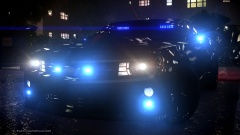 looks pretty freaking badass
 -
Some vehicles will not work if you have edited the vehicles.ide. Revert to the default one and all the police ones should work fine.
-