


Medicmojo
Members
-
Joined
-
Last visited
-
Currently
Viewing File: Berks County, Pennsylvania - EUP 9.3 Minipack
Everything posted by Medicmojo
-
Sorry man, my bad - that is what I get for only taking a quick look and comparing templates! Yeah.......doesn't work for either of the models I suggested the other day. Definitely not your problem, and being "horrible with liveries", lol. These models I sent you are 2021 - and, if you look at the livery texture, it is labelled as "kanes2016fpiu" - so that would be the reason it doesn't fit. I tried quickly looking for 2016 FPIUs using Kanes base model - found this one..........and actually tried it quick in OpenIV. The body markings seem to match up fine, but the hood markings don't quite line up with the fender stripes. Not sure what else to suggest.......sorry. My other offer still stands though - just let me know if you change your mind.
-
Sorry we couldn't settle on getting the work done for you for Rabbit's FPIU. I poked around a bit just now on LSPDFR - if you are willing to look at a different FPIU model, I found a couple that look like they should fit the texture pack I linked earlier. **** please note, I HAVE NOTE actually tested them on the models in OpenIV or in-game - just compared the texture layout to the template png included in the model downloads **** lol.....no guarantees, but might be worth a look! Good luck!
-
OK, sounds fair enough. Keep me in mind, and let me know if you ever need anything else done in the future!
-
Maybe we can work something out! Sending you a PM here.......
-
Hey there! I know it has been a few months since you posted this, but.....thought I would ask anyways! Did you ever get the badge for these liveries sorted out? You were looking for a lore-friendly Blaine County version of the ECSO badge, correct? If you still need that, let me know - I could probably do that up for you.
-
This livery pack might work for you. An update note mentions adding an FPIU livery - not sure if it will fit the model you want, though. If not, and you still need the work done, let me know. I do liveries.
-
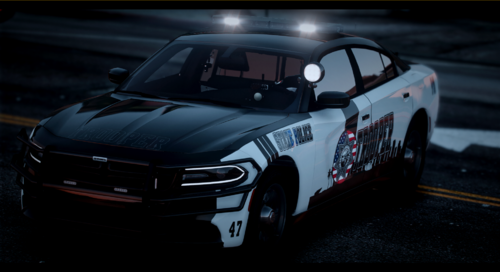 Very creative!
 -
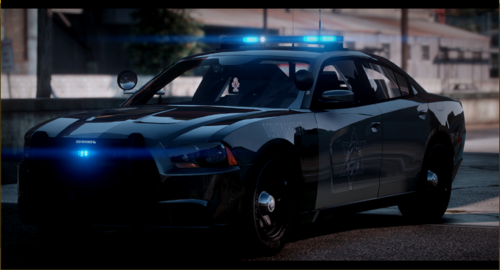 Well done!
 -
@Trooper 923 might be of interest to you?
-
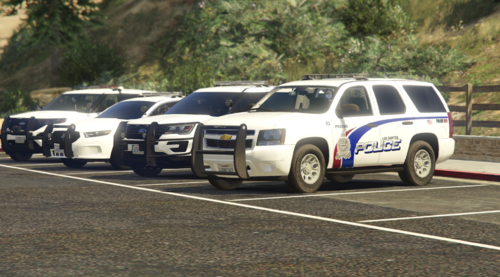 Nice work!
 -
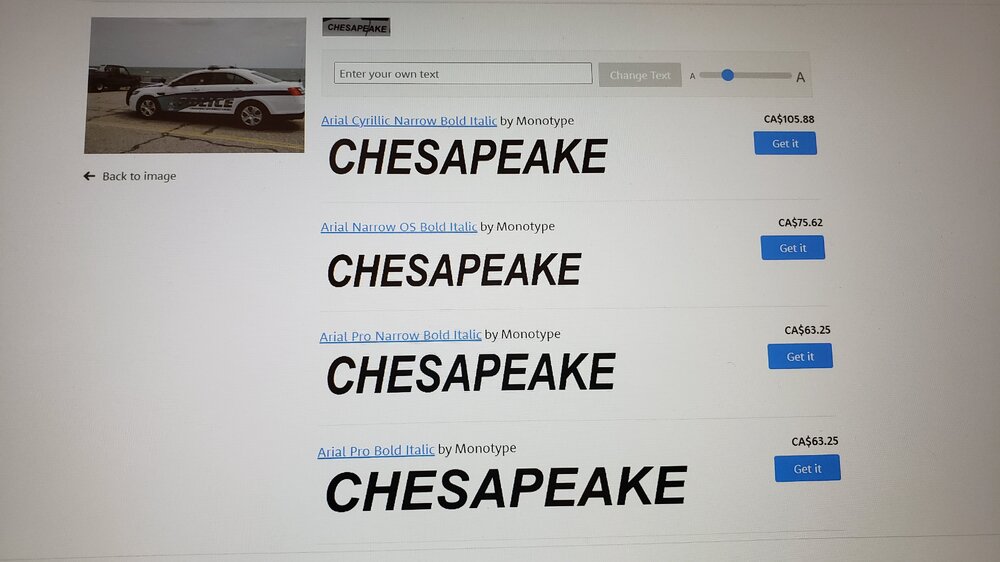
Yeah, you bet! I know and feel the frustration of trying to find the matching font! Will definitely spend hours sometimes! That is actually a pretty nice livery design.........might have to work it into a lore friendly version at some point.
-
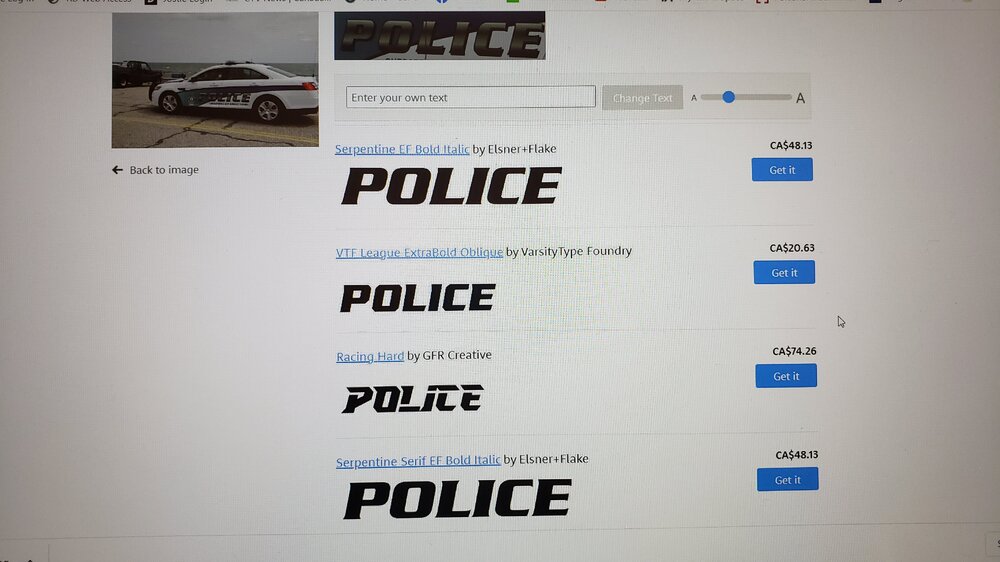
Hey - did you figure this out yet? If not............hang on a sec. Looks like one of the "Serpentine Bold" fonts would be a good match for the main POLICE....... And, for the smaller text, maybe something out of the basic Arial family would work well.........
-
Hey there - I see it has been quiet a few months since you posted this......did you get any help, or find a solution otherwise. I stumbled across your post while searching out more info on making reflective liveries, lol. Anyhow - I think that rather than simply deleting the "reflective" texture file.........you need to put something back in there. From what I understand (which isn't very much, mind you!) of model builds and how the texture "dictionary" works, you can't just take out a texture file you don't want - because the model was made with that texture file in place, so it will always look for it......I think? The exception to that rule would be multiple livery files, the "sign_1, sign_2", etc - you can delete the extra ones you don't want/rename what you do want, as long as there is a "sign_1". So, what you need to do with the reflective texture - is replace it with a blank or completely transparent file. Pull it out of the texture dictionary, into your graphics program. Erase all the images on that file (or just create a new image with matching dimensions), save/overwrite what you pulled out......then drag/drop it back in to OpenIV again.
-
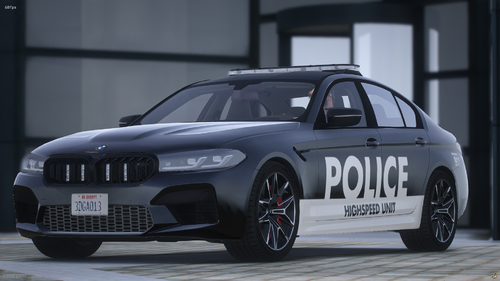 OK, got the template from your discord, thx.
 -
Hey there! This car model looks great - definitely interested in working with it! Thanks for the release! Regarding the download files - can you double check the template file you uploaded? When I download and extract it, it opens as a DDS file - but, then shows completely blank when I open it in GIMP.......??? Unless I am doing something wrong? Maybe just post the template right here in the message thread as a jpeg or png, if that work easiest? Thanks!
-
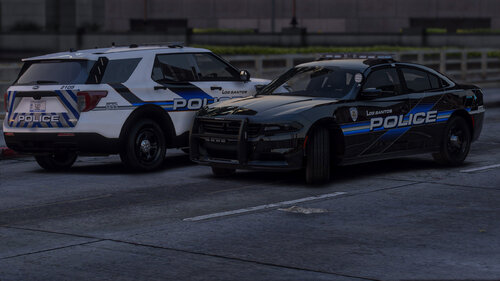 Nice work on these liveries. Look to be very accurate to the real life design. I can definitely appreciate the work and effort that goes into making the gradient shading in the striping!
 -
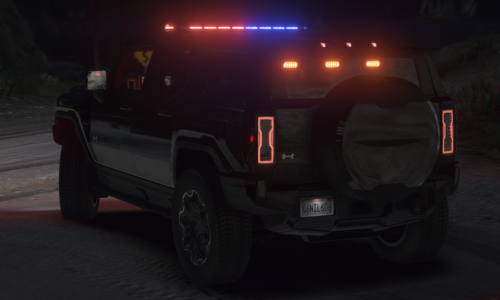 Great looking, unique model! Could you share the template.........maybe just post it in the message thread here, if that is the easiest. I have some exisiting liveries I would love to rework onto this model!
 -
^^ these........ ^^ THESE ^^ ........ Absolutely - thanks so much to you, and all the other devs, for all the amazing *FREE* work you all do for the game. (and, for those players willing and able, the paid stuff is awesome too!)
-
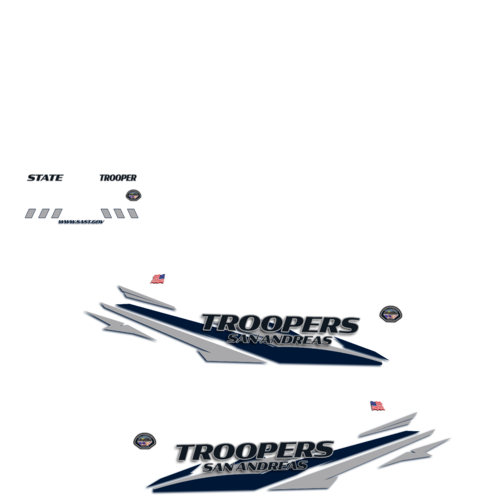 Hey - wow, very nice liveries! Appreciate the amount of work, effort, and detail you put in to it - looks like unique unit numbers for the majority of them........small detail, but appreciated!. Will definitely keep this one in mind! As a suggestion - how about a few in-game screenshots to really showcase your work? And......maybe a list of the vehicles you have done the liveries for? I realize the full list is obvious once you download and open the file - but, I had no idea how many options you made! Also, how about suggested vehicles/bases the liveries would work for?
 -
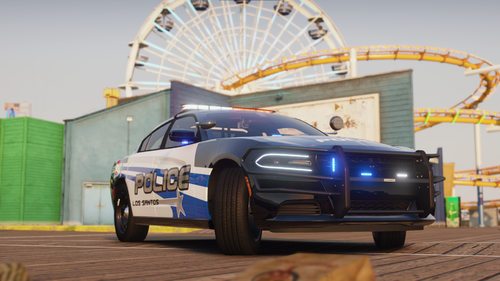 Yeah - I was able to use a couple of existing liveries I had, from other Georgia packs I've already released on LSPDFR last fall! Tried out the model in game a bit - looks awesome, nice work! Will either update those packs with a link to your model.......or, maybe create a new release with these two linked to your model, and links to my previous agency packs - might generate a bit more traffic on those! LOL One question regarding the lighting. You mention that you made it (the ELS file) a specific Soundoff pattern and build - I notice there is lots of white in the flash pattern. For the stage 1 lighting (typically the rear TAs only) - which I think is labelled as "SECL in the .xml file? - there doesn't seem to be a whole lot going on?? Is that the intent? I only seem to see the mirror flashers on, and then maybe a tiny red and blue bulb in the rear window? But, the environmental lighting looks like much more red/blue going on. Any thoughts on that - am I missing something?
- 12 comments
- 1 review
-
OK thanks! Just to be clear......I wasn't asking you to make more liveries! I was wondering if you were cool with other people (say......like me!) making and releasing other texture liveries for your model - with a link and full model credit to you, of course. Was thinking I might work this model into one of the other texture packs I have released......or future projects.
- 12 comments
- 1 review
-
Looks like a great model - thanks for the release! Would you have any problems with other liveries being released for it? Looks like Matt's Charger template will work for it. Having asked that......this is a pretty cool livery design!
- 12 comments
- 1 review
-
Hey man - glad an old "necro" post helped!! I definitely understand the "CRAZY" part of trying to figure things out.
-
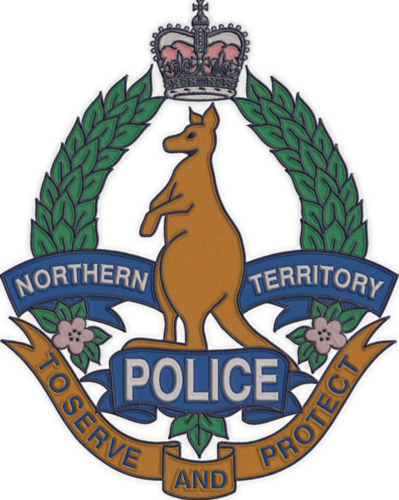 Wow......amazing work! Fantastic detail, and I can certainly appreciate the amount of time and effort you would have spent on it. Don't see the embroidery effect done very often, and your's looks superb. It is a very "niche agency", though........maybe for a follow-up project, do up one of the lore-friendly agencies? I bet many of the EUP creators would snap it up!
 -
 Hey - this is great! Just saw you update the mod with some code corrections to fix FPS. That was my problem back in March last year..........will definitely try a re-install of your mod! Looks like you have made some other great improvements since then. Thanks!
- 403 comments
- 24 reviews
-
-

- 1
-



