


Hilth0
Members
-
Joined
-
Last visited
Everything posted by Hilth0
-
He has no right to force people into giving him something in return, its not his model, it is EVI's.
-
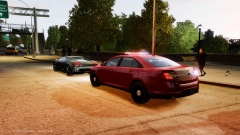 Mine.
Mine. -
My skin maker(s) have not found a good livery yet, so I just let him test it.
-
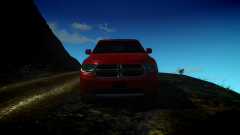
From the album: Hilth0's WIP's
- 2013 Dodge Durango by Activion Studios, converted to GTA IV by Hilth0, edited to a 2013 Dodge Durango SSV by Hilth0, Wheels by Nikitoss, heavily modified and converted to GTA IV by Hilth0. -
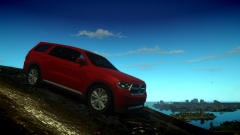
From the album: Hilth0's WIP's
- 2013 Dodge Durango by Activion Studios, converted to GTA IV by Hilth0, edited to a 2013 Dodge Durango SSV by Hilth0, Wheels by Nikitoss, heavily modified and converted to GTA IV by Hilth0. -
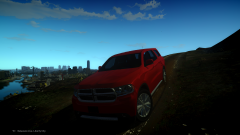
From the album: Hilth0's WIP's
- 2013 Dodge Durango by Activion Studios, converted to GTA IV by Hilth0, edited to a 2013 Dodge Durango SSV by Hilth0, Wheels by Nikitoss, heavily modified and converted to GTA IV by Hilth0. -
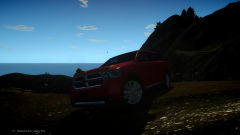
From the album: Hilth0's WIP's
- 2013 Dodge Durango by Activion Studios, converted to GTA IV by Hilth0, edited to a 2013 Dodge Durango SSV by Hilth0, Wheels by Nikitoss, heavily modified and converted to GTA IV by Hilth0. -
Ha, nice!
-
 Not a Police Package.. :/
 -
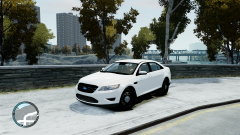 It is not a 2012 Taurus, nor PI, you need to get the proper wheels, proper grill, proper badges removed/added. Its just a 2010 SHO right now.
 -
I'm pretty sure you are talking about the overly produced shitty 5 minute models? Anyways, this one might interest you, by yours truly. '?do=embed' frameborder='0' data-embedContent>>
-
-
Over 300 hours! That game is so fun!
-
-
Arrest? He is beating the man to death.
-
Seems you have really stepped up your game! I may suggest, practice modeling and converting and who knows what you can do! 5/5.
- 8 comments
- 3 reviews
-
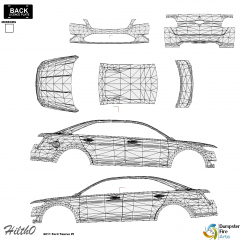
From the album: Hilth0's WIP's
I will be making many Taurus' and if you want to make a skins or skins for it, send it to me if you'd like! Credits: 2011 Ford Taurus SHO by Turn 10 Studious, converted to GTA IV by Hilth0, modified to 2011 Ford Taurus PI by Hilth0. -
You guys do not want to be here at the end of those 28 days. Don't say you were not warned.
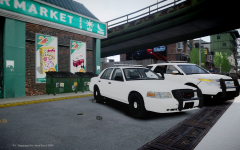 Its obviously the 2012 Ford Explorer Utility PI from NFS, converted by that guy, then edited by THED. Still not a PI buddy.
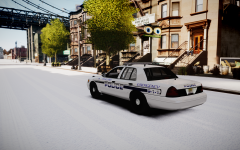 If anyone wants that car, it is mine and it's available for download, but, I am going to redo them soon.
![[WIP] DSF Ford F-150 Conversion](//s3-gallery.int-cdn.lcpdfrusercontent.com/gallery/album_1328/sml_gallery_3938_1328_185558.png) You should try scratch modeling and converting parts to make even better vehicles!
You should try scratch modeling and converting parts to make even better vehicles!- 11 comments
- 4 reviews
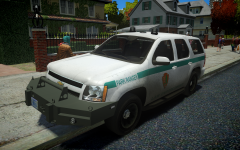 That is exactly what it is actually.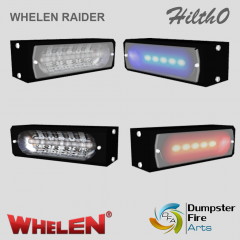
From the album: Hilth0's Scratch made stuff.
- Whelen Dominater® Single, scratch modeled and converted by Hilth0 of DumpsterFireArts.


![[WIP] DSF Ford F-150 Conversion](http://s3-gallery.int-cdn.lcpdfrusercontent.com/gallery/album_1328/sml_gallery_3938_1328_185558.png)
