


Hilth0
Members
-
Joined
-
Last visited
Everything posted by Hilth0
-
All my scratch made models!
-
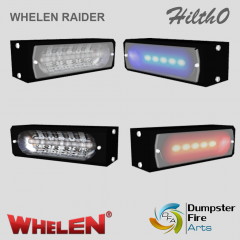 Whelen Dominater® Single
-
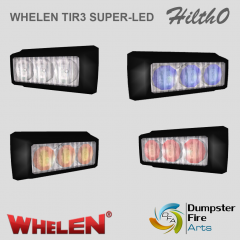 Whelen TIR3® Super-LED
-
 Federal Signal Twinsonic
-
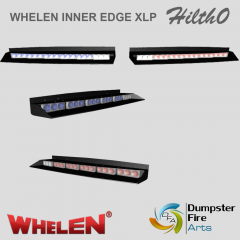 Whelen Inner Edge® XLP
-
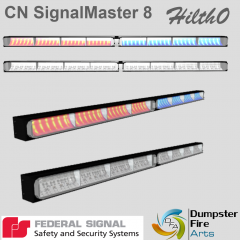 Federal Signal CN SignalMaster 8
-
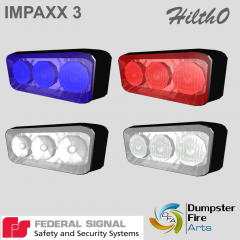 Federal Signal IMPAXX 3
-
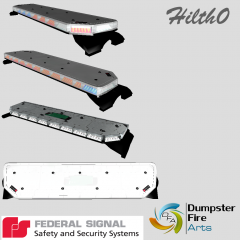 Federal Signal Integrity
-
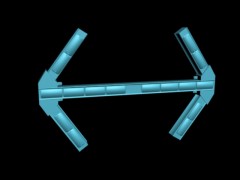 Whelen Traffic Advisory Arrow Head Style
-
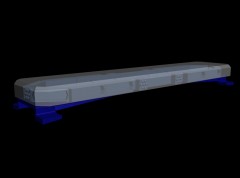 Code 3 RX2700
-
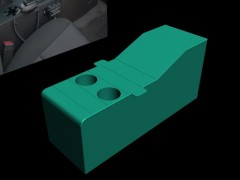 Police Console.
-
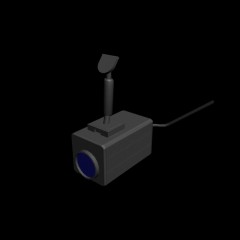 Federal Signal In-Car video camera
-
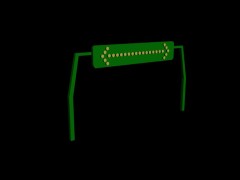 Voltex 37'' Traffic Advisor Sign Arrow Board
-
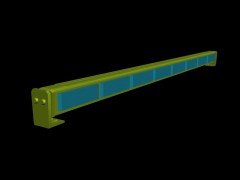 Voltex 36' Traffic Advisor TIR LED.
-
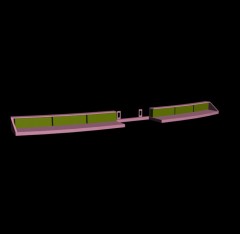 Code 3 Dual Stack Wingman Rear LED Deck Light
-
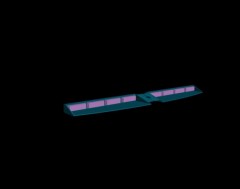 Voltex Split Visor RedHawk Interior LED Lightbar
-
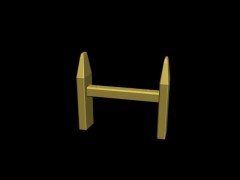 Code 3 Pushbar
-
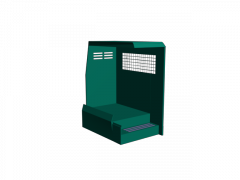 Setina SUV K-9 Kennel + Room for 1 Suspect/Criminal.
-
-
![[UNLOCKED]](//s3-gallery.int-cdn.lcpdfrusercontent.com/gallery/album_2374/sml_gallery_92397_2374_35536.png) Chrome is not setup that way......
Chrome is not setup that way...... -
Since I like to keep my models low poly, I made the base, made an extrusion downwards to fit the three modules into, then I covered it flat, and yes I used a bump map.
-
-
From the album: Hilth0's Scratch made stuff.
- Whelen TIR3® Super-LED scratch modeled and converted by Hilth0 of DumpsterFireArts. -
![[WIP] 2011 Dodge Ram - LAFD ambulance](//s3-gallery.int-cdn.lcpdfrusercontent.com/gallery/album_547/sml_gallery_2101_547_1593923.png) DAAAAAAMN!! Nice work Gangrenn!
DAAAAAAMN!! Nice work Gangrenn! -
You need to make this a Police Package. I know you will probably say, "Well it's undercover so it needs to look civilian." Well, no, all police vehicles must be the police variant. for example.
- 24 comments
- 3 reviews
-
-

- 1
-
-
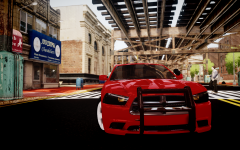 Actually Dodge does not call their police vehicles 'PPV', they call it 'PP', for Police Package. Chevy uses 'PPV'.
 -
From the album: Hilth0's Scratch made stuff.
- Federal Signal Twinsonic scratch modeled and converted by Hilth0 of DumpsterFireArts. ----------------------------------------------------Notes----------------------------------------------------- 2.3k Polies. -
From the album: Hilth0's Scratch made stuff.
Whelen Inner Edge® XLP scratch modeled and converted by Hilth0 of DumpsterFireArts. -
Jones' Salt & Vinegar Potato Chips.
-
If it's just the plant, not laced with anything, its harmless; should be legal.
-
None, Arby's or Wendy's (BACONATER FUCK YEAH) anytime.
-
-
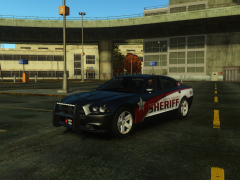 Wheels.
 -
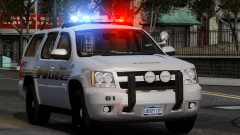 This car needs to be a PPV (Police Patrol Vehicle); which means you need a lot of editing for example, removing badges that say 'Tahoe', moving the wheels higher so that the car sits lower, remove the fog lights, add some minor stuff to the windows. Check out my OSHP Tahoe on lcpdmods for a reference. Also Tahoes do not use that PB-200 variant, they use stuff more like a PB-450L for example. I wish you luck!
 -
It's a Federal Signal Vista.
-
From the album: Hilth0's Scratch made stuff.
I made this today, it is an eight unit traffic stick. credits: Federal Signal CN SignalMaster scratch modeled and converted by Hilth0 of DumpsterFireArts. -
-
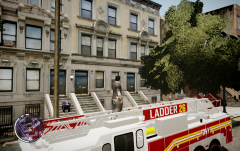 He was working on this weeks, even months ago. If your saying he is copying the idea of those people, what about every person who ever released a realistic NYPD CVPI for example; think.
 -
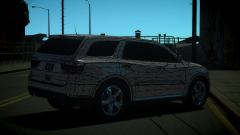
From the album: Hilth0's WIP's
Started working on this on Tuesday. This is my 2013 Dodge Durango. CREDITS SO FAR: Model by Activision, modified with parts by Bxbugs123 and Ubisoft Studios, converted to GTA IV by Hilth0. -
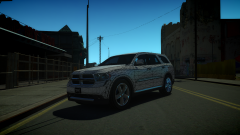
From the album: Hilth0's WIP's
Started working on this on Tuesday. This is my 2013 Dodge Durango. CREDITS SO FAR: Model by Activision, modified with parts by Bxbugs123 and Ubisoft Studios, converted to GTA IV by Hilth0. -
Definitely and improvement! You should move the lightbar down just a tad bit to make it look right with the way Legends are put on cars in real life. Personally I do cars with only one company, like Whelen, Federal Signal, Code 3, Voltex, SoundOff etc. but that's just me. You should probably edit/make some of your own stuff; get better with the system all together. You should use a more appetizing title like '2010 CVPI LCPD W/Federal Signal Legend' for example. Anyhow 4/5!
- 22 comments
- 13 reviews
-
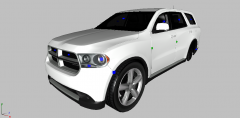 Yes, indeed that is the very reason I chose it.....that and it's sexiness.
 -
I'm not even finished with it, but I plan to re-make the vehicle in the picture above.


![[UNLOCKED]](http://s3-gallery.int-cdn.lcpdfrusercontent.com/gallery/album_2374/sml_gallery_92397_2374_35536.png)
![[WIP] 2011 Dodge Ram - LAFD ambulance](http://s3-gallery.int-cdn.lcpdfrusercontent.com/gallery/album_547/sml_gallery_2101_547_1593923.png)
