



Alex Modifications
Members
-
Joined
-
Last visited
Everything posted by Alex Modifications
-
 This isn't accurate, your normals are all over the place. Also your tires have no sidewall, if this was realistic you'd have sidewalls no? Mods, this is constructive feedback.
 -
Hey there, I assume you are replacing the police# vehicles, make sure you create a mods folder first so you don't mess up your original game files. Replacing the vehicles in patchday1ng should work for you. Please provide an image of where you installed the vehicles, upon opening the YFTs in OpenIV do you see that the vanilla vehicles are replaced with your modded vehicle?
-
https://www.microsoft.com/en-gb/download/details.aspx?id=26999
-
From what I can tell this is Kane's FPIU base, please look in the YTD for a texture name fpiu_sign_# (1 or whatever). My guess is that Scorpian is using shared textures between his vehicles which is why some other textures are missing. Take a look to see if the fpiu_sign_1 file is there though first and check in with me. After a closer look I feel that some of your normal maps aren't showing up and they could be using the BC7 compression which is only supported on DX11, make sure your game's setting is on DirectX 11 or higher. The liveries and other textures are there upon downloading for me. Upon checking, the livery and lightbar are using BC7 compression and your game not being on DirectX 11 or higher will make it not show, I am 100% certain this is the issue.
-
.png.60058b291d7da9ca6570d9accb1ee4d1.png) Inaccurate, also quite literally using ripped parts from Vast.
Inaccurate, also quite literally using ripped parts from Vast. -
Hi there, I just noticed your post recently. One of the most common reasons why this happens is when you exceed the hierarchy limit of 128 bones. I've attached a picture below to show where you can check if you have exceeded it or not.

-
While the support team suggests we turn off PreloadAllModels and other things in the ini as well as ensuring we have the right game llimit adjusters installed. I noticed instantly, I stopped stuttering as much once I closed the discord app out, if you really want to have the discord app on your second monitor or just open. Have discord on google chrome while you are playing LSPDFR, then use the app when you are playing FiveM. I noticed after closing discord, I was also able to turn up my population density and variety without too much performance loss. Discord definitely took a chunk of performance.
-
Hi there, So for this 2018 Dodge Charger model, it uses Matthew Parelta's base which Ripple did provide the correct template in the download from what I can see but he made a mistake by not removing the default Livery_chrg_sign_1 from the YTD. Please go ahead and remove the blank Livery_chrg_sign_1 then rename 18charger to Livery_chrg_sign_1, if you want to add further liveries go ahead and add it to the YTD then add a _2 and so on. (Ex: Livery_chrg_sign_2, Livery_chrg_sign_3) Base Model Creators recommend only putting a 1024px livery in the regular YTD and recreating a +hi ytd to add the 4k variant, this helps with rendering a 4k texture at all times in the game, this will help greatly with performance. While I'm not familiar with how SP works, I know in FiveM 4k liveries in a regular YTD will just get compressed down anyways. -snipped-
-
Hi there jeeptj, If you believe in the future when your metas are the reason why you are crashing please reference an xml validator https://www.xmlvalidation.com/ This is a common one I use to debug my vehicles. I ran yours through multiple XML validators and they indicated no errors. Most of the time vehicles, carvariations, carcols, and handling would never cause your game to crash. Usually it is with the physical YFTs. Usually if there is an error with a metas, it just won't start your dlc. Please check if the YTD of the vehicle exceeds 13k MBs, one of the issues that do cause crashes. Other reasons could be that you don't have a gameconfig or other limit adjusters that are required with additional modifications to your game.
-
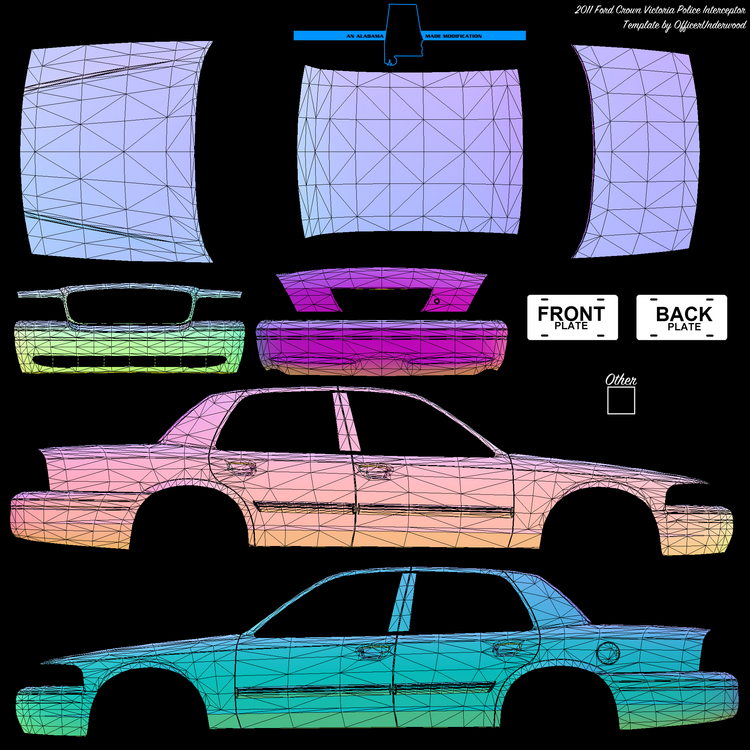
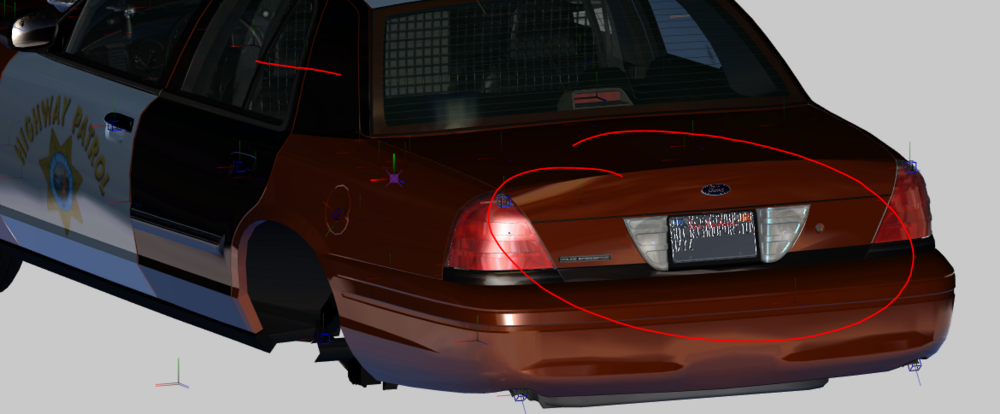
Hey tee, I assume it is the rear part of the trunk that you want black? If you have mapped it black in PDN or Photoshop and it appears like that in game it is because Ripple may have mapped not mapped it to the template. This looks like OfficerUnderwood's CVPI. If you happen to have his template it should say Made by OfficerUnderwood on the template somewhere. I attached the template below as well. Could you try changing the vehicle paint and see if that changes anything? If it does Ripple mapped it to the paint and it isn't present on the template. He me may have mapped it to the "Other" box. Ripple isn't really a good developer in the community standards, noticably in that car you can see his lightbar straps go past into the door so when you open the door it clips with the straps, sometimes people aren't knowledgeable in vehicle creation so I wouldn't be surprised that issues like this is present. I'm currently taking a look at Underwood's CVPI base in Zmodeler which is the software myself, Ripple and other developers use and it should be mapped properly.
-
This gallery album consists of all of my BHPD work for the GTAV community. 🔗 Alex Modifications Discord: https://discord.gg/j3gtUSjmPT
-
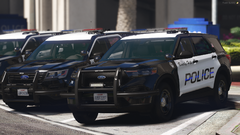
From the album: Beverly Hills Police Department
🔗 Alex Modifications Discord: https://discord.gg/j3gtUSjmPT -
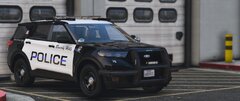
From the album: Beverly Hills Police Department
🔗 Alex Modifications Discord: https://discord.gg/j3gtUSjmPT -
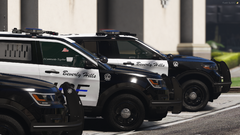
From the album: Beverly Hills Police Department
🔗 Alex Modifications Discord: https://discord.gg/j3gtUSjmPT -
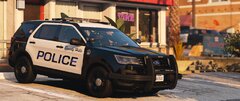
From the album: Beverly Hills Police Department
🔗 Alex Modifications Discord: https://discord.gg/j3gtUSjmPT -
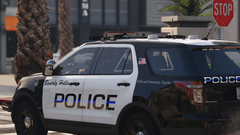
From the album: Beverly Hills Police Department
🔗 Alex Modifications Discord: https://discord.gg/j3gtUSjmPT -
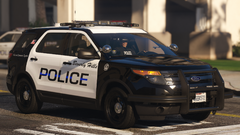
From the album: Beverly Hills Police Department
🔗 Alex Modifications Discord: https://discord.gg/j3gtUSjmPT -
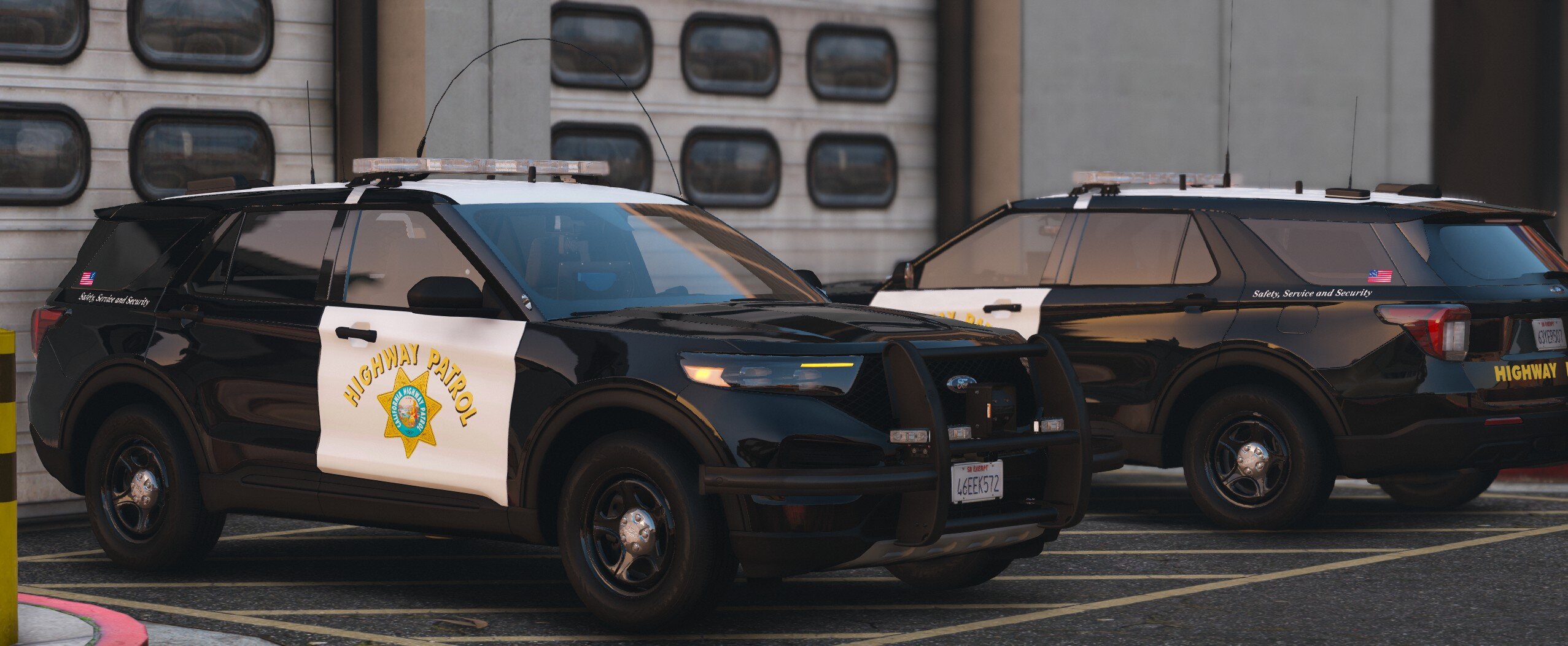
This gallery album consist of all of my CHP work for the FiveM Community. This shows you an almost 1:1 99% accurate replication of the CHP Fleet irl, better than @Bing Chilling who uses leaked assets and won't come forward about it.
-
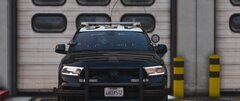 2025 Dodge Durango PPV Front View
-
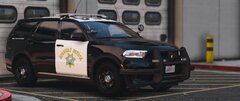 2025 Dodge Durango PPV
-
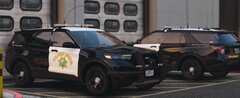 2025 FPIU
-
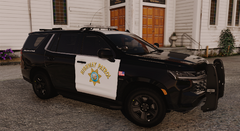 2023 Tahoe PPV
-
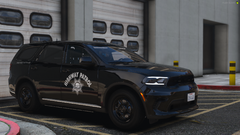 2023 Dodge Durango SMPV
-
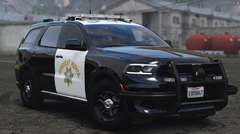 2023 Dodge Durango PPV
-
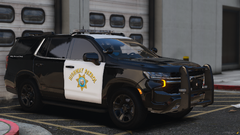 2021 Tahoe PPV
-
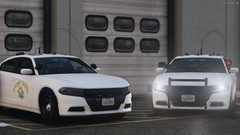 2023 Dodge Charger SMPV & Red Spotlight
-
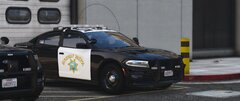 2023 Dodge Charger PPV w/ GoRhino
-
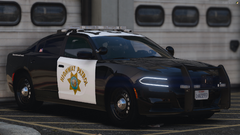 2023 Dodge Charger PPV
-
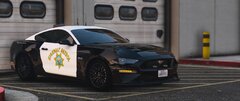 2019 Mustang GT (Jay Leno's)
-
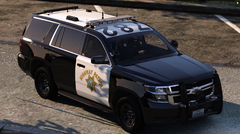 2016-19 Tahoe PPV
-
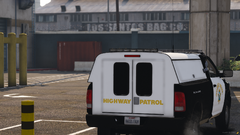 2016 Dodge Ram SSV Rear View
-
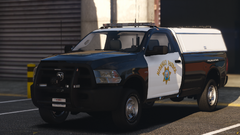 2016 Dodge Ram SSV
-
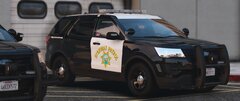 2016 FPIU w/ Westin
-
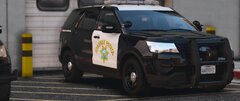 2016 FPIU w/ Westin
-
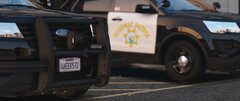 2016 FPIU w/ Thick Rubber & No Decals
-
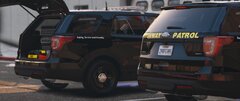 2018-19 FPIU Rear
-
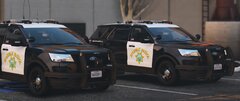 2016 FPIU Thin & Thick Rubber w/ Decals
-
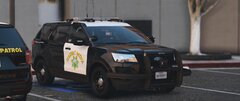 2016 FPIU w/ Thin Rubber
-
-
From the album: California Highway Patrol
🔗 Alex Modifications Discord: discord.gg/j3gtUSjmPT All CHP Vehicles include modkits that can be in the “Mod Menu” section of a trainer. Modkits can vary from: • Spotlights Up/Down * • Antenna Variations * • Dashcams * • Cage * • Hooked Whip Antenna * • Parking Lights * • Wraparounds * • ALPRs * • Rambar Rubber Thickness * • Rambar Decals * All of these variations of modkits ensure that your vehicles are not only packed with many features but also includes many features that the irl counterpart has. You can replicate a unit to the exact one irl. *Only on some vehicles #AlexModifications #CHP #GTA5Cinematic #FiveM #CaliforniaHighwayPatrol #GTA5Mods #LSPDFR -
From the album: California Highway Patrol
🔗 Alex Modifications Discord: discord.gg/j3gtUSjmPT All CHP Vehicles include modkits that can be in the “Mod Menu” section of a trainer. Modkits can vary from: • Spotlights Up/Down * • Antenna Variations * • Dashcams * • Cage * • Hooked Whip Antenna * • Parking Lights * • Wraparounds * • ALPRs * • Rambar Rubber Thickness * • Rambar Decals * All of these variations of modkits ensure that your vehicles are not only packed with many features but also includes many features that the irl counterpart has. You can replicate a unit to the exact one irl. *Only on some vehicles #AlexModifications #CHP #GTA5Cinematic #FiveM #CaliforniaHighwayPatrol #GTA5Mods #LSPDFR -
From the album: California Highway Patrol
🔗 Alex Modifications Discord: discord.gg/j3gtUSjmPT All CHP Vehicles include modkits that can be in the “Mod Menu” section of a trainer. Modkits can vary from: • Spotlights Up/Down * • Antenna Variations * • Dashcams * • Cage * • Hooked Whip Antenna * • Parking Lights * • Wraparounds * • ALPRs * • Rambar Rubber Thickness * • Rambar Decals * All of these variations of modkits ensure that your vehicles are not only packed with many features but also includes many features that the irl counterpart has. You can replicate a unit to the exact one irl. *Only on some vehicles #AlexModifications #CHP #GTA5Cinematic #FiveM #CaliforniaHighwayPatrol #GTA5Mods #LSPDFR -
From the album: California Highway Patrol
🔗 Alex Modifications Discord: discord.gg/j3gtUSjmPT All CHP Vehicles include modkits that can be in the “Mod Menu” section of a trainer. Modkits can vary from: • Spotlights Up/Down * • Antenna Variations * • Dashcams * • Cage * • Hooked Whip Antenna * • Parking Lights * • Wraparounds * • ALPRs * • Rambar Rubber Thickness * • Rambar Decals * All of these variations of modkits ensure that your vehicles are not only packed with many features but also includes many features that the irl counterpart has. You can replicate a unit to the exact one irl. *Only on some vehicles #AlexModifications #CHP #GTA5Cinematic #FiveM #CaliforniaHighwayPatrol #GTA5Mods #LSPDFR -
From the album: California Highway Patrol
🔗 Alex Modifications Discord: discord.gg/j3gtUSjmPT All CHP Vehicles include modkits that can be in the “Mod Menu” section of a trainer. Modkits can vary from: • Spotlights Up/Down * • Antenna Variations * • Dashcams * • Cage * • Hooked Whip Antenna * • Parking Lights * • Wraparounds * • ALPRs * • Rambar Rubber Thickness * • Rambar Decals * All of these variations of modkits ensure that your vehicles are not only packed with many features but also includes many features that the irl counterpart has. You can replicate a unit to the exact one irl. *Only on some vehicles #AlexModifications #CHP #GTA5Cinematic #FiveM #CaliforniaHighwayPatrol #GTA5Mods #LSPDFR -
From the album: California Highway Patrol
🔗 Alex Modifications Discord: discord.gg/j3gtUSjmPT All CHP Vehicles include modkits that can be in the “Mod Menu” section of a trainer. Modkits can vary from: • Spotlights Up/Down * • Antenna Variations * • Dashcams * • Cage * • Hooked Whip Antenna * • Parking Lights * • Wraparounds * • ALPRs * • Rambar Rubber Thickness * • Rambar Decals * All of these variations of modkits ensure that your vehicles are not only packed with many features but also includes many features that the irl counterpart has. You can replicate a unit to the exact one irl. *Only on some vehicles #AlexModifications #CHP #GTA5Cinematic #FiveM #CaliforniaHighwayPatrol #GTA5Mods #LSPDFR -
From the album: California Highway Patrol
🔗 Alex Modifications Discord: discord.gg/j3gtUSjmPT All CHP Vehicles include modkits that can be in the “Mod Menu” section of a trainer. Modkits can vary from: • Spotlights Up/Down * • Antenna Variations * • Dashcams * • Cage * • Hooked Whip Antenna * • Parking Lights * • Wraparounds * • ALPRs * • Rambar Rubber Thickness * • Rambar Decals * All of these variations of modkits ensure that your vehicles are not only packed with many features but also includes many features that the irl counterpart has. You can replicate a unit to the exact one irl. *Only on some vehicles #AlexModifications #CHP #GTA5Cinematic #FiveM #CaliforniaHighwayPatrol #GTA5Mods #LSPDFR


.png.60058b291d7da9ca6570d9accb1ee4d1.png)



