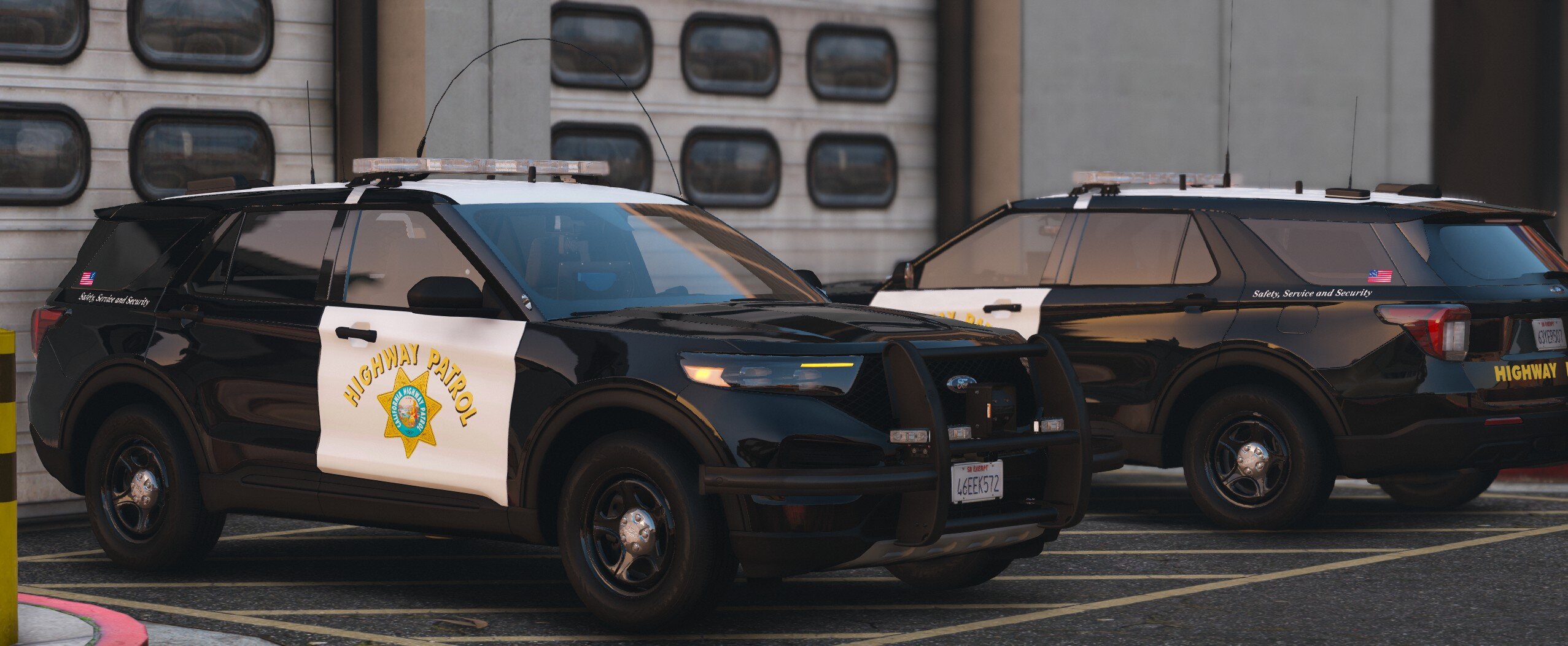
Since 2021, my journey in the world of GTA 5 and FiveM has been an exhilarating venture into crafting non-ELS vehicles. Armed with a passion for precision and creativity, I've devoted myself to pushing the boundaries of what's possible, utilizing the most advanced base models and cutting-edge equipment available. Through meticulous attention to detail and a relentless pursuit of perfection, I've honed my skills in bringing these vehicles to life, ensuring each design not only meets but exceeds expectations. My commitment to excellence drives me to continually innovate, seeking new techniques and technologies to elevate the quality of my creations. Crafting non-ELS vehicles has become more than a hobby; it's a testament to my dedication to the craft and a testament to the boundless possibilities within the GTA 5 and FiveM community.
🔗 Alex Modifications Discord: https://discord.gg/alexmodifications