



ApparentlyRohan
Members
-
Joined
-
Last visited
Everything posted by ApparentlyRohan
-
 I suspect the siren check is not working. I would need more info to really debug the problem. However, next update, that issue will no longer exist because the opticom will be fully controlled by the user and will never auto turn on.
- 114 comments
- 19 reviews
-
-

- 1
-
-
Currently, it is only changing the light the player is facing. There is some math involved to get all 4 to turn a certain color. Thanks for the explanation and support!
- 114 comments
- 19 reviews
-
-

-
- 3
-
-
You want me to create gamefibers in a loop? Say less I think my radius for search is too small for those massive intersections.
- 114 comments
- 19 reviews
-
-
-
- 3
-
-
-
MTFO Enhance traffic control and AI behavior when you are responding to a call with your lights and siren active. MTFO aims to create a more realistic and immersive experience by making the AI drivers react in a more intelligent and 'human-like' way to your sirens, rather than swerving all over the place. Disclaimer: GTA AI is extremely temperamental, and you may encounter some edge cases and odd AI behavior; these issues will be addressed in later updates. Please report any problems 😁 The best place to get support or suggest changes would be on Discord. Features: Extensive customization of AI actions via the MTFO.ini file. Configuration is reloaded when going on/off duty. Opticom Intersection Control: As you approach intersections with traffic lights, this feature will automatically turn the light green in your direction. This can be disabled via the EnableOpticom setting in the configuration file. Intelligent Yielding: On highways, vehicles traveling in the same direction as you will switch lanes if they are blocking your path, if no lane is available they will attempt to come to a smooth stop on the wide of the road. They will attempt to find a safe space to pull over if you are in the furthermost right lane. Oncoming Traffic Braking: Vehicles in the oncoming lane will slow down or come to a stop as you pass them on highways, rather than aggressively swerving. This is controlled by the EnableOncomingBraking setting. Dynamic Intersection Clearing: When you are approaching a major intersection (with traffic lights or stop signs), cross-traffic will be instructed to stop, clearing the way for you without having to navigate around other vehicles. Toggled via EnableIntersectionControl. Around Player Overtaking: When you are stopped, vehicles behind you will attempt to safely overtake your vehicle rather than getting stuck behind you. This is particularly useful during traffic stops or when you are stationary on a roadway for any reason. This is managed by the EnableAroundPlayerLogic setting. With the update to v4, the custom yielding now primarily functions on freeways/highways to make yielding more realistic in these scenarios. Please do not use your old ini; replace it with the new one; it will not function properly with v4, as I have rewritten the majority of the codebase. UPDATED SHOWCASE: Thanks to @BlueLine Vibes https://youtu.be/yYFjruw2yeQ?si=l1x4acViG_rKxI_9 LEGACY VERSION: Showcase, thanks to @amenbrother LEGACY VERSION: Showcase of the vehicles stopping for you thanks to @Scorpionfam
- 114 comments
- 19 reviews
-
-
-
-

-

- 68
-
-
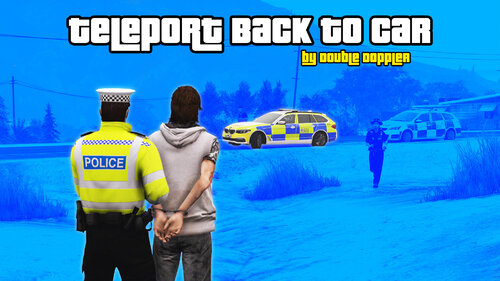 This mod just takes up a keybind. There is an RPH command to warp into your last vehicle. I will not be using this mod unless it receives an update that makes it more than just a RPH console command.
 -
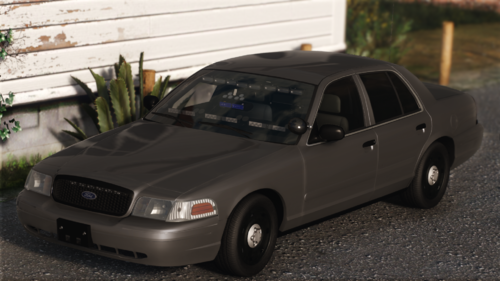 damn 😂
 -
we need more lights in the back. for sure. 😁
-
 oh it was placebo, I did not know!
 -
With this new update, it seems like the previous update did not do anything 😅
-
-
-
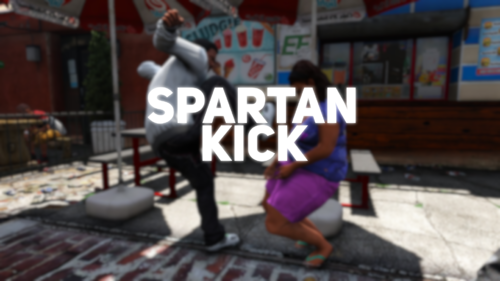 This is just like CrazyPursuits. I love CrazyPursuits.
 -
Now make it where civs do it to you in RTS
-
 Let me clear up your confusion. This mod is not doing anything. It is my callout pack: CrazyPursuits that is doing the funky stuff with your car. It is meant to be a troll/not for realism callout pack. If you have an issue with that, you are more than welcome to uninstall. I would advise you to do more research before making those claims.
- 46 comments
- 3 reviews
-
-
-
- 3
-
-
-
-
 There is one callout. It is an impossible pursuit. For all the oldies, this may give you a throwback 😛 If you have any questions/concerns/ideas about this callout pack, please don't tell me. @OfficerBenzo made a vid using this callout pack. I do appreciate it however you did cheat! 😛 https://youtu.be/h5mIty-wfjY Go watch! This is not meant to be a good callout pack.
- 47 comments
- 10 reviews
-
-
-
-
- 13
-
-
 Cant wait for the multi bolo system to come. It gonna change the game with like callouts and stuff.
- 195 comments
- 23 reviews
-
 Ah. It is possible as most LSPDFR plugins have version checkers that get the version from the LCPDFR.com API. You could look at some open source plugins for inspiration lol
- 221 comments
- 22 reviews
-
-
I really like the idea of this mod. However, I feel like the execution could be improved. Making the user download basically a whole site is tedious for the user and might deter users from installing this mod. My improvements for this mod would be: Host the site. This will make the ease of use for the plugin much easier. There are many free hosting providers out there(netlify, vercel). I realize that this will change a lot in terms of code but this will make the plugin a lot more appealing. Have a UI where the user could edit the json files instead of making them edit it directly. Most plugins that are mimicking a police computer do not have the luxury of making a UI to edit the file. I think that this plugin has that potential and luxury. I know it requires a lot of work as a fellow web developer 😅 I do not know whether you are planning on adding this. Most other police computer mods also have a court system. I think if added that into this mod as well, it would be great. The improvements are pretty structural and I realize they would require a lot of work. However, I think that with these improvements, the mod would be more appealing to users(including me) because there would be less work involved in installing the mod.
- 221 comments
- 22 reviews
-
-
-
- 3
-
-
-
.thumb.png.7b018185db2ef152e68c330015b2bf39.png) Use that mod if you want. Your choice. Many callouts have already been made but many upload the same callouts.
Use that mod if you want. Your choice. Many callouts have already been made but many upload the same callouts. -


.thumb.png.7b018185db2ef152e68c330015b2bf39.png)
