



ApparentlyRohan
Members
-
Joined
-
Last visited
Everything posted by ApparentlyRohan
-
 He made the shittiest state to ever exist not shit. 10/0
 -
 ill make it shorter next time. I gotchu bro
 -
It took like an hour to code. I posted on the RPH discord for testing. Forgot about it for 4 months. Then released it. Close estimate tho!
-
I gotchu Pyro 😄
-
Um....yes.
-
-
-
.thumb.jpg.68046a4b42381bd4f48080c95d5bcb9a.jpg) As the title suggests, this standalone exe helps you with keybinds. It shows you what keybinds are already in use(and in what plugin) and what keybinds are not in use by allowing you to search a specific keybind. This mod does not connect to your game in any way. As said in latest patch notes, Hopefully more than 2 people find it useful 🙂 Install: Drag and drop exe and pdb into main game directory and run exe.
As the title suggests, this standalone exe helps you with keybinds. It shows you what keybinds are already in use(and in what plugin) and what keybinds are not in use by allowing you to search a specific keybind. This mod does not connect to your game in any way. As said in latest patch notes, Hopefully more than 2 people find it useful 🙂 Install: Drag and drop exe and pdb into main game directory and run exe.- 23 comments
- 10 reviews
-
-

-

-

-

- 24
-
-
-
 Uninstall the mod. Is it toggled on? Type of vehicle you use doesnt matter.
- 108 comments
- 19 reviews
-
-
-
-
- 3
-
-
I can only make it if siren is activated. I don’t believe I can check whether lights are activated. If you want that, I can make an ini option.
- 108 comments
- 19 reviews
-
By chance, were the vehicles that werent working DLS or NON-ELS? If it was an ELS addon, I do not see how the mod would fail. Make sure your siren is on
- 108 comments
- 19 reviews
-
I suspect the siren check is not working. I would need more info to really debug the problem. However, next update, that issue will no longer exist because the opticom will be fully controlled by the user and will never auto turn on.
- 108 comments
- 19 reviews
-
-
- 1
-
-
Currently, it is only changing the light the player is facing. There is some math involved to get all 4 to turn a certain color. Thanks for the explanation and support!
- 108 comments
- 19 reviews
-
-
-
- 3
-
-
You want me to create gamefibers in a loop? Say less I think my radius for search is too small for those massive intersections.
- 108 comments
- 19 reviews
-
-
-
- 3
-
-
-
MTFO Enhance traffic control and AI behavior when you are responding to a call with your lights and siren active. MTFO aims to create a more realistic and immersive experience by making the AI drivers react in a more intelligent and 'human-like' way to your sirens, rather than swerving all over the place. Disclaimer: GTA AI is extremely temperamental, and you may encounter some edge cases and odd AI behavior; these issues will be addressed in later updates. Please report any problems 😁 The best place to get support or suggest changes would be on Discord. Features: Extensive customization of AI actions via the MTFO.ini file. Configuration is reloaded when going on/off duty. Opticom Intersection Control: As you approach intersections with traffic lights, this feature will automatically turn the light green in your direction. This can be disabled via the EnableOpticom setting in the configuration file. Intelligent Yielding: On highways, vehicles traveling in the same direction as you will switch lanes if they are blocking your path, if no lane is available they will attempt to come to a smooth stop on the wide of the road. They will attempt to find a safe space to pull over if you are in the furthermost right lane. Oncoming Traffic Braking: Vehicles in the oncoming lane will slow down or come to a stop as you pass them on highways, rather than aggressively swerving. This is controlled by the EnableOncomingBraking setting. Dynamic Intersection Clearing: When you are approaching a major intersection (with traffic lights or stop signs), cross-traffic will be instructed to stop, clearing the way for you without having to navigate around other vehicles. Toggled via EnableIntersectionControl. Around Player Overtaking: When you are stopped, vehicles behind you will attempt to safely overtake your vehicle rather than getting stuck behind you. This is particularly useful during traffic stops or when you are stationary on a roadway for any reason. This is managed by the EnableAroundPlayerLogic setting. With the update to v4, the custom yielding now primarily functions on freeways/highways to make yielding more realistic in these scenarios. Please do not use your old ini; replace it with the new one; it will not function properly with v4, as I have rewritten the majority of the codebase. UPDATED SHOWCASE: Thanks to @BlueLine Vibes https://youtu.be/yYFjruw2yeQ?si=l1x4acViG_rKxI_9 LEGACY VERSION: Showcase, thanks to @amenbrother LEGACY VERSION: Showcase of the vehicles stopping for you thanks to @Scorpionfam
- 108 comments
- 19 reviews
-
-
-
-
-
- 61
-
-
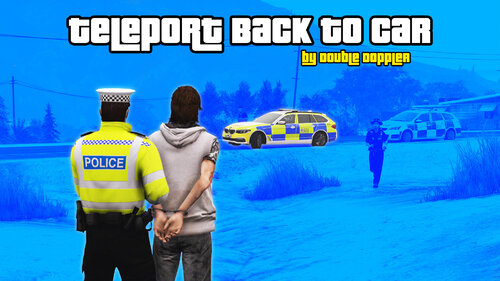 This mod just takes up a keybind. There is an RPH command to warp into your last vehicle. I will not be using this mod unless it receives an update that makes it more than just a RPH console command.
 -
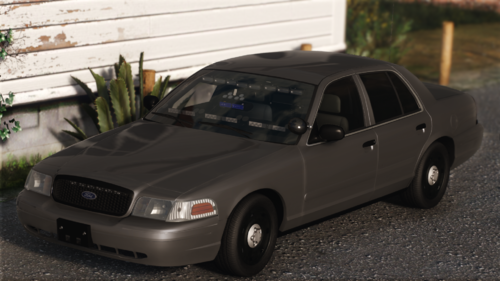 damn 😂
 -
we need more lights in the back. for sure. 😁
-
 oh it was placebo, I did not know!
 -
With this new update, it seems like the previous update did not do anything 😅
-
-
-
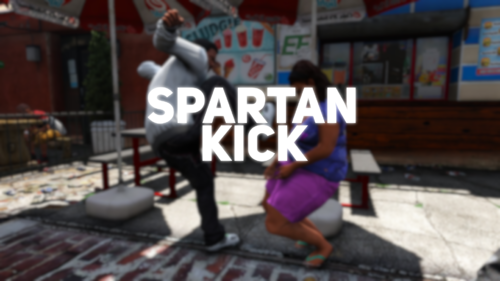 This is just like CrazyPursuits. I love CrazyPursuits.

.thumb.jpg.68046a4b42381bd4f48080c95d5bcb9a.jpg)

