Fartknockr
Members
-
Joined
-
Last visited
Everything posted by Fartknockr
-
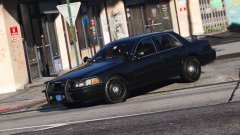 Uh..... What the fuck is going on with the front wheels?
 -
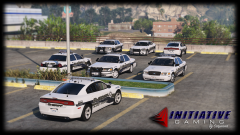
From the album: GTAV - Pictures
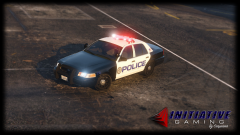
Just a hint of what's coming soon ........ Only thing in the picture that may or may not be included are the chrome hubcaps on the CVPI. Tahoe is not in the picture but is included in the upcoming release.© Initiative Gaming | FacePalm Studios | HighSpeed Designs
-
-
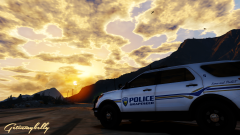
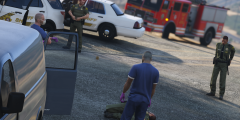 Give you a heads up..... SBC Cruisers don't say a city name on them if it says Sheriff. Only city names are displayed when it says Police. .... And not all have unit numbers on the roof. They do have the ones on the front and rear though. Good picture though.
 -
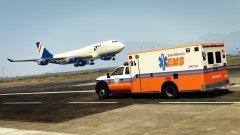 Skin fits the ambulance nicely
 -
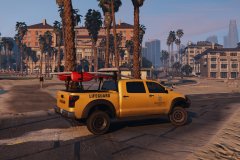 Or since Caine made it sexy, "Stunning Cunts"
 -
 Best Mod Ever..... #LOLLISLIVESDON'TMATTER #MAKETHEWORLDLOLLIFREE #LUNDYFORPRISON2017
- 8 comments
- 12 reviews
-
-

- 6
-
-
-
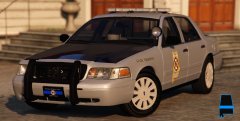
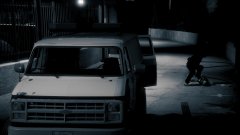 Damn good photo!
 -
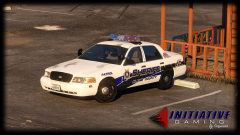
From the album: GTAV - Pictures
Decided to 3D model some of the older CVPI steel rims, which happen to be @AC-Teddy favorite ones, along with a car with damaged paint and decals. (Yes. The rims will be included in the download as a modded wheel. Stock model will include the new 2008+ steel rims as default)© Initiative Gaming | FacePalm Studios | HighSpeed Designs
-
-
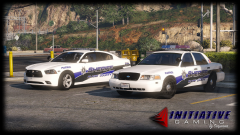 Sure! I was just testing colors on it from a previous skin I did but if it's wanted, yeah. I will release it................ And Yeah! I have a skin design in mind that I know you'd migh tlike.
 -
From the album: GTAV - Pictures
I haven't posted a photo of the new steelies since I re-made them again..... Probably about the 6th time so far but still working them. I also decided to mess with the coloring of the skin and think it looks decent, especially with the Vista. -
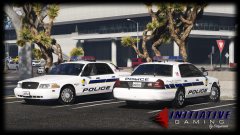 Yes. It will. So far, almost the entire interior equipment has been remodeled. Just left is a console and new body guard partition. I may or may not include window bars or the poly-carbonate window guard.
 -
Actually, there are many departments that recycle old equipment on new cars to keep a certain look. Mine is specifically one in which they took an old Edge strobe Lightbar, added newer leds and put it back on the road. It saves money. Secondly, my car. My rules. Don't like it. I don't give a shit. As soon as the Tahoe is finished. I'm just getting the pack ready.
-
From the album: GTAV - Pictures
Big Thanks to KevinDV for the lightbar. Everything was perfect except I had to model rotators for it but nonetheless........ Very sexy lightbar that is very undermined in the GTA community. -
-
From the album: GTAV - Pictures
Decided to remake the CVPI steelies from scratch and put my new equipment in it rather than keeping it in the Charger.© Initiative Gaming | FacePalm Studios | HighSpeed Designs
-
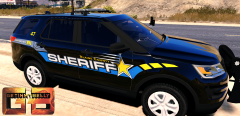 One of your nicer ones!
 -
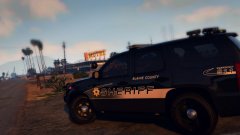 Dodge/Mopar rims with 5 lug hole bolts on a Chevy/GM product that has 6 lug hole bolts ............... Seems legit
 -
From the album: GTAV - Pictures
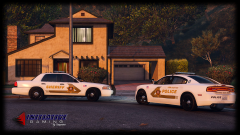
With proper sizing, font, and coloring of the graphics, including proper department schemes and their layouts© Initiative Gaming | FacePalm Studios | HighSpeed Designs
-
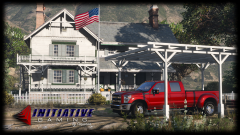
From the album: GTAV - Pictures
First time in game. Got a lot of things I can do with this bad boy.© Initiative Gaming | FacePalm Studios | HighSpeed Designs
-
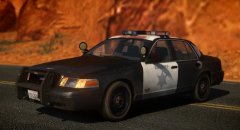 Impala rim cap on CVPI wheels ............................... FML.
 -
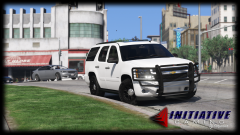 I don't plan on doing LASD. I don't like doing real life departments for copyright and legal purposes. The only real agency I would ever do is San Bernardino County Sheriff. I'd be willing to go against my rules for that department lol. San Bernardino County Sheriff all the way!
 -
Oh yeah. I plan on doing two releases for the Tahoe. One Marked and one Unmarked. The marked lighting will be similar to my 2014 Charger with the Legacy. Yes. The Taillights on this Tahoe are very accurate. I went to a local body shop and tore the lenses apart to get proper colors and accuracy since the colors behind lenses always confused me on what was actually colored or chrome or etc.