RakeRP
Members
-
Joined
-
Last visited
Everything posted by RakeRP
-
 why is it for policing redifined only? is there gonna be STP version? STP is just way better.
- 25 comments
- 3 reviews
-
IF ANYONE READS THIS AFTER TODAY THIS GUY IS A SCAMMER HE HAS UPDATED VERSION PAYWALLED FOR THE LAST 6 YEARS HE RELEASES NEW UPDATES WHILE PROMISING TO RELEASE THEM TO PUBLIC AND KEEPS THEM BEHIND 15$ PAYWALL STILL WHEN THE UPDATES ARE OLD EITHER never. its 2026, has version 2.5.0 or something, and its still behind a ridiculous expensive paywall.
-
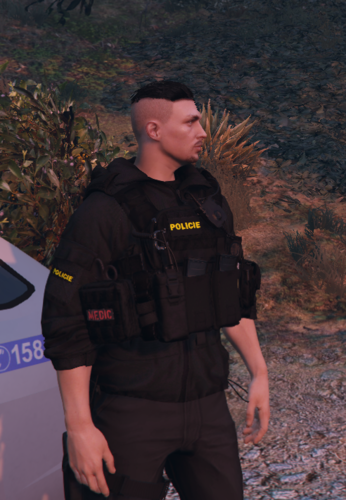 pěkný! díky za ukradení mé práce
 -
-
-
-
-
-
-
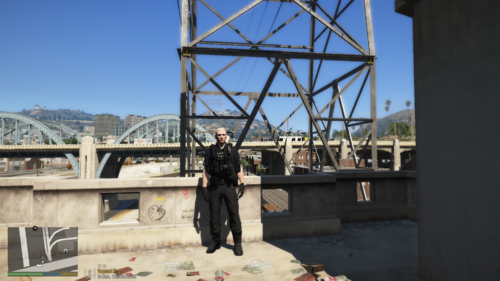 weird.. i installed it from here and it was broken cuz i didn!t have Vest&Earpiece so i installed that and it was good again i will try to fix it right when i can 🙂
 -
you have to download the VEST&EARPIECE file i posted link in description 🙂
-
-
did you download the files that are needed? if yeah then it must be your eup
-
I made alot of EUP packs recently, so now we have police one, it includes EUP and EARPIECE modification [Required]. Without it it will not work as it should so make sure to get it 🙂 My discord for support: https://discord.gg/mRr7hHwzQZ For VEST&EARPIECE go: EUP VEST&EARPIECE - Player & Ped Modifications - LCPDFR.com by @HANAKO ***NOT AVIABLE FOR FIVEM!!*** Enjoy 🙂
-
 if its UK callouts it should have STOLEN MOPED in it lol
 -
-
-
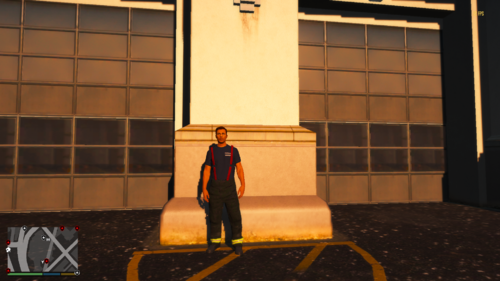 actually i gave link to download in the description and forgot to give you credits.. sorry im going to fix it
 -
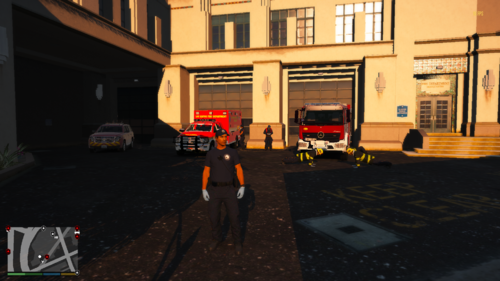 For everyone who wants to have some more EMT outfits to play with 🙂 , there is 1 outfit that is required to have retexture for EMT RUSHBAG, i will leave the link for the download in here down below... if you want to use it.. For any other problems, errors join my discord and you can tell me what is wrong with it or what should i add 😄 DISCORD: https://discord.gg/Weu4D4K EMT RUSHBAG: EMT Rush Backpack - Player & Ped Modifications - LCPDFR.com (OPTIONAL) Black firefighter turnouts for better firefighter EMT outfit: Black Turnout Gear [EUP 8.1] - Player & Ped Modifications - LCPDFR.com
 -
you dont have to use this.. but it has some other outfits and i tried to detail them more than the serve and rescue pack... it is your choice obviously
-
So i wanted to make a eup pack only with firefighter outfits and here we go! In screenshots you can see i have black turnouts or pants and they're not yellow. I have different textures on the clothes. But normaly for everyone else who doesnt have this textures like i do, it should be yellow. I hope you will have fun with it and if you have any problems with it join my discord. i have great support team 🙂 Discord: https://discord.gg/JvNp3dA If you want the Black turnout gear: Black Turnout Gear [EUP 8.1] - Player & Ped Modifications - LCPDFR.com Made by Simss @Simss DO NOT SHARE AS YOUR OWN!!
-
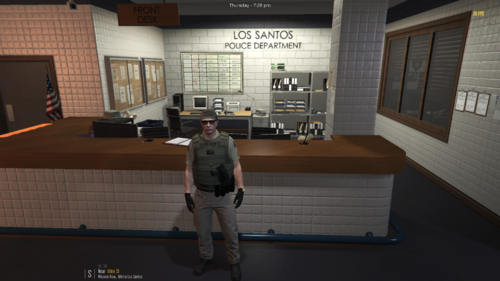 This is my first eup pack it took me a long time to make and i would love to see someone actually use it. Anyways the Firefighter skin isnt goodly made and kinda broken so i wouldn't reccomend using it at this time. Also read the ¨txt¨ file **Do not use as your own**


.thumb.png.f586cdd08abe7a57c60607d65c5e4795.png)