




Lennyy
Community Team
-
Joined
-
Last visited
Everything posted by Lennyy
-
Download the manual archive of LSPDFR and drag all the included files into your main GTA V directory.
-
In this log, LSPDFR hasn’t even began loading. Can you reproduce the issue and attach a new log please?
-
Try launching GTA without RPH.
-
Remove LoreCallouts and retry.
-
Common no. Could be anything tbh.
-
Do you have any script modifications inside your scripts folder? If its not the mods folder causing desktop crashes there’s not much left.
-
Ultimate backup does it a bit differently I think. Check other entries that use multiple liveries.
-
-
You can't add more default units than state and local agencies. What you can do is create a special unit called high speed police.
-
Please include the folder path in the picture
-
Your topic has been moved to GTA V Support, this is not LSPDFR related. Please post in the correct location in the future.
-
Please update GTAV by deleting GTAV.exe & verifying your game files. Please update RAGEPluginHook by manually reinstalling LSPDFR. GrammarPolice is missing a file/folder: https://www.lcpdfr.com/downloads/gta5mods/scripts/28003-grammarpolice/. Your topic has been moved to LSPDFR 0.4 Support. Please post in the correct location in the future.
-
Please remember that the forums are entirely voluntarily based and nobody is obligated to answer support topics 🙂. Please remove: Arrest Manager [Available alternative: Stop The Ped] Federal Callouts High Priority Callouts Police Smart Radio [Available alternative: GrammarPolice] Traffic Policer [Available alternative: Stop The Ped] and retry.
-
It's a diagnostic step to see if the mods folder is causing the issue. Please ensure you have a gameconfig, heap and packfile limit adjuster. If that doesn't help, revert recent changes made to the mods folder. If the still doesn't help, you'll have to make a new mods folder.
-
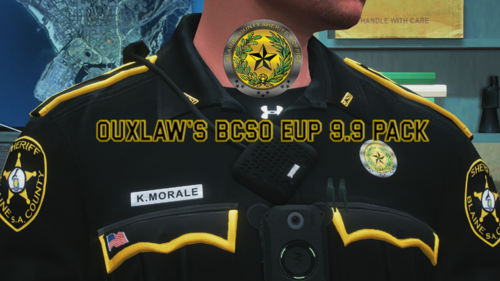 This will only work with 9.9 as the author outlined in the file description.
 -
Rename mods to _mods and see if you still crash in those areas. Maybe it’s a map mod of some sort you have installed?
-
The download works fine for me 🙂
-
Unfortunately I can’t tell you which charges and citations he has but the selection of multiple offenses of the same type is from the „early access“ version of CompuLite.
-
Do you have a mods folder? Rename it to _mods and retry.
-
Crash to desktop? Rename mods to _mods and retry.
-
Drag the callout interface api dll from your Plugins\LSPDFR folder to your main directory. Remove ForestryCallouts2 and JM Callouts remastered temporarily and retry.
-
Can you launch GTA without RagePluginHook at all? Your topic has been moved to GTA V Support, this is not LSPDFR related. Please post in the correct location in the future.
-
Navigate to your GTAV/lspdfr/lspdfr.ini and set AmbientSpawn.DisableRandomUnits = true.
-
In that session you didn't even start GTA all the way. Please reproduce the issue and attach the log again.
-
Attach your latest RagePluginHook.log please.


