




Lennyy
Community Team
-
Joined
-
Last visited
Everything posted by Lennyy
-
Würde mich sehr wundern wenn 686Callouts selber so ein Problem verursacht. Ist eigentlich so ziemlich das stabilste callout plugin von der Performance her. Klar kann es immer wieder zu Problemen führen die der Plugin-Ersteller natürlich gerne beheben würde. Daher meine Frage 😄.
-
Copy and paste the content of the file here.
-
This topic has been moved to the appropriate forum. Please post in the correct location in the future.
-
Does your game work without Rage? If not, rename mods to _mods and try again. Also attach your latest RagePluginHook.log please. It’s a text document found in your main game directory.
-
Was funktioniert bei 686Callouts denn nicht?
-
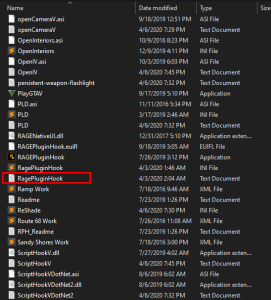
In that log there’s no indication of a LSPDFR crash. Can you force your crash again and send another log? That log should be inside the main directory and without any numbers.
-
You’re most welcome! This topic has been moved to the appropriate forum. Please post in the correct location in the future.
-
Upload your latest RagePluginHook.log please.
-
Your topic has been moved to GTA V Support, this is not LSPDFR related. Please post in the correct location in the future.
-
polgauntlet is the spawn name. See the thread linked below for more detailed information.
-
Hello. Please remember this is an English-only speaking forum. Translate your request into English.
-
Create an exception for the RagePluginHook exe and the entire GTA folder in your antivirus settings.
-
This topic has been moved to the appropriate forum. Please post in the correct location in the future.
-
The warning message mentions the auto install for LSPDFF. Try using the manual version and see how that goes.
-
Redo whatever you added last and see how it goes. If you didn’t change anything else, it likely to be caused by that addon.
-
This topic has been moved to the appropriate forum. Please post in the correct location in the future.
-
-
Common.dll, NAudio.dll and Newtonsoft.Json belong in your main directotry. The rest is fine.
-
Screenshot your Plugins folder please.
-
Looks like you have had your mods folder renamed before. Delete the one called _mods. Rename the current mods folder to _mods after that.
-
You're welcome!
-
Unlikely this is caused by modifying the settings.ini. Does your game crash with the mods folder being renamed to _mods?
-
That looks really cool! I recon there has been a similar third party application like this which allowed you to write reports and notes but sadly it was removed from the site. Would be cool to see this being released eventually.
-
Modify your GTAV/Plugins/EUP/settings.ini and set SkipDLCCheck = true then retry.
-
You can edit the various config files from LSPDFR to control which cars spawn in the world. If you're using UltimateBackup you will need to edit these as well. For more information on the LSPDFR config files please read here. In short. Remove any vehicle slots from the config files which you don't want to show up.



