



Everything posted by impliedstone
-
-
-
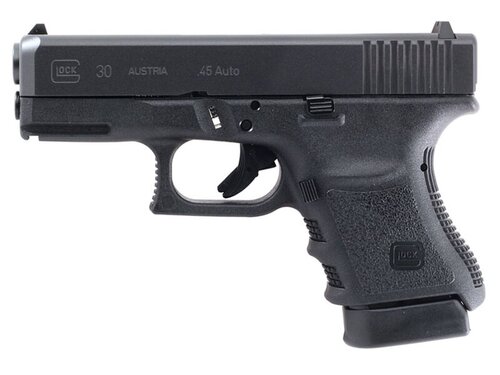 ok create a folder on the desk top go to the path way on the mods page in open iv export with open format that will make it weapons oac instead of weapons awc then take the wave file and put in the weapons folder make sure weapons folder and the weapons oac file are seperate on the desk top then just grab just the oac file and drag back into open iv pathway .... mods. 64. audio .sfx. weapons_player ok create a folder on the desk top go to the path way on the mods page in open iv export with open format that will make it weapons oac instead of weapons awc then take the wave file and put in the weapons folder make sure weapons folder and the weapons oac file are seperate on the desk top then just grab just the oac file and drag back into open iv pathway .... mods. 64. audio .sfx. weapons_player
 -
i figured it out ty
-
with7 zip ??? sorry i miss understood so extracted the file to a folder but the awc file and the wave file are not the same so cant replace it
-
i drop in the wave file in the pathway and it dosnt replace anything it just adds the bottom PTL_PISTOL_SHOT.R.wav weapon_service_carbine.awc weapons.awc spl_tank_player.awc spl_rpg_player.awc spl_railgun.awc spl_prog_ar_player.awc spl_minigun_player.awc spl_grenade_player.awc snp_rifle.awc snp_heavy.awc smg_smg.awc smg_micro.awc sht_pump.awc sht_bullpup.awc ptl_rubber.awc ptl_px4.awc ptl_pistol.awc ptl_combat.awc ptl_50cal.awc mgn_sml_sc__l.awc mgn_sml_am83_verb.awc mgn_sml_am83_vera.awc lmg_mg_player.awc lmg_combat.awc see its at the top .... am i doing something wrong??? and its a wav file not awc
-
having a prob installing this the wave file will not install????
-
-
-
-
-
 yeah i liked this mod too.... but i dont use ultimate backup anymore so i cant use it
- 92 comments
- 2 reviews
-
-

- 1
-
-
-
-
 i just took out no worries
 -
crashed game after install
-
 such a good idea ..just does not work well yet, i just always get the default response ... takes away from the immersion when you have to repeat yourself 4 times ...i really hope this ends up good because it is sooooooo needed....
- 321 comments
- 16 reviews
-
 crashes game
 -
 yeah it" taking the place of STP and UB so if your using UB in this mod then prob going to cause issue
- 346 comments
- 43 reviews
-
-
- 1
-
-
yeah your going to have to do police redefined support seems everything is going that way
- 346 comments
- 43 reviews
-
 you have to choose to print the citation then you can use f7 to give the ped the citation you have to choose t
- 726 comments
- 52 reviews
-
the only thing i have a prob with so far is every back up un it to fire ,ems,or tow, or even code 2 back up drives up so fast and crazy the only thing i have a prob with so far is every back up un it to fire ,ems,or tow, or even code 2 back up drives up so fast and crazy and i dont see any way to change my code 2 back up to just come without lights and sirens
- 726 comments
- 52 reviews
-
one question??? is there any way to use the defualt folder for all my cars in ultimate back up and if not is there going to be one so each area can have its on police unit never mind i see it
- 726 comments
- 52 reviews
-
-






.thumb.png.656f907bc2febc81911b0b821cb502c8.png)