impliedstone
Insiders
-
Joined
-
Last visited
Everything posted by impliedstone
-
-
-
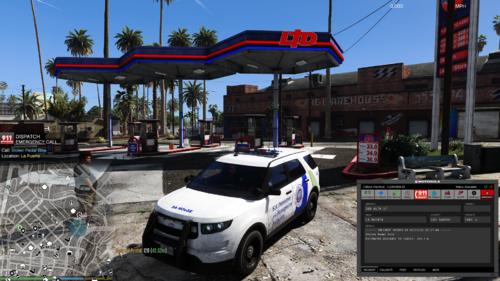 so ini goes in plugin folder and dll goes in lspdfr folder am i reading this right
- 12 comments
- 1 review
-
-
-
-
 OK I THOUGHT IS WAS AN AI DISPATCH WHERE U CAN HAVE FULL ON CONVO WITH IT SO THIS IS NOT MUCH DIFF THAN GRAMMER POLICE ????
- 224 comments
- 4 reviews
-
OK GOT IT TO WORK BUT HOW IS THIS AI I TRIED TO GET IT TO ANSWER CERTAIN THINGS AND IT GIVES ME GRAMMER POLICE ANSWERS AM I DOING SOMETHING WRONG IN THE I N I
- 224 comments
- 4 reviews
-
-
CHANGE DISPATCH KEY DOES NOT WORK I CHANGED THE DISPATCH KEY TO 0 ANMD IT DOES NOT WORK I CANT GET THE MOD TO DO ANYTHING WHY OH WHY DO ALL THESE AI DISPATCH MODS NEVER WORK
- 224 comments
- 4 reviews
-
-
-
-
-
 RagePluginHook_01052026_000125.log its says its looking for stp as a dependecy everytime i hit the key to turn on crashes and yes i have common frame installed thought might be your other mod visual prob cause... because i know that one dosnt work with pr but took it out and its still doing it
- 33 comments
- 1 review
-
crashes .... games looks for stop the ped... if you don't use stop the ped it crashes
- 33 comments
- 1 review
-
-

-

- 2
-
-
-
-
 no i will do it today
 -
ok ill do it tommorow and put up for you guys
-
ok ill make a vid for you guys when i get home if you guys still need the help???
-
-
-
ok create a folder on the desk top go to the path way on the mods page in open iv export with open format that will make it weapons oac instead of weapons awc then take the wave file and put in the weapons folder make sure weapons folder and the weapons oac file are seperate on the desk top then just grab just the oac file and drag back into open iv pathway .... mods. 64. audio .sfx. weapons_player ok create a folder on the desk top go to the path way on the mods page in open iv export with open format that will make it weapons oac instead of weapons awc then take the wave file and put in the weapons folder make sure weapons folder and the weapons oac file are seperate on the desk top then just grab just the oac file and drag back into open iv pathway .... mods. 64. audio .sfx. weapons_player
-
i figured it out ty