




Charlie686
Members
-
Joined
Everything posted by Charlie686
-
Update LSPDFR, RPH & GTA5.
-
This is something where a video might be useful.
-
PoliceSmartRadio is not updated? Unless I've misread somewhere, Version 1.2.0.0 was released by Albo1125 in 2019. While a fork does exist, this assembly version is 1.2.0.4. 🙂 In addition, @REALNAME looking at your log the version of RageNativeUI you have is not up to date, so be sure you move your copy of RageNativeUI from /Plugins/LSPDFR to your GTAV folder. Not just delete it as you can see a file called RageNativeUI already in your directory. Furthermore, I'd recommend you remove PoliceSmartRadioExtension which is also out of date and could cause you issues and personally, I'd suggest using GrammarPolice which comes with an in-built menu and a host of other features.
-
Sounds like you are familiar with the process, best of luck.
-
This means the issue might be in your mods folder. To test this, please rename it to _mods and retry - this will temporarily disable it. Keep me posted.
-
Hi there, Please rename your mods folder to _mods and retry. Let me know how this goes. 🙂
-
Hiya, Please try entering GTAV story mode without RPH. Let me know how this goes. 🙂
-
Please rename your mods folder to _mods & retry. And if that doesn't work, please provide detail as to your issue, and what yo uchanged before it appeared.
-
-
And some detail?
-
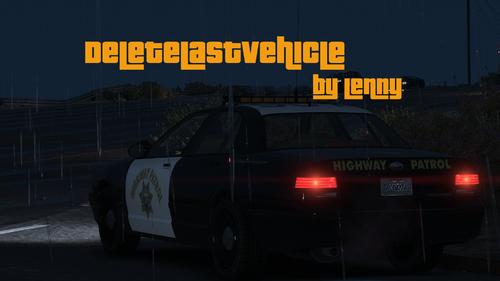 How entitled do you need to be to publicly make a false claim like this? That's everything wrong with this community. As someone who's seen the code of RPH_Delete_Vehicle and DeleteLastVehicle, you are wrong. They don't even do the same thing. If you feel you are right - despite not seeing the code, go ahead and contact the staff of this site. But making public claims like this is nothing but disrespectful and rude, to someone who has put hard work into something. Based on my understanding of the other plugin, it gets the closest vehicle to your position. However, this plugin will only delete your last vehicle, no matter how far you are (provided it returns valid). Why might people prefer this? It's best described through a scenario: if you exit your vehicle in a pursuit, and you finish some distance from where you started, you are unlikely to want to keep a persistent vehicle in your game. Using this plugin you can simply remove it, thus helping reduce your in-game memory. Whereas, the other plugin will only delete the vehicle closest to you - it works differently. I am sure Lenny will be happy to explain further if needed.
 -
"Reboot game" Is that all you've got to give? Please give me a description of your problem - not 2 words... 😄
-
It's still being addressed on Discord, but of course we will. 🤪
-
It certainly isn't going to help.
-
That's all good, what's up? 😄
-
In your log the only thing you tried is requesting backup. Please try again, and move away from your original spawn point and see if callouts & backup work. Keep your mods folder disabled. Thanks!
-
Like you would clear any text document, delete the contents. 😄
-
Please attach an updated log & screenshots of your main directory.
-
You are welcome! Enjoy it :))
-
Anytime, glad it works! 🤪
-
You should remove it, from my understanding SAntivirus (Segurazo) is malware.
-
What is the name of that second antivirus?
-
Show me the exception please & attach an updated log. 🙂
-
Hey there! Love the use of the zany emoji. 🤪 Your issue is fairly simple - you should make the GTAV folder an exception to your antivirus, restart your computer and then give it another shot. 😄 Keep me posted.
-
You are most welcome! Have fun. 😄



