




Charlie686
Members
-
Joined
Everything posted by Charlie686
-
Nice to hear!
-
And how did that go?
-
It has now been updated.
-
Rockstar have introduced methods to prevent people using older versions. Why not...just play another game in the meantime! 😄 Saves a lot of trouble.
-
No problemo!
-
Thank you, Cyan.
-
Modding GTA V after a Title Update - Grand Theft Auto V - LCPDFR.com
-
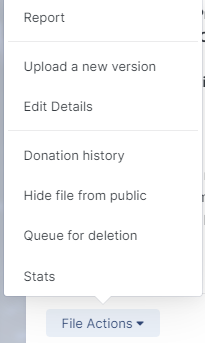
Upload a new version is an option for me. 🙂 Should be for you, too.
 This means the issue resides in your mods folder. First, make sure you have a custom gameconfig, Heap Adjuster & Packfile Limit Adjuster. If you have them installed, then you can: A) Revert any recent changes you've made to your mods folder. B) Delete your mods folder & create a new one.Then you installed GrammarPolice and failed to set it up correctly, multiple times.Which one do you download? And please screenshot this 'repair' screen you mention.No, how are you installing Microsoft Visual C++ 2010?Make sure you installed EUP correctly & the EUP configurations as well.That's okay, hope you sort it out. 🙂How are you installing it?Thanks! If you enter story mode for me, then once you are in try launching up RPH. How does this go?Nice to hear, enjoy. 😄Neither Beach Front Callouts, Callout Interface, or any released plugin would cause that. The issue would also not be related to LSPDFR. The issue occurs when GTAV isn't running, so neither is LSPDFR. Based on my little computer experience, it could be a Windows Update that went wrong? That's a stab in the dark. You'd also want to check it isn't a hardware problem by using a different keyboard if possible.It wouldn't pop up if you installed it correctly. Please guide me through how you installed it. 🙂What?Hi there, The issue is that you installed Lore Callouts incorrectly, thus causing Callout Interface to crash. Please install ZPhDevs.Common for Lore Callouts, found within the download. Hope this helps. 🙂Then the issue is not related to LSPDFR which doesn't load as soon as you start GTAV. You should see if the issue occurs without RagePluginHook and if so, you can rule it out as the cause. Make sure you do not have -windowed in your GTAV/commandline.txt file. If you want to launch into fullscreen, you can use -fullscreen. Hope this helps. 🙂Are you going to provide any further detail? Recent changes, steps already taken to solve the issue, etc.Hi there, Try loading GTAV without RPH; are you able to enter story mode? If you are, please attach your RagePluginHook log found in your main directory, not your logs folder. Thanks very much. 🙂



