




Charlie686
Members
-
Joined
Everything posted by Charlie686
-
Well if you need any assistance, just let me know right here! 🙂
-
Hey there, There is nothing to corroborate the idea that this is a LSPDFR crash. Please rename your mods folder to _mods & retry. This is a diagnostic step & will temporarily disable your mods folder. Keep me posted. 🙂
-
Hey there, Your STANIER vehicle model is invalid. I presume you haven't edited your STANIER vehicle at all - but this tells me that your vehicles.meta has an error in it. You should revert your recent changes, but you've told me that you replaced them all with the default ones. I would ensure you do this correctly. If you believe that your vanilla files may've inadvertently been edited, you can delete them & then verify your game files, which will auto-generate the latest files. Let me know how it goes. 🙂
-
Hey there, Which plugin do you have in mind? RAGEPluginHook plugins are installed into: GTAV/Plugins These are loaded by RAGEPluginHook, such as LSPDFR. Either via the RPH Console (F4) or on startup (RPH Settings to change this) LSPDFR Plugins are installed into GTAV/Plugins/LSPDFR These are loaded by LSPDFR when you go on-duty. Callout Packs, Bejoijo's Plugins etc. I hope this helps. 🙂
-
Hey there, This looks like some sort of ambient event. Please attach your RagePluginHook log - a text document found in your main directory. Thanks!
-
Solved on Discord. Solution: Ensure LSPDFR is loaded.
-
The most drama that you'll get while playing LSPDFR is the AI being dimwits! I hope LSPDFR lives up to your expectations - though, here are some recommendations: A) Take things slow as you install new things. For me, it helps me appreciate each modification I add & will help you diagnose potential issues. B) Always read the documentation included in the downloads. C) If you are in need of possible modifications to add, LCPDFR.com & GTA5 mods have a ton, but you may also want to check out this page which collates some popular mods. It may take some time before you can 'kick back and relax', but I hope it goes as smoothly as modding can get! 😄 And if you do run into issues, the support forums will always be around.
-
If removing dinput8.dll (ASI Loader) solves your issue, then the issue resides with one of your.asi files; an example being ELS.asi. To further help diagnose this issue, please move all.asi files in your main directory, to your desktop. Then, please re-add dinput8.dll to your main directory. Re - add your.asi files individually, and test if your game runs. Once you've identified which .asi file is causing the issue, please let me know.
-
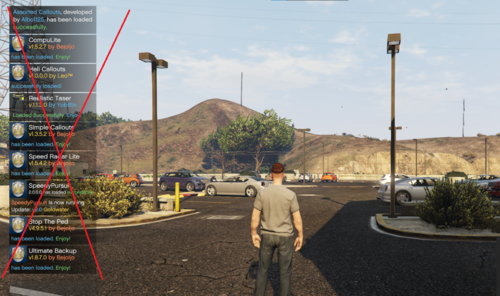 I've actually created something that works similar to this. Don't want to clog up this comment section for a pretty neat mod, but if you're interested, feel free to shoot me a message. 🙂
 -
Hey there, Please attach your RAGEPluginHook log - a text document found in your main directory. Additionally, please provide more detail. When did this problem start occurring? What have you installed recently?
-
Thank you for providing a lot of detail. To solve your crash, please update RAGENativeUI found here. Let me know how it goes. 🙂
-
If it is uninstalling itself, how come you are running out of space?
-
Responded in your original thread.
-
Please remove dinput8.dll from your main directory to your desktop & retry.
-
Please increase your Plugin Timeout Threshold to 60,000. This can be done in the RPH settings, which are accessed by clicking the 'cog' on the RPH splash-screen or holding shift while launching RPH.
-
Please attach your RagePluginHook log - this is a text document found in your main directory. Thank you. 🙂
-
Hey there, For note - when updating your mods folder, you don't need to replace update.rpf. So unfortunately all that work with reinstalling could've been avoided! Only updating update2.rpf is required now. As for your issue, have you tried installing this? You could give that a try. Let me know if it helps. 🙂
-
Can you load GTAV without RPH? If so, please confirm whether you can / cannot enter GTAV story mode.
-
Yes, you need to install it. You can get the dependency from here.
-
No, that's <Item>dlcpacks:/vedga/</Item> no? Unless I am misunderstanding.
-
^ 'vew' is in your dlclist but I'm not sure what it is.
-
Fantastic to hear, enjoy!
-
First up, you should remove the duplicate entries you have in there. Also: what's 'vew'?
-
Hey there, BetterEMS is crashing due to a RAGENativeUI related error. First - please ensure you are on the latest version found here. Once you've given it another try with that, let me know how it goes. 🙂
-
 You are most welcome! If you encounter issues, please let me know so I can continue improving it. You too, take care!
- 311 comments
- 60 reviews
-
-

- 2
-

