




Charlie686
Members
-
Joined
Everything posted by Charlie686
-
Go to GTAV/plugins and rename the LSPDFR folder to _LSPDFR Then retry for me.
-
Nice to hear! Enjoy 😄
-
Replied in your other thread.
-
Remove GTA5.exe and PlayGTAV.exe and verify your game files.
-
Thank you. There was no need to also PM me this. You are missing the .NET framework. Get it here: https://dotnet.microsoft.com/download/dotnet-framework/thank-you/net472-web-installer
-
Yes. They shouldn't be there. Only plugins in /plugins will appear in RAGE.
-
Instead of just dropping a log, what actually is the issue? For all I know it could be that you have flying sheep in your game....
-
Well, as someome who has a British setup I have just the document for you 🙂 https://docs.google.com/document/d/1TRqERcHAyP_gE6Qed6bRn3a9gk9-zNbMUGtG0oHdVXA/edit?usp=sharing
-
No problem! Any questions let me know.
-
This is caused by the STP (StopThePed) Realistic Weapon System that only allows you to have certain weapons. 1. Open the STP menu (The default keybind is "G") 2. Click "Disable Realistic Weapons System" If you only wish to disable this permanently you can do so in the STP ini file on this line: // Set whether you want to turn the realistic weapon system on startup (yes/no) EnabledOnStartup=no ^Set "EnabledOnStartup" to "no"
-
Haha. Quite the humour you have 😂 Glad you got it fixed. Any more issues just let me know 😜
-
Sure thing! Let me know how it goes 🙂
-
To confirm, that was with the mods folder disabled?
-
If you mean chance, yep.
-
If you want more weapons, you will need a trainer. Or do they disappear?
-
Don't disable your antivirus. Instead, make the GTAV folder an exception to your antivirus + Windows Defender.
-
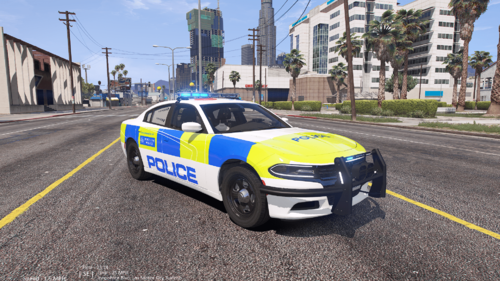 Volvo V90....... I regret asking you to come back to the Forums...shoo!
 -
Rename your mods folder to _mods and retry.
-
Nice to hear. Enjoy 🙂
-
Please upload your RagePluginHook log -> a text document found in your main directory.
-
Update RageNativeUI: https://github.com/alexguirre/RAGENativeUI/releases Failing that, remove County Calls.
-
And what actually is the issue?
-
Sorry - but could you clarify what this means?
-
Nice to hear. Enjoy 🙂
-
No problem. Any more issues let me know 🙂


