melvintje
Members
-
Joined
-
Last visited
Everything posted by melvintje
-
I don't have Stop the ped, but ultimate backup stopped working
-
I can confirm, works perfect now
-
There are already some threads about this, the bug has been acknowledged and will be fixed
-
Thanks for the acknowledgement, cannot wait to play it proper again
-
I have this problem too, though it was the plugins so I disabled those(by changing the lspdfr folder name(in plugins)) but didn't solve anything, but good to know that I'm not the only one here, I was coming here to make a thread, then I saw yours, Thanks, hope it gets fixed soon because this takes a lot from the immersion out of it
-
I got this problem too in the beginning, I fixed it by giving the GTA 5 folder full permissions
-
I solved this so far by disabling load plugings on startup, select Don't load plugins at startup, and when you're in game, open console and use reloadallplugins, go to police station and go on duty
-
I've got something similar here, it's not doing it everytime, but hate to see it happen since you need to restart, and loading does take some time
-
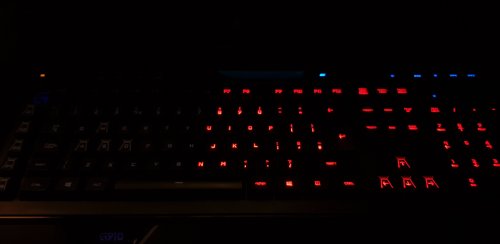 Hope it will one day also supports other RGB keyboards, I have the Corsair strafe RGB and would love to see this happening
 -
I can't see it yet, in the netherlands the showing the episode on 17-03 Monday
-
Hello I have the same problem, but fixed it more or less, First i did an automatic install, but that doesn't work properly becuase the games crashes between 5-30 minutes, now i did an manual install(copy/paste the folders and files) and now i can play 1 hour(sometimes more) before it crashes I run the game on an laptop Specs: i7-4700HQ 8GB DDR3-1600 Intel HD 4500 and GT750M(Optimus technology) 1TB 5400RPM hard drive
-
Its working much longer now, i did an manual install, (copy/paste the folders and files), and the game is now more stable then with an automatic install, i now can play 1 hour before its crashing Only want to know how i can place my one profile in the game(my login here on the site)
-
I know, thanks for the help, then i will wait for an update
-
The game still crashes, only this time it take longer, now about 20-30 minutes
-
There are no mods installed, i will try to reinstall the game, even manually if needed
-
Hi all I downloaded this mod(automatic install) and run it, i go on duty, and an few minutes later the game crashes(5-10 minutes playing), sometimes i get an fatal error, but sometimes it crashes directly to desktop Here are the needed logs the game is legal, buy'd it from steam Game is patched to 1.0.7.0 by steam itself Also EFLC is patched to the latest version(i'm only using GTA IV itself, not EFLC) I hope that someone can help me with this one
-
I get that to, but a couple hours ago when was playing the update vanished
-
-