


Jeffdadawg
Members
-
Joined
Everything posted by Jeffdadawg
-
That might be because LSPDFR has crashed and you didn't know about it. I had some funny experiences with that. I was like "Why can't I pull people over? Why are my partners gone al of a sudden?"🤣 Please send me your RagePluginHook.log
-
In order to update the mods folder, you just delete the old one and place the new one in. The annoying thing is just that you will need to put in all your mods in again.
-
You should really make a mods folder. It saves countless hours of hassle. Set your plugin timeout threshold to 60000
-
I do yes. I'll test the backup out later I don't know if this helps but, Now if I launch GTAV.exe the ERR_NO_LAUNCHER pops up And If I open PlayGTAV.exe The Rockstar things pop up as normal but then it says it timed out authenticating with Epic Services. (Yes, I use the Epic Games Version of GTA)
-
Try the console command ForceDuty
-
Hello, Please post you RagePluginHook.log
-
Also, remind me again, what exactly is crashing? Have you made any additions to the mods folder before it started crashing?
-
The purpose of renaming it to _mods is to see if the problem was in the mods folder. If you got the game to run without the mods folder, it means the problem is located inside the mods folder
-
Rename your mods folder to _mods
-
Just an update, now Task Manager says GTAV is 'suspended' when I launch it.
-
Unfortunately, It still 'crashed' When the GTA application actually opens, I noticed that Task Manager shows GTA as 'not responding' before the game closes Dunno if that's relevant
-
You are welcome🙂
-
Hello all, GTAV and LSPDFR have been working fine for me. In fact, I even played the game earlier today. Now when I open it, It starts to connect to rockstar game services as usual. Then the bigger Rockstar games thing pops up Then when that finishes, a black screen then the GTA app just closes. Prior to this crash, I added a few things: EUP Menu Callout Manager A colored map mod https://www.gta5-mods.com/misc/satalite-view-map I've renamed my mods folder to _mods and still it 'crashes' I can't provide a log because it just doesn't have one I've verified the game cache multiple time. One time it added something with about 2.1 GB. I really am fed up with this game

 Correct.Yes that should be the latest one.Glad to hear that you solved the problem. Happy playing!That is weird. It says that it Terminated LSPD First Response. As said on your log, just before the so called 'crash', Chill callouts tried to load a callout. I suggest you remove chill callouts.
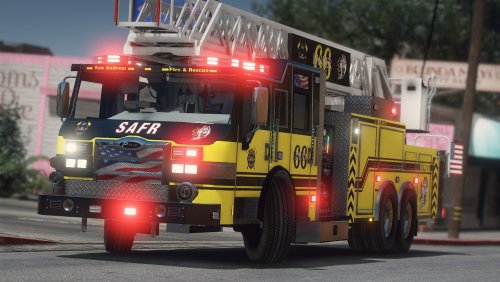 Looks absolutely AMAZING I've made my own skin for LAFD and it looks awesome. Thanks for this upload
- 38 comments
- 4 reviews
-
-

- 1
-
Ok try this: Download Simple trainer https://www.gta5-mods.com/scripts/simple-trainer-for-gtav Download this gameconfig for addon vehicleshttps://www.gta5-mods.com/misc/gta-5-gameconfig-300-cars and download these: https://www.gta5-mods.com/tools/heap-limit-adjuster-600-mb-of-heap https://www.gta5-mods.com/tools/packfile-limit-adjuster This is required for addon vehicles Press F3 to open it in game press Spawn Vehicles Go down to added vehicles menu Then select your vehicleSpecify 'the files'Which means the game doesn't crash, LSPDFR does. Please send me your RagePluginHook.log in your main directory





