


ka0sdev
Members
-
Joined
-
Last visited
Everything posted by ka0sdev
-
-
 Boom! Fantastic, thanks for the update, been so sad that the yielding caused the plugin to crash itself, can't wait to see how it's working now 😄
- 262 comments
- 35 reviews
-
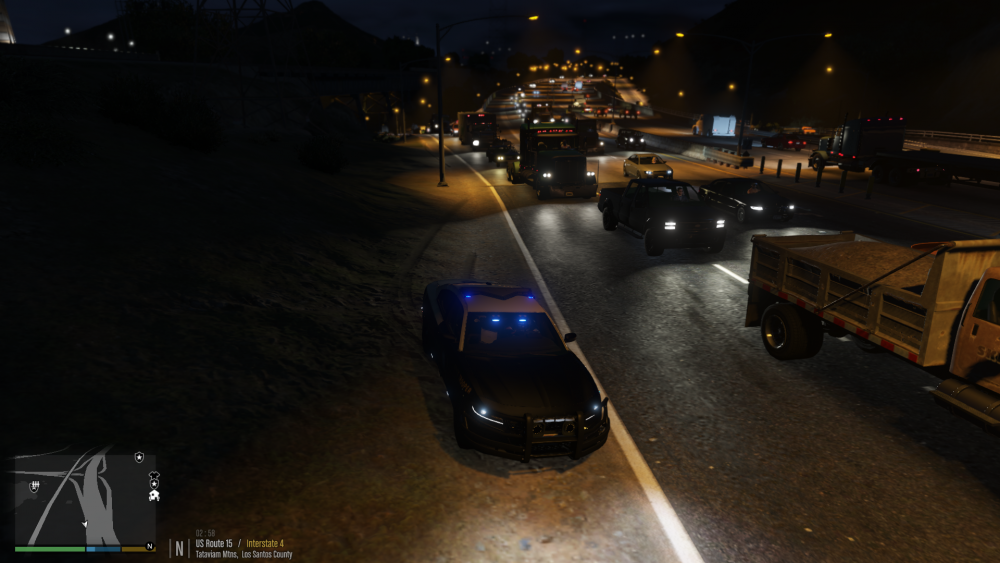
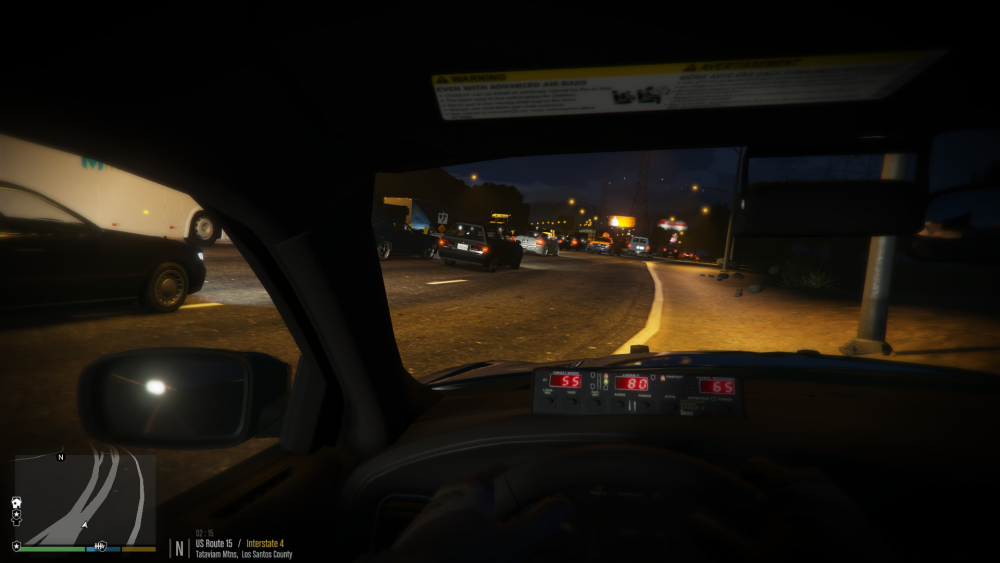
Heavy traffic on Interstate 4, ALPR duty 😄
-
I can recognize some of the sounds from https://www.gta5-mods.com/weapons/gun-sounds-overhaul-6b4936e6-20fd-4789-921c-23e5d1f492bd - I use that mod myself, it's nice 🙂
-
SHV has nothing to do with LSPDFR. Lspdfr can run without SHV. SHV is for example for ELS. Post your RagePluginHook.log
-
And SHV has been updated in the meantime too 😉 http://www.dev-c.com/gtav/ was updated 16th of August.
-
Are you guys seriously kidding?! Oh my friggin' gawd, there's like banners and shit everywhere. And have you heard about Google? http://www.dev-c.com/gtav/scripthookv/ released 16th of August for build 2060.
-
First, addon vehicles have absolutely nothing to do with RagePluginHook or ScripthookV, so your statement "Before the latest update of scripthookv" is very incorrect, because it has nothing to do with it. This issue is directly from GTA V 2060 update. Is it addons with their own DLC? Is it addons for patchday22-23ng or even replacement vehicles? Where did you install them? Perhaps some references, links to the vehicles you are referring to that isn't working.
-
Create a your own support thread, this is not related to OP's issue. Create a your own support thread, this is not related to OP's issue.
-
Ok, your cars does not work, and we cannot help you unless you tell us what you did, where you installed etc. What happens when you try to spawn them in RPH Console?
-
Have you checked your launcher.log ? That's where I found my issue, it was indeed not GTA5.exe causing any issues, but the launcher itself. Check it from Documents\Rockstar Games\Launcher\Launcher.log - The symptoms you are having are exactly like mine, although you have already disabled the firewall, so I'm not sure. Try remove SHV and do not run RagePluginHook, but just launch GTAV Vanilla from the launcher, and see what happens, if it goes "Loading" and then after a few seconds "Quitting" I'm confident that the actual error will be inside the Launcher.log.
-
Could you be a bit more explicit in what exactly happens? Does it state "Loading" from the Launcher when trying to run, and a few seconds after it shows "Quitting"? If so, try disable your firewall altogether, that worked for me 😉
-
I've heard rumors that patchday23ng doesn't work for replacements, or at least not all of them. Have you tried patchday22ng?
-
Well this is the exact same error I had, tried to figure it out for hours, I ended up reinstalling launcher, social club and GTA V basically the hole nine. Yet that didn't fix the issue. It drove me complete nuts trying to figure this out, after several hours of troubleshooting I found that disabling the firewall altogether fixed it, that being said I think this update may have contained some new layers for GTA V Online, which may have caused old exceptions in FW not to work anymore. I didn't have any exception in Firewall before the update and the game was working fine without it, but after update I had to make an exception for both launcher and gta v processes. Could you try and disable the firewall altogether and go again? - If that works, then you know an exception in Firewall is required. Best of luck!
-
Oh okay, I rest my case then. Although if that indeed is the case of premium that's just F'ed up. 🤐
-
+1, Wix is absolute shite if you aren't on their payment plans. You get what you get when you select a free plan, what one has to remember is that it's not free for Wix to host these, and therefore they're plastered with ads.
-
Yeah this is not allowed though. - No person should be able to gain any benefits from LSPDFR, as it's free to use for everyone. Paying people to setup something that is free, well.... Just think about it 😉
-
As long as the error codes comes up in RPH console when trying to spawn them it won't matter at all, they cannot spawn and you did something wrong since they aren't working, they must be able to be spawned from RPH console in order for them to spawn ambiently.
-
Yeah, been busy last few days, which means that it ran the auto-update, clearly forgot to shutdown the Rockstar Launcher, which sucks, but lesson learned, next time I gotta stay vigilant so I can backup the old archives in time before shit hits the fan. Nevertheless this gives me time to work on my OIV Environmental Enhancement / Realism package primarily for LSPDFR, however it can be used without LSPDFR, but most optimizations and improvements are based around the overall LSPDFR experience - Psyched about this one! 😉 Interesting, instead of using the mod for more highway slots, could you try with the one I linked, I've never had any issues with that, just pop in the files and go to the RPH console and spawn them from there.
-
I have heavily modified my own game, however when the time came around where I was done adjusting, the update hit... So yeah, I'm pending the trial of my modifications until RPH and SHV is updated 😢 Let me know if you need any help, might as well lend a hand when I can't play 😄
-
It is possible to add them to ambient, stations etc, this is done in the either agency.xml or regions.xml - Can't say for sure which one it is, but it's either one of those, there you can adjust all agencies and their functions as well as which vehicles are assigned to that specific agency + spawn as ambient etc, as well as the native backup system can be changed with responding units there as well. As for extra slots, I used: This works very well, however keep in mind per default addon vehicles will not spawn in traffic by vanilla GTA V, it is possible yes, but requires you to edit the popgroups.ymt file to add the addon vehicles to traffic.
-
Check this thread, I believe this is because of the update; If that doesn't work out for you, then you have to wait for RPH and ScriptHookV updates, as they are incompatible with the newest GTA V update.

-
No worries, just wanted to align properly on the subject. I just got crazy confused by it as I knew for a fact that all my ambient events both from LSPDFR and additional ambience mods were working completely fine, perhaps I lost my temper a little bit 🙂 *The air is cleared now!* Quite possibly, I will do some testing this afternoon, it's strange how this all of a sudden started becoming a problem as it worked multiple times before. I might even think there is a conflict of interest between EAI (Enable all Interiors) and Open Interiors, and no they are definitely not the same mod, they can unlock some of the same things, that's correct but far from being the same. Once I can consistently reproduce the issue after isolating the problem-plugin I will report back with the findings and possibly a work-around.
-
@Matteov2.0 sorry for tagging in advance, May I ask, what made you instantly think it was ambient events causing this? - I mean clearly it has absolutely nothing to do with it at all. It's nothing against you helping others, I'm sure you are appreciated in this community, however I can see pretty much in every single thread you ask people to do the same, even if the issue has nothing to do with ambient events, why is that?
-
Well that did the trick! I reverted back to the original mods folder, and added Main.DisableMultiplayerMap = true into LSPDFR.ini and now LSPDFR is launching successfully. I did however see a critical error from OpenInteriors.asi ScriptHook, so it appears OpenInteriors is the culprit here. I shall try to replace the OpenInterior files and try this maneuver again. Thanks a lot for the help! 🙂 EDIT: I will update the OP once I have isolated the issue completely causing this behavior, however thanks to Cyan and OfficerBenzo we have narrowed it down to being the OpenInteriors.asi causing this. Disabling multiplayermap in LSPDFR.ini - Fixes the issue. Removing OpenInteriors.asi in GTA V root with multiplayermap in LSPDFR.ini enabled - Fixes the issue. I believe it must be something config wise in OpenInteriors as it worked flawless before, and all of a sudden it stopped working.





