


Phantom Juliet
Members
-
Joined
-
Last visited
Everything posted by Phantom Juliet
-
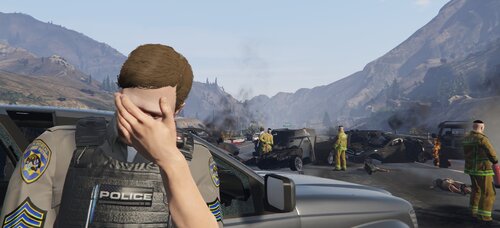 This doesn't ever work for me for some reason. The blips are usually annoying when lspdfr crashes during a callout. All the yellow circles and red blips just stay on the map. Only fix is to straight ul restart the game.
 -
 There's another script called "Enhanced Vehicle Actions 2" that already has this feature, along with other features like signal lights and tire retention.
 -
 What am I supposed to do for the hostage call? When I get close they just kills the hostages
- 635 comments
- 53 reviews
-
the callouts can't start for me, even when forcing a call, dispatch will always say "we are code 4" just as I accept the call Edit: It works now, LSPDFR was just bugged out. Works after restart
- 635 comments
- 53 reviews
-
 How do I speak to them when they're already in the vehicle? Stop the ped only let's me ask them to leave the vehicle before I can speak to them. Can't do the CE events because of this. Edit: Figured it out, have to use the "U" context menu instead of clicking "E"
- 184 comments
- 72 reviews
-
 for some reason I don't have a prologue.rpf Edit: oh I'm dumb, was looking in the mods folder...
- 2 comments
- 2 reviews
-
-

- 1
-
-
hey, just wanna know if this mod is still in the works? I've desperately been trying to find a reliable cpr mod.
-
 I've found that this doesn't work with SUV vehicles like the sheriff SUV and PRANGER, however it works great with the other vehicles like the Charger
 -
Do you have ELS installed?
-
Yup I installed the files in the pack as instructed, it's probably just something the AI does that can't be helped unfortunately. Thanks for the tips though, will try to mess around with stop the ped settings
-
Thank you for responding, I'll definitely try cleartheway, already had AI traffic fluidity downloaded, hopefully this makes it less annoying.
-
-
Hi this isn't really a problem, but was just wondering if there's a way to stop the AI from sitting in the middle of the road when I'm code 3. Basically when I turn code3 lights on, the vehicles just stop where they are in the middle of the road, instead of moving out of the way, which is unrealistic and makes driving a huge pain as I have to maneuver around the stopped vehicles
-
 I have noticed that the vehicles cycle through a mix of different colours at random when spawnd with a trainer and when AI cops are patrolling. Is there a way to force only a specific colour? For example if I only want to see the copper stripe design.
- 207 comments
- 94 reviews
-
 I've just downloaded this and it's awesome! However, when reading out vehicle license plates it seems the letters are wayyy louder than numbers, so the numbers are normal volume but when it comes to letters, it's extremely loud, any work around?
- 311 comments
- 39 reviews
-
LSPDFR loads up perfectly fine, but when I go to force duty my game crashes. Was working alright a day before, not sure as to why it's doing this now. Here's my crash log and a screenshot of the plugins and callouts
.thumb.png.e5910d3b847d676a4da9db67b83f7c37.png)
-
 I initially had a problem with the plugin not working, and have seen some angry people in the comments complaining as well. In the end I realised I did not load the plugin up. I got used to plugins that loaded in automatically with lspdfr, but this plugin isn't linked to lspdfr, and so needs to be loaded in manually. If you're having issues, check the plugins tab on RageHook, make sure that you've enabled all plugins to load on startup.
- 262 comments
- 34 reviews
-
-

- 1
-

.png.5bab7ca1fbda955c749125907e59247c.png)
