


JokerMods
Members
-
Joined
-
Last visited
Everything posted by JokerMods
-
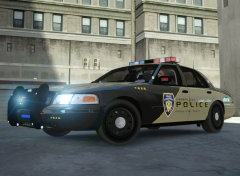 Link for the CVPI pls, cant find it :/
 -
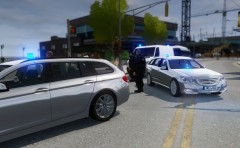 Your MB E-Class?? Nice picture ^^
 -
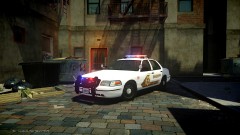 AMAZING!! I'm speechless
 -
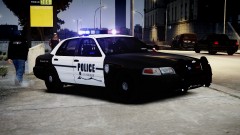 I could.
 -
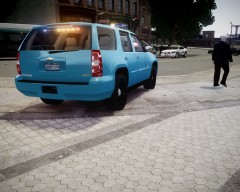 Why is there a RCMP vehicle??
 -
Dat grammar. LOL
-
 ALAIKIT (I like it) ;) Very nice.
 -
-
-
By downloading this file you agree to the following terms: It is forbidden to upload this or a modified version for public without permission. Changing textures is allowed for personal use. Any commercial or by laws prohibited use of the content of this archive is forbidden. Version: V1.0 Extra parts: ELS, Multiple Liveries Optimized for: Any police car Installation: Put the noose.wft and noose.wtd into your vehicles.img. Credits: - Model is Ford Crown Victoria from Driver SF, converted to GTA IV by F5544, modified by KevinDV and Cj24. - Rims by Bxbugs123, Textures by Lt.Caine. - Honeycomb Grill made by KevinDV. - Laptop and Divider by Lt.Caine. - Spotlights made by Cj24. - Whelen Liberty LFL made by KevinDV. - Pushbar made by Criterion, converted to GTA IV by JokerMods, textures by Tim98. - NFS Rambar lights made by Criterion, converted to GTA IV by Hilth0, textures by aznairsoftdude. - Other Extra Lights by JokerMods. - Liveries by bonehead. Files Included: - noose.wtd - noose.wft - readme.txt - template.png - Pic (1) - Pic (2) - Pic (3) - Pic (4) - Pic (5)
- 7 comments
- 6 reviews
-
I'd make you a favour, just PM me. JokerMods
-
I'd make a model, PM me if you are interested. JokerMods
-
I had that to, withz my radar. You have to assign all textures in Zmod new. Would take a bit long so I'd say make the car again. Or check your textures in Zmod, and they're probably corrupted. More help, PM me.
-
Nice love it. Would you make me a skin?? PM's arent working for me currently :/ I commented on your speed art video PM me on youtube and I'll send you some pics or if you need my skype name.
- 5 comments
- 9 reviews
-
Look fo EVI's HG2 Emergency Light Equipment pack ;)
-
I guess he's saying he HAS the MOD but NOT the game.
-
You hve to contact Boatinman and WarDog they have to delete some materials/textures they were copied and arent used by the model itself. JM
-
What's your CPU, RAM and GPU?? [GPU = graphics card(s)] It's most likly just your GPU with 1GB DDR5. If you are running an ENB mod and it needs many of your recources try another ENB or update your GPU and maybe your RAM to minimum 8GB DDR3.
-
Could be also paintjob. Or paintjob_sign_#. Or the vehicles name like for my cars: cvpi_sign_# [# = Number 1 til 4]
-
No problem ^^
-
Lccop made one too. It's already released.
-
Send me your Skype name, if you've Skype. I can help you. Sgt.Hoffers was right but not completly, you have to delete the textures (emerglights/_emis) and in the material editir (the red ball :D) you have to delete all lightbar materials, and of course the lightbar itself with L0,L1 and L2 (if L2 exist sometimes you have L2 somtimes not). As I said Skype name, I'll add you and if you have still or more problems I can help ^^ JokerMods
-
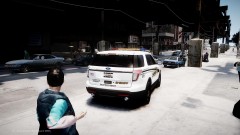 Told you, it's amazing ^^
 -
You have to select all the lights, also the L1 files and go in "Vertex Mode". Then the lights you wanna delete select them again in "Vertex Mode" and hit DELETE. The leave "Vertex Mode" and you done. I hope I helped you with your problem. If you have still problems PM me. JokerMods
-
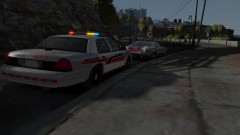 Model by SPITFIRE7! Keep the Modder name in you MIND when you upload with the cars they made pictures. Thank you. Nice Pic, need a ENB ;) JM


