JokerMods
Members
-
Joined
-
Last visited
Everything posted by JokerMods
-
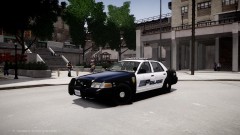
From the album: The Picture People
Car made by: JokerMods Skin made by: JokerMods ENB by: Vucko, edited by Cj24 -
That aren't your cars. The cars are made by Tim98 but he isn'z gonna release them.
-
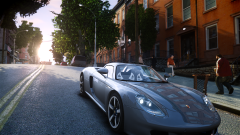 Yes, you are.
 -
It's a mixed ENB, used 3 different ENB's, and using my own settings, there is no link and you need a 2000$ computer for that because I used AntiAliasing in that picture.
-
It's a mixed ENB for Patch 1.0.4.0
-
PCsᴘᴇᴄs: Oᴘᴇʀᴀᴛɪɴɢ SÊsᴛᴇá´: Windows 7 Ultimate 64Bit PÊ€á´á´„á´‡ssá´Ê€: AMD FX-8350 Octa-Core @4.00GHz - @4.50GHz Hᴀʀᴅ Dʀɪᴠᴇ: Hitachi HDD 1TB SATA III 3.5" SanDisk 32GB SATA III SSD 2.5" OCZ 120GB SATA III Agility 3 SSD 2.5" Rá´€á´: 16GB Corsair Vengeance 1600MHz Gʀᴀᴘʜɪᴄs: EVGA GeForce GTX 660 Ti 2GB GDDR5 VRAM SÊsᴛᴇá´: CUSTOï¼
-
From the album: The Picture People
This ENB is NOT made by JokerMods, it's only used by JokerMods. -
-
-
-
-
-
-
I only know that you can activate your Horn without pressing H, when you have your primary Lights on. Alt+H and then Alt+J. Alt-Button makes all backwards so Alt+J = Code 3 without scrolling through all Codes
-
-
Yes they do exist, but they are very unique I guess the LVMPD has only 2 or 3 Slicktops. Saw a video on YouTube, a
- 17 comments
- 9 reviews
-
-

- 1
-
-
-
-
-
First, of all that's my first Model I've ever made. Second, Spitfire and I are friends. Third, maybe has Mr.OxPlay. pasted the wrong YouTube link accidentally.
- 54 comments
- 19 reviews
-
-
-
-
Yeah some of my newest cars are ELS 7 enabled. and this one: http://www.gta-modding-chest.com/database/208-2008-ford-crown-victoria-police-interceptor-gardena-department/index.html
-
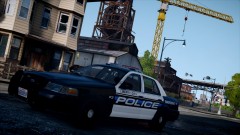 http://www.gta-modding-chest.com/database/208-2008-ford-crown-victoria-police-interceptor-gardena-department/index.html thats the download link.