JokerMods
Members
-
Joined
-
Last visited
Everything posted by JokerMods
-
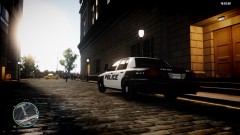 ty man ^^ will use it too ;)
 -
Nice pic dude, love it <3 What ENB looks amazing
-
-
-
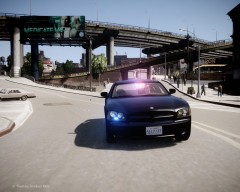 Nice Pic.
 -
-
-
 ENB? BTW nice picture. (Y)
 -
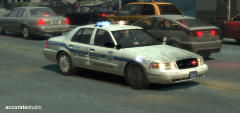 Nice picture, the idea with the los hubcap is awesome. Any download links??
 -
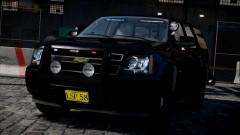 Looks nice.
 -
 I checked what ENB that is and it's Mild ENB Ultra, with Game4videos enbbloom.fx and some other stuff, but nothing is Vucko's stuff ;)
 -
![[WIP] i do believe i feel a skin pack coming on, anyone?](//s3-gallery.int-cdn.lcpdfrusercontent.com/gallery/album_1421/sml_gallery_33533_1421_121725.jpg) What ENB is that looks awesome. pls PM me. Wanna trade then I can give you some ENB's for example my newest. JM
What ENB is that looks awesome. pls PM me. Wanna trade then I can give you some ENB's for example my newest. JM -
It's not Vucko, I have Vucko 3.5 (Cj24's) but this ENB is NOT Vucko
-
From the album: The Picture People
My new ENB tweaked with several ENB's and it's only for personal use, so DON'T ask me whether I could send it to you or give you some info, like with what ENB's have you tweaked it. Car & Skin made by JokerMods - Coming Soon... Stay tuned -
Hey gangrenn, if you need some support message me, and also when you getting to many request for vehicles. JokerMods
-
-
-
-
You didn't gave me proper credits, I made the car. I just used the parts but I released the car.
- 13 comments
- 6 reviews
-
 NICEEE!!!!!!
 -
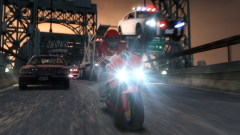 AWESOME, my new Desktop Background
 -
 What ENB is that excactly, pls send me your ENB in a PM. What's your specs?? Mine are: PCsᴘᴇᴄs: Oᴘᴇʀᴀᴛɪɴɢ SÊsᴛᴇá´: Windows 7 Ultimate 64Bit PÊ€á´á´„á´‡ssá´Ê€: AMD FX-8350 Octa-Core @4.00GHz - @4.50GHz Hᴀʀᴅ Dʀɪᴠᴇ: Hitachi HDD 1TB SATA III 3.5" SanDisk 32GB SATA III SSD 2.5" OCZ 120GB SATA III Agility 3 SSD 2.5" Rá´€á´: 16GB Corsair Vengeance 1600MHz Gʀᴀᴘʜɪᴄs: EVGA GeForce GTX 660 Ti 2GB GDDR5 VRAM SÊsᴛᴇá´: CUSTOï¼
What ENB is that excactly, pls send me your ENB in a PM. What's your specs?? Mine are: PCsᴘᴇᴄs: Oᴘᴇʀᴀᴛɪɴɢ SÊsᴛᴇá´: Windows 7 Ultimate 64Bit PÊ€á´á´„á´‡ssá´Ê€: AMD FX-8350 Octa-Core @4.00GHz - @4.50GHz Hᴀʀᴅ Dʀɪᴠᴇ: Hitachi HDD 1TB SATA III 3.5" SanDisk 32GB SATA III SSD 2.5" OCZ 120GB SATA III Agility 3 SSD 2.5" Rá´€á´: 16GB Corsair Vengeance 1600MHz Gʀᴀᴘʜɪᴄs: EVGA GeForce GTX 660 Ti 2GB GDDR5 VRAM SÊsᴛᴇá´: ï¼£ï¼µï¼³ï¼´ï¼¯ï¼ -
-
It's Sgt. Kanyo's CHP Slicktop, right?! If it is, it's D:SF Model and there's no window template for D:SF Models out, yet. I can't make one it's too hard for me.
-
You need to make a template for those windows, you can't edit the window file because it'll tint your headlight's too. I hope I could help you out with that. JM

![[WIP] i do believe i feel a skin pack coming on, anyone?](http://s3-gallery.int-cdn.lcpdfrusercontent.com/gallery/album_1421/sml_gallery_33533_1421_121725.jpg)