


OfficerArchie
Members
-
Joined
-
Last visited
Everything posted by OfficerArchie
-
Stunning mate, yours looks 100% better than the real thing! (Any chance you could do a version with Alderney instead of Ferndale ;) )
- 12 comments
- 6 reviews
-
-

- 2
-
-
-
-
Thanks mate, that makes sense with the colour and text I am seeing inside the doors. So it is basically no number plates or dodgy door textures.
-
Hi guys, Just a quick question that has been bugging me for a while now. On certain CVPI models, when you open the doors, the textures around the inside edges are different from the paint scheme colour of the vehicle, some look like some form of blurred text being called from somewhere it is not supposed to. Does anybody have any ideas how to fix this, or where the door inside edge texture is called from? I hope that makes sense, but it bugs me that I have these beautiful vehicle models and skins and the immersion is upset by these minor texture issues. Thanks, Arch.
-
OfficerBaboso you should be promoted to SgtBaboso for your outstanding contribution to the uniformed LCPD. Many thanks, but now I have too many to choose from!
- 10 comments
- 9 reviews
-
-
-
The files are listed to replace the stroopers, can they be used on m_y_cop as well?
- 8 comments
- 4 reviews
-
Works a treat for me straight out of the box. Maybe it is in conflict with another script for you guys? I only have ALM, LCPDFR, the TrafficFlow scripts and this in my scripts folder and they all play well together. Gotta say, it was a little embarassing running out of gas in themiddle of a pursuit.... :whistling:
- 35 comments
- 6 reviews
-
5 out of 5, beautiful work, thank you. One quick question, do you know how I can use these in the m_y_strooper or m_m_armoured slots without getting the see through gun belt issue? I would like to use these as the stroopers in particular, but if I replace with this model, I get the see-through waists. Edit: figured it out (Google is your friend) to replace these into the strooper or m_m_armoured slots you just need to change each of the files (m_y_cop) into the relevant new ped name (m_y_strooper etc) and then in pedvariations, (common/data/..) copy all the lines from the m_y_cop section (including the little number 12 next to the title) and replace in the appropriate section (m_y_strooper etc) and hey presto, no more invisible waistlines.
- 8 comments
- 7 reviews
-
Spotlights, an antenna on the roof and a no-rambar option and I will love you forever ;)
- 6 comments
- 7 reviews
-
.
-
.
-
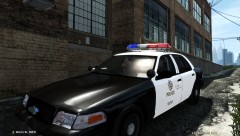 That is BxBugs San Diego PD CVPI, I believe I got her at the GPM site. The skin is a Liberty City PD black and white based on the LAPD I got from a vehicle textures pack somewhere.
 -
-
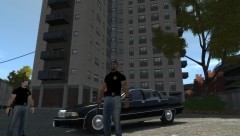
From the album: Alderney Night Shift
Looking for trouble -
-
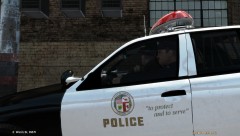
From the album: LCPD's Finest
Waiting 2 -
From the album: LCPD's Finest
Waiting 1 -
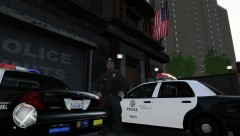
From the album: LCPD's Finest
The few, the proud, Liberty's Finest. -
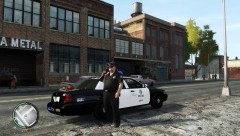
From the album: LCPD's Finest
When the hell is this Burger Shot gonna open?! -
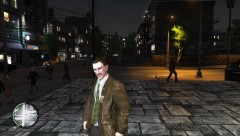
From the album: Alderney Night Shift
'What the f@ck are you looking at?' -
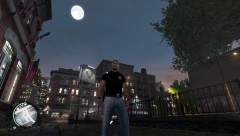
From the album: Alderney Night Shift
Alderney PD Vice Detective -
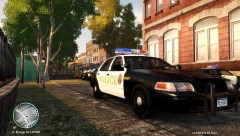
From the album: Alderney Night Shift
Ready for patrol

