



Faya
Members
-
Joined
-
Last visited
Everything posted by Faya
-
Shift hold RagePluginHook.exe until a menu pops up, put the timeoutthreshold to 60000, this works for me.
-
your getting 3 stars probably by some story mission, load up gta 5 through Steam and evade the cops, and open your phone and quick save. this worked for me when i got sent some mercenaries to kill me from a story mode mission(it was ambient) I have no idea about the clothing, did you mess with any of these files?: cop_presets , cop_presets_outfits , outfits (lspdfr > data)
-
If the vehicle you downloaded has a vehicles.meta file, open it and find the vehicle, set the <handlingID> to something equal to the car you downloaded. so let's say you have an explorer and the <handlingID> is set to: police this then gives the driving experience of a Crown Victoria. Small list i would use: Dodge Charger = police2 Ford Explorer = baller Crown Victoria = police Tahoe = fbi2 Dodge Ram 2500 = bison you can also search up some handling lines for the vehicle, there is a user who creates them.
-
As far as i know LSPDFR 0.7 doesn't have an ambient money truck spawn. this is probably then from one of the custom callouts. Check if the callouts have a .ini file, if they do try disabling the money truck callout from there (set it to false)
-
try installing scripthookv and scripthookvdotnet, this is required for ELS. put it in you Grand Theft Auto V folder. also make sure the .xml file from the car is in the pack_default folder and make sure it's not another car that uses that car name.(you might have thought you already put it in there)
-
sometimes when you put alot of plugins in at once, it overloads.(i had that so i know) so i always do 2 or 3 plugins at a time, so it won't overload, and if it still crashes i know it's one of those plugins that caused that crash.
-
Does the els car include a vehicles.meta? if yes, open it and search the name of the vehicle (ctrl+f) go to <Flags> and in that line, find FLAG_LAW_ENFORCEMENT FLAG_EMERGENCY_SERVICE if it's not there, paste it in the <Flags> line. should look like this, TEST_IGNORE_THIS_FLAG FLAG_LAW_ENFORCEMENT FLAG_EMERGENCY_SERVICE</Flags> make sure there is a space between the flags
-
go to Grand Theft Auto V > lspdfr > chars and see if the name has changed there.
-
those are the wrong logs, in your main directory there should be 1 file named "RagePluginHook.log" (or just "RagePluginHook") but first try this: shift hold RagePluginHook.exe and hold it until a menu pops up, put the "Plugin Timeout threshold" to 60000 that will increase the wait time until it crashes(it gives it more time to figure out what's wrong) if that doesn't work, shift hold RagePluginHook.exe again until the menu comes, go to plugins and deselect all, and see if it works, it might be one plugin that crashes it. the reason why _mods works instead of "mods" is because then it thinks the mods folder is not there.
-
I had the same issue a long time ago, make sure you have scripthookv and scripthookvdotnet installed, put them in your root folder(main folder) (i'm assuming the "requirements" are the 4 files that come with the ELS download)
-
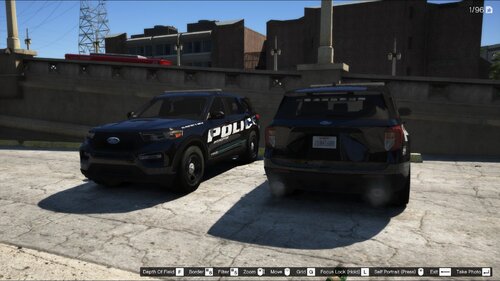 Been looking for the same livery and a 2020 FPIU, 2 in 1. Thank you so much, i love the texture.
- 8 comments
- 3 reviews
-
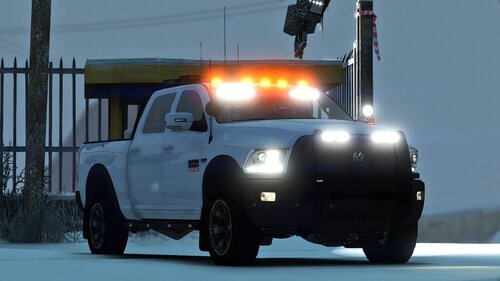 Awesome! I love the lights on the back and on the skirts 11/10 Thanks for the option to remove the amber lights on top:) Made a park ranger skin for it:
- 33 comments
- 10 reviews
-
-

- 2
-
-
I know how to use EUP, i just need to know how to replace the clothing textures for my own country's one. i tried messing with the uppr_dif_000 and lowr_diff_000 files but there are like 50 of them
-
I downloaded my outfits, but their just for me only so the issue is that AI don't wear it. no parachutes or other random clothes, just the default sheriff, and some city cops. If you could help me with that it would be great.
-
I do normal police calllouts, and also Ambulance and fire callouts on the side. Is there a way to replace the outfits? can't figure it out.
-
I installed a dutch uniform pack, but when i see another AI, it's just the standard outfit(not eup). i cannot find any solution on google, theres only one, but ofcourse i don't have permission to read it for whatever reason. How do i do it? edit, i have to select the outfits via the wardrobe.
-
Here are my suggestions for upcoming versions of LSPDFR. (i am aware that mods exists for these suggestions, i use all of them) 1. Drugalyzer&Breathalyzer 2. Fixed outfit section 3. Coroner&Tow Truck 5. Mod list on the site with the ability to find it on other people their profile with some kind of link. 6. Place menu(Cones, Signs, etc.) 7. Ambient Events, pullovers by AI, flipped car, etc) 8. Speed Radar, in vehicle and one in hand. 9. More Callouts, i expected there to be like 10+ callouts but there are 2. I know the LSPDFR team is currently working on: LSPDFR, LCPDFR(new version) and RDR2 i know it takes alot of time to make that.
-
How about you go cry in bed about it, it's better than nothing. what do they gain from releasing something? nothing, just the ads on website, but heyyyyy, who cares. -_-
-
I changed my keys.ini file then i saw RightThumb for backup menu. Where is it? I suppose it is Right thumbstick but that does nothing,(yes i am on duty when trying.) I also didn't put a modifier key in there. I know i can change the keybind to something else, but i dont wanna lose a keybind i could use for something else. I use a ps4 DS4 controller, the one with the lightbar stripe facing you(i was told this matters somehow.) Solution would be appreciated. Thanks.
-
i need a solution, i want to open a form in GTA, without it opening a new tab. but when i press the key to open the form in GTA it does not show, it opens a new tab of gta(no loading screen just the form) so that is not good because i want it just to appear in gta, lets say for example like computer+ does. Check the image for better understanding
_LI.thumb.jpg.d927737075adc9810afc21122259a58f.jpg)
-

_LI.jpg.aea3e0e01a69e491f88c3339c909402e.jpg)