
JakeKindaSus
Members
-
Joined
-
Last visited
Everything posted by JakeKindaSus
-
so hear me out, wouldn't this technically have more performance in enhanced due to the new antialiasing
-
just set dlccheck in eup ini to false, you can also check to see if you have those dlcs both in dlclist and dlcpacks, if so it might just be a bug recognizing it
-
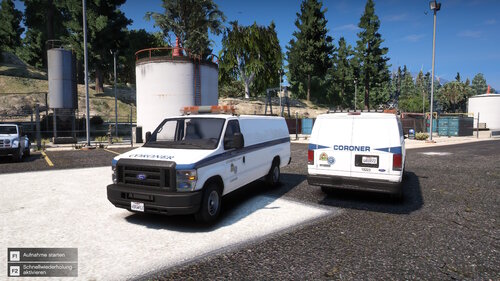 oh snap, another beautiful coroner van
 -
 it dosnt need one, its for fivem only
 -
 it’s still important to address this issue for those who aren’t sure what's causing their game to crash, while some people might not need to load rage, others are running into crashes without it, and it can be confusing if they’re unaware of the workaround or the need for an LML update. Even if it's not an issue for everyone, giving clear guidance can help reduce frustration in the community but we can see that you don't understand the issue for people who use or don't use it.
- 316 comments
- 17 reviews
-
-
doesn't matter if some people use or dont use it, its still important to those who aren't sure what's the issue is
- 316 comments
- 17 reviews
-
not sure if you already solved this but theres no need to since you can call sahp manually, if your requesting a local unit it depends on where you are, for instance you are somewhere in the city lets say del perro, dppd would respond due to jurisdictions but it can be changed somewhere in one of the ultimate backup xml
-
-
-
-
 that's not possible for this, its only possible if the vehicle developer chooses to create a park pattern, for example CHP packs witch usually has a park pattern when stopped
- 53 comments
- 4 reviews
-
-

-

- 3
-
-
- rph
- lspdfr plugin
- legacy
- rph
-
Tagged with:
-
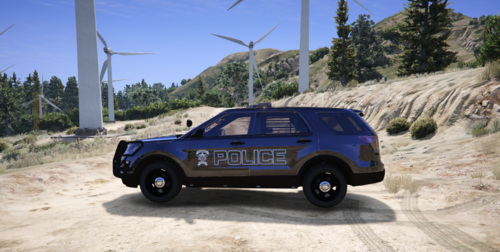 thats good becuase indiana does not get that much love on here, the only thing i found such as vehicle were Indiana State
 -
any plans on making Lake County Sheriff livery's?
-
 one of the best & free FHP packs out there thats an ACTUAL addon instead of replace, and only has a very few to none bugs, this is what we call a Quality Developer instead of a lazy one
- 116 comments
- 19 reviews
-
-

- 1
-
-
-
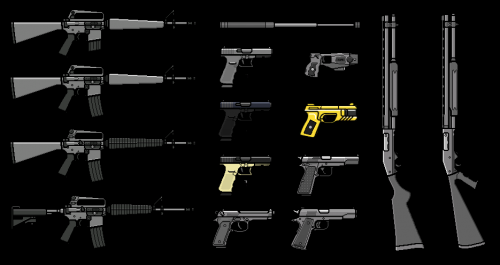 for people that are unable to find the scaleform_generic.rpf, its in Update>Update.rpf>x64>data>cidimages>scaleform_generic.rpf then ofc edit the hud.ytd
- 3 comments
- 4 reviews
-
-
-
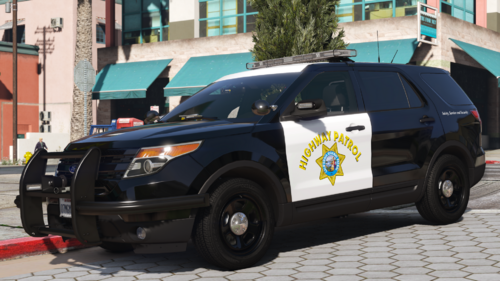 but you still could've just combined all of them into 1 instead of separate that's just me though i cant say for everyone else
 -
any reason why with this many vehicles that are chp just couldnt be a addon pack instead of each vehicle separately?
-
you are missing a required file/folder from the Spotlight plugin, Wilderness Callouts are outdated, but an available alternative is Forestry Callouts
-
1. Check Your In-Game Settings: V-Sync: Try enabling or disabling V-Sync in the game's settings. Sometimes, frame pacing issues can cause input lag. Frame Rate: Ensure that your frame rate is stable and not dropping, which could cause stuttering or delayed responses. Control Settings: Reset your control settings to default, just in case something got accidentally altered. 2. Check for Background Processes: Task Manager: Open Task Manager and see if any background processes are consuming a lot of CPU or memory. Closing unnecessary applications can free up resources. 3. Verify Game Files: Steam/Launcher: If you’re playing through Steam or another game launcher, use the option to verify the integrity of the game files. This will repair any corrupted files that could be causing the issue. 4. Check for Modifications: Mods: If you have any mods installed, try disabling them temporarily to see if they are causing the problem. 5. Hardware Performance: CPU/GPU Temperature: Overheating can cause your system to throttle, leading to lag. Use a program like HWMonitor to check temperatures.
-
 Suggestion: so im not sure if this would work or not but would it be possible to have vehicles on residential roads stop or slow down & pull on the right and have the cars on the freeways slow down or keep the same pace when in a pursuit or something like it not sure how to explain unless it already has it
- 528 comments
- 42 reviews
-
did you possible edit any xml for weapons