Skip to content
View in the app

A better way to browse. Learn more.

LCPDFR.com

A full-screen app on your home screen with push notifications, badges and more.

To install this app on iOS and iPadOS
  1. Tap the Share icon in Safari
  2. Scroll the menu and tap Add to Home Screen.
  3. Tap Add in the top-right corner.
To install this app on Android
  1. Tap the 3-dot menu (⋮) in the top-right corner of the browser.
  2. Tap Add to Home screen or Install app.
  3. Confirm by tapping Install.

Keith.

Members
  • Joined

  • Last visited

Everything posted by Keith.

  1. You can put the GTA V.exe from the normal game into the enhanced an it will work. But Yeah, I'd wait.
  2. I seems to me that the enhanced version can't be modded YET. I've tried installing ASI loaders, trainers and scripthook, but they don't work. And, neither will OPEN IV as it says, there's no gtav.exe because it's been called GTAV-Enhanced.exe I'm sure there'll be a work around eventually.
  3. I completely forgot to mention doing the LODs. If you go back into the vehicles.meta. look for the "ambulance" model again, scroll down till you see a line that ends in "float_array" Under that is 6 rows of numbers. Copy these ones below VVV and paste them over the ones in the vehicles .meta 100.000000 200.000000 300.000000 400.000000 500.000000 500.000000 Hit save, and your LOD problem will be solved 😆 no worries
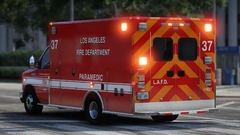
  4. The only thing I can suggest is, export the LAFD livery and replace amb_sign_1 with it. Then delete liveries 2, 3, 4, 5, 6, and 7. Then you'll just have an LAFD ambulance
  5. I don't use backup, so I wouldn't know how or if you can set it up so it uses a specific livery.
  6. Use your trainer. I use Simple Native Trainer
    • 11,730 downloads
    • Version 1.0.0
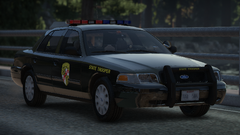
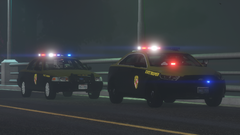
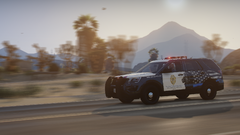
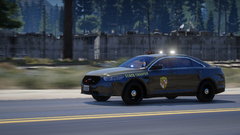
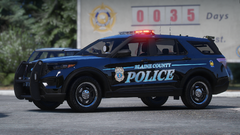
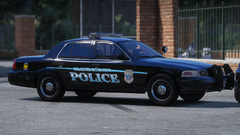
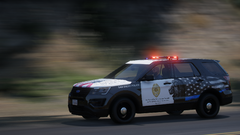
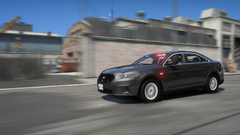
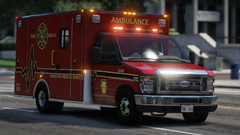
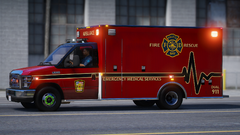
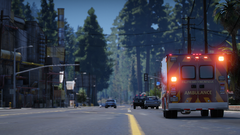
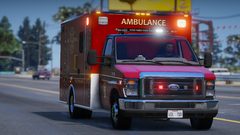
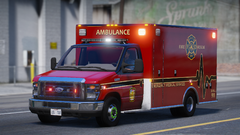
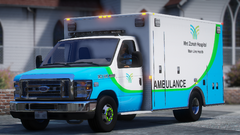
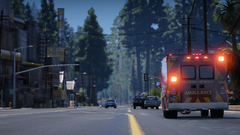
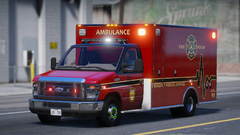
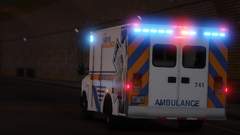
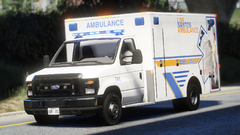
    I've been working on this for a few weeks now, and finally got it finished today. So here it is for everyone to enjoy. Not sure if there's any bugs. But if you find any, let me know and I'll do what I can to fix them. Feel free to use it in videos clans etc. Just credit me where it's due. If it's used in a video, Please link my channel in your description. Keith - YouTube

Account

Navigation

Search

Search

Configure browser push notifications

Chrome (Android)
  1. Tap the lock icon next to the address bar.
  2. Tap Permissions → Notifications.
  3. Adjust your preference.
Chrome (Desktop)
  1. Click the padlock icon in the address bar.
  2. Select Site settings.
  3. Find Notifications and adjust your preference.