




Keith.
Members
-
Joined
-
Last visited
Everything posted by Keith.
-
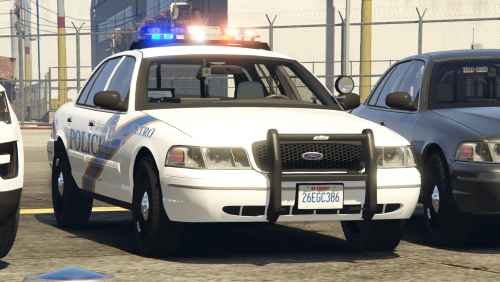 PLEASE DO NOT UPLOAD TO ANY OTHER SITE You may paste a link to this page. Here's my first police car model. This is part of the pack in the video. I reccomend BXBugs123 CVPI wheel pack for the aesthetically pleasing look Credits are in the download I don't use a mods folder, so I put it in GTA V > x64e > levels > gta5 > vehicles.rpf Use OPEN IV Enjoy
- 19 comments
- 4 reviews
-
-

- 4
-
-
 PLEASE DO NOT UPLOAD TO ANY OTHER SITE You may paste a link to this page. Here's another taxi I put together with Zmod3 If you find the easter egg. Let me know 😉 If you intend to drive this vehicle, I reccommend BXBugs123 CVPI wheel pack for the aesthetically pleasing look I left the chrome bumper trim and civi grille on this. Different illuminated roof signs ( the original is there, but quite rare ) The Paleto Bay and Downtown Cab texture will spawn part default yellow. ( See last 2 pics ) You can change this with your trainer to suit your desires ( if you're using the model yourself ) Taximeter Fire Extinguisher Setena Partition Laptop ( can't get the screen emis to work 😞 ) Sat Nav Radio in the center consol. Rear window advert. Non advert window texture included vehicles.meta file included ( for the liveries. ) Feel free to make your own textures for it. Enjoy Credits CAR 2011 Forza CVPI Base Extracted by DMN - Optimized, Converted, Textured and stuff by Thehurk - Realisim Edits and more optimization by Lundy - Major support with screenshots, feedback, IRL pictures, etc by Steinberg, Lundy, Problematic, and Taylor Swift - Steelies and tires by Carper - Hubcaps and tires by Carper Setena Partition Setina Prisoner Partition Modeled, Textured by Cap'n Crunch. Textures by Cap'n Crunch. Converted to V by VooDoo Taxi roof signs Scratch made and textured by mohaalsmeer Lojack ( taximeter ) Lojack scratch modeled by Five0/OfficerFive0 Lojack antennas scratch modeled by Five0/OfficerFive0 Lojack Texture by Five0/OfficerFive0 converted to gta 5 by Five0/OfficerFive0 Retextured By Officer Wade Center Consol Twurtleee Garmin Sat Nav Created from scratched and textured by Thero Laptop and Stand Dell Latitude 6430/20 ATG by OfficerUnderwood Generic Laptop Stand scratch modeled, textured, and converted to GTA V by HDgamerzPC Radio M/A-Com Radio by OfficerUnderwood Fire Extinguisher Fire Ext. Model Created By Rockstar Games, Converted to Object prop by Thero
 -
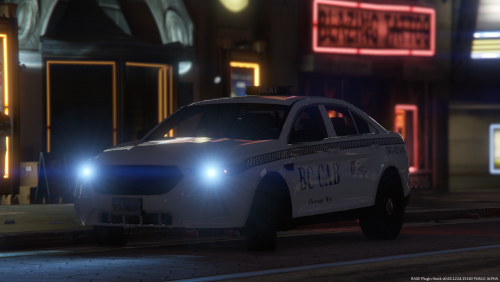 DO NOT REUPLOAD TO ANY OTHER SITE! This is my first attempt at using Zmodeler3. So I thought I'd break myself in gently. Based off of BC CABS in Cheyenne Wyoming, but you'll get the Los Santos version. I don't know how to edit the vehicles handling line properly, so if you steer in any direction at speed for too long it WILL fall over. Texture is on a clear background so you can choose your own colour with your trainer, or it will naturally spawn in yellow. The only know bug, is sometimes a passengers head will clip through the roof slightly. A 2015 Charger taxi is in the works. Enjoy Comes with, Trunk mounted antennae Garmin sat nav LoJack ( retextured to a taxi meter. Set at $11.50 ) Setina screen and Center console mounted radio. CREDITS VEHICLE. 2010 Ford Taurus SHO by Turn 10 Studios, modified into 2016 Ford Taurus Police Interceptor by OfficerUnderwood Rear bumper, headlamps, & dash by be fast, modified by OfficerUnderwood & Carper Front bumper by Ridgerunner, Grill by Vertex3D, modified by OfficerUnderwood Chassis parts by Ubisoft, Reverse lights by OfficerUnderwood Rims by BxBugs123, Centercap by Carper LOJACK. Lojack scratch modeled by Five0/OfficerFive0 Lojack antennas scratch modeled by Five0/OfficerFive0 Lojack Texture by Five0/OfficerFive0 converted to gta 5 by Five0/OfficerFive0 SAT NAV -Garmin Navigation by Garmin -Created from scratch and textured by Thero SETINA PARTITION Setina Prisoner Partition Modeled, Textured by Cap'n Crunch. Textures by Cap'n Crunch. Converted to V by VooDoo ANTENNAE Antennas modeled by: Raptor2000Antennas textured by: Raptor2000 RADIO M/A-Com Radio by OfficerUnderwood ROOFSIGN R* Games
- 3 comments
- 2 reviews
-
-
- 2
-
-
 She looks like she's been round the block a few times.
 -
 What the ??????? How and why ?
 -
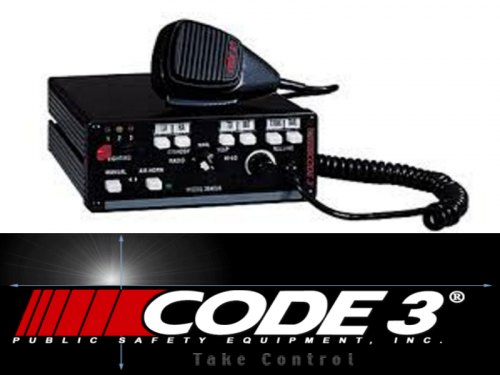 Here's my rendition of the Code 3 Mastercom siren without the rumbler Included is, Wail Yelp Hyper yelp and Hi Lo Install instructions are in the download. Hope you enjoy Demo
 -
 I've been playing with siren sounds and saw this was requested, so I thought I'd give it a go. Hope you enjoy. Open up OPEN IV click the edit tab then follow the instructions below. INSTALL mods > x64 > audio > sfx > RESIDENT.rpf You can either replace the vehicles.awc file or just drag and drop the vehicles.oac file
- 2 comments
- 1 review
-
-
- 1
-
-
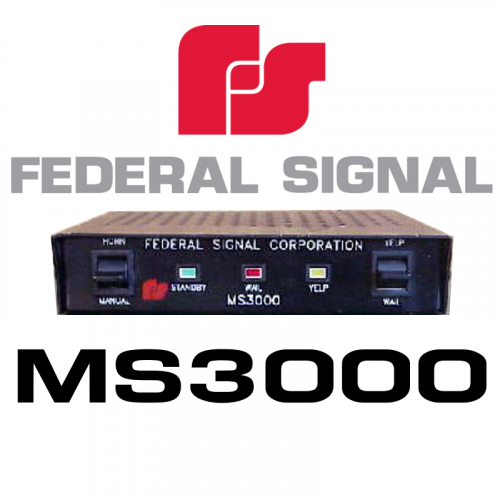 DO NOT UPLOAD TO ANY OTHER SITE!! I was looking for sirens on eBay for a potential future project and came across this siren. As I haven't seen it on here, I decided to edit this one together for you. It's my first siren, so be gentle with me. I've tried to make it nice and loud, but not too loud Sample tones came from 2 different YouTube videos I used Audacity to do the editing Here's a demo video Vehicle in motion and static Enjoy.
 -
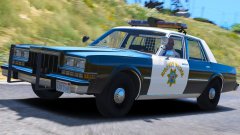 Excellent. Always loved the Dippys for some reason. Very nearly bought one back in 2007 but it was far too rusted ( literally no floor )
 -
WHEN????????
-
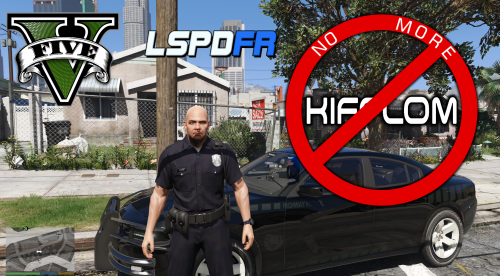 Is everyone fed up of asking for a peds I.D, only to say "Kifflom" ? Will fear not my intrepid officers, No more Kifflom is here. The video is only in 360p, but I was in a rush to upload. Easy to install .awc file. Enjoy and don't forget to comment. To Install. Use Open IV Go to GTA V > x64 > audio > sfx > S_MINI_SER.rpf and drag and drop all the files Then go to x64 > audio > sfx > S_FULL_SER.rpf and drag and drop all the files. Replace files if prompted.
- 40 comments
- 7 reviews
-
-

-
- 11
-
-
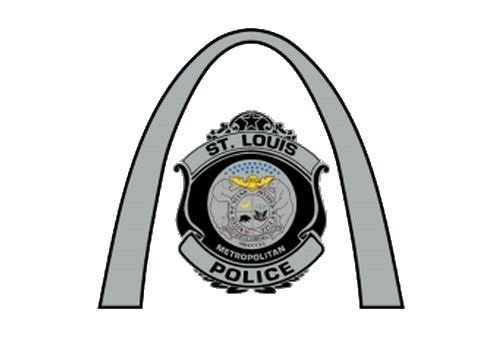 St. Louis, Missouri Met Police textures and a Highway Patrol CHGR texture. These textures will fit the models in this pack. Also included is a texture for BXBugs' 2011 ELS CVPI They could possibly fit other models, but you'd have to check for yourselves. Enjoy and Thank you.
- 2 comments
- 2 reviews
-
-
- 1
-
-
 These textures will fit the models in this pack. They can be used as primary or secondary textures. Replace in police ( fusion ) police3 ( FPI ) Thank you.
- 1 comment
- 1 review
-
-
- 1
-
-
-
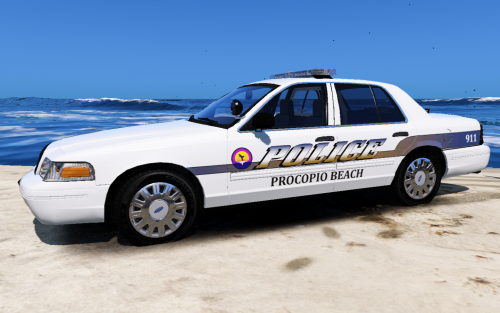 Just a simple Texture I made based on Virginia Beach PD. It will fit the CVPI in this pack. Procopio Beach location is shown in the last picture. You can import or replace this texture. Go to, update>x64>dlcpacks>lspdpack>dlc.rpf>x64>levels>gta5>vehicles>lspdpack.rpf, then choose 'police7'. Enjoy
 -
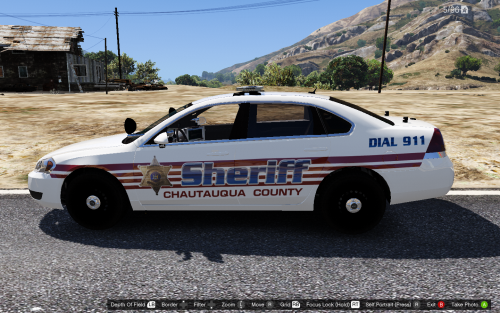 Chautauqua County Sheriff textures for the models in this pack. (Automatic installer.) SUV's and Charger will follow soon. You can import or replace these textures. Go to, update>x64>dlcpacks>lspdpack>dlc.rpf>x64>levels>gta5>vehicles>lspdpack.rpf, then choose 'police', 'police4' and 'police7'. Enjoy
- 1 comment
- 2 reviews
-
-
- 1
-
-
-
 I was having a quick flick through the usual websites and decided to do this one. It will fit the CVPI in this pack Enjoy
 -
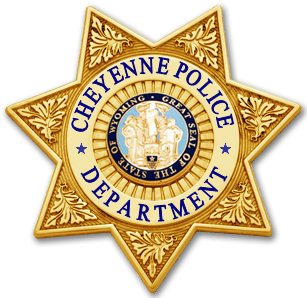 Here's my latest offering. 2 liveries for the Cheyenne Police Department Old and new Here's the model they fit Enjoy
 -
 The font looks like Helvetica or Coolvetica bud
 -
80's Rover SD1 door decals. And some reference pics https://www.google.co.uk/search?q=80's+met+police+cars&source=lnms&tbm=isch&sa=X&ved=0ahUKEwigupj-6cLRAhVLBcAKHUq5Co0Q_AUICCgB&biw=1371&bih=767#imgrc=JJti92rXh-iqUM%3A
-
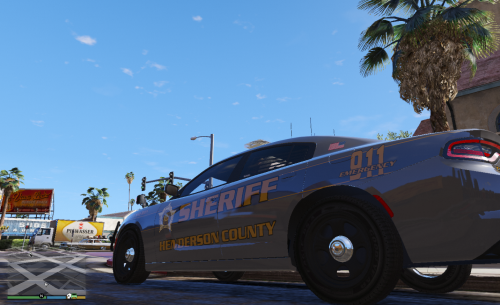 This was requested, so here it is. Made on a clear and pale gold background. Clear background will naturally spawn in white, but you can change the colour with your trainer ( if it allows ) Here's the model. Enjoy.
 -
 The only reason I didn't 5 stars is because the controller can't be disabled. The buttons interfere with other mods. Other than that, top work as always.
- 2,683 comments
- 236 reviews
-
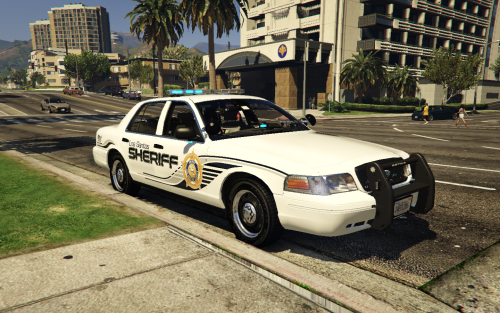 I made these a few days ago with the intentions of releasing them, but never got round to it. But here they are now for you to do with as you please. These can be edited to fit virtually any vehicle using Paint.net or any other similar program. You get the side stripes only ( so no wording or badges of any sort ) All are on clear backgrounds, so you can choose your own colour. These are here basically to save you some time when you're making a texture. Picture is for illustration purpose If you do use them and upload them, just a simple nod in the credits is all I ask. I may add more colours in the future. There's 5 to choose from And 2 4096 x 4096 CVPI templates included. Thanks and enjoy
 -
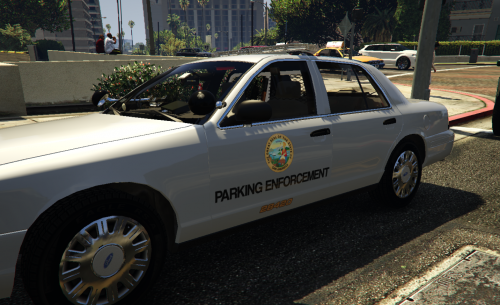 A quick Parking texture for BXBugs' ELS Crown Vic I'm also using his wheel mod pack This is on a clear background, so you can choose your own colour with your trainer ( if you can ) otherwise it will naturally spawn in white. Also in the file are all the relevant textures to change the lights to amber if you want to including ELS. Enjoy Note: The number on the trunk lid has been edited.


