


Palfy205
Members
-
Joined
-
Last visited
Everything posted by Palfy205
-
I can attest to this, I just "F4 type - unloadplugin LSPD First Reponse.dll - loadplugin LSPD First Reponse.dll" - Works like a charm.
-
C:\Program Files (x86)\Steam\steamapps\common\Grand Theft Auto V - Search "RagePluginHook" it's the text document.
-
Do you have you RagePluginHook text document available? I'd try with just Arrest Manager and load that, run it, then if it works add Traffic Policer, then if it works add Police Smart Radio, since it's dependent on the other two plugins.
-
Correct me if I'm wrong, but isn't Albo's troubleshooter only for LSPDFR 0.3? I used it before and it said I had a lot of problems, but the game worked fine for me.
-
Yeah, happened on and off with me. Got very frustrating, but there was a conflict, I can't remember if it was in my vehicle files, or my plugins. Some vehicles can't hold people for some reason, I believe the issue i had was with a FPIU (2016) can't remember who's. Not sure if that helps you at all, I'd try with other police vehicles and if it still happens then reinstall LSPDFR+ or STP if you have those.
-
Made a video because so many people were askin'
-
Since the RockStar launcher was updated, RPH no longer hooks to the game. What I do and it works everytime is, 1.) Launch GTA-V through steam or launcher. 2.) Wait for GTA-V to launch and screen to start loading. 3.) Launch RagePluginHook. 4.) Wait for game to hook and enjoy!
-
Hey there, I've got a 1080 TI i7-8700k 32gb ram, 500gb m.2 ssd, if you got similar specs and are running VisualV and Natural Vision Remastered, post your in-game GTA Settings if you don't get texture loss. I've re-textured all my vehicles to be 2k skins instead of 4k skins, I'm running the Main.PreloadAllModels = false, disabled hyperthreading, disable ambient police spawning and patrol, But i still get some texture loss. Only success I've found it with editing the in-game graphics. Please let me know your settings as I believe that's whats causing the issues. Reason is I'm still losing textures after an hour of game-play. Sometimes quicker in certain parts of Los Santos.
-
Yeah read my post. I was letting everyone know.
-
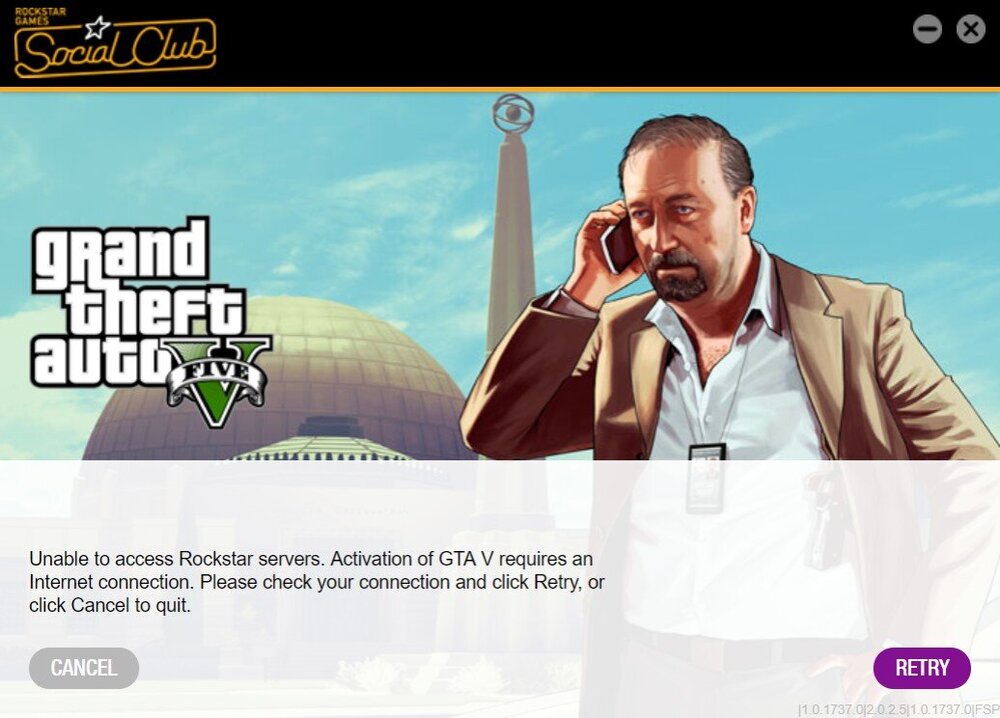
Can't seem to get RPH to launch the game, says no internet, but I can start up the game without RPH, any ideas? GTA V Launcher update, RagePluginHook doesn't hook. Guess we have to wait for an update.
-
... It was a GTA5 in-game setting. Advanced Graphics -> Extended Distance Scaling - Turned it off, stopped with the issue or not rendering. No idea why this would effect the game, but it did. Maybe it was interfering with the VisualV or Natural Vision Remastered rendering process, doubling it up or something, weird it would though.
-
I've resized every texture to 2k, I noticed it helped a bit though. But I have around 200 vehicles. Took a long time to go through, but still when the game is overloaded it doesn't render.
-
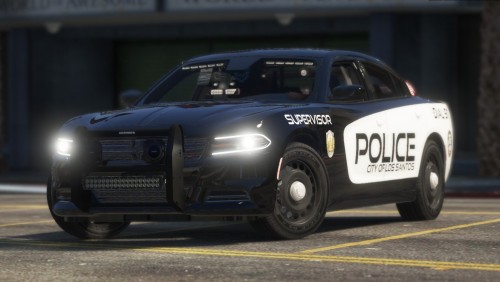 Is there a way to dim the lights? Only car in my game that has very bright lights and interior lights. Not emergency lights though, those are the same brightness as the rest.
- 24 comments
- 2 reviews
-
C:\Program Files (x86)\Steam\steamapps\common\Grand Theft Auto V\lspdfr keys.ini file, what does it say here? TRAFFICSTOP_START_Key=LShiftKey TRAFFICSTOP_START_ModifierKey=None TRAFFICSTOP_START_ControllerKey=A TRAFFICSTOP_START_ControllerModifierKey=None TRAFFICSTOP_INTERACT_Key=None TRAFFICSTOP_INTERACT_ModifierKey=None TRAFFICSTOP_INTERACT_ControllerKey=None TRAFFICSTOP_INTERACT_ControllerModifierKey=None I'd just make sure you don't have any modifierkeys set.
-
Ok. The LSPDFR+ won’t show the accurate push button, because it overwrites the vanilla LSPDFR traffic interaction button. It’s all good, as long as the menu pops up when you press E (or whatever you’ve set your LSPDFR+ config to be) you’re doing good.
-
Which mods do you currently have installed that affect traffic stops? LSPDFR+, Interaction+, or regular LSPDFR?
-
Did you even read my post? I've already done that.
-
Hello there! I'll start with my PC specs because this will be asked later. i5-9600k (4.4ghz), 1080 ti (watercooled) 32gb ram (ddr4 3200) M.2 SSD 500gb (Samsung evo) The issues here is when my game gets busy, only when LSPDFR is loaded up, worse when on duty the game starts bugging out (buildings disappear and so do the roads. Now I've got lots of mods, and the things I've done to fix this so far is to lower all the modded car files that were above 16mb to below, I've added a new gameconfig (limitless) I've gone into LSPDFR config and changed the command line of Main.PreloadAllModels = false, I'm not sure what else I can do, I know the game isn't too stable, but there has to be some fix that somebody has done before.
-
-
 @RangerZIs this normal to happen after a door breaks off of your unit? 2016 Charger (sheriff)
- 127 comments
- 24 reviews
-
 I'm not sure if anyone has covered this or not, but I'm noticing when you pull a suspect over and it says "Hold E to use megaphone" you know, the option to make them move pull over sooner, or another location. It doesn't seem to work for me now that I've installed ELS. Is there a way around this, or a setting I have to modify?
- 2,660 comments
- 234 reviews
-
Make sure your trainer isn't blocking UI, I had the same issue, then realized that the weapon wheel counts as part of the HUD
-
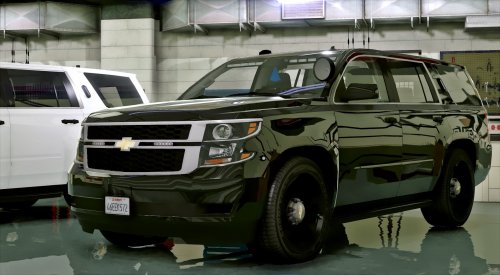 Hey there, I've been looking for quite a while to find a car pack for FBI and yours takes the cake! Only problem I have with the Tahoe is the rear brake lights don't work, only the 3rd brake light bar. Is there something that I did wrong? Let me know, I love the vehicle but without rear brake lights it'll bug me. (ELS is installed, also the meta, all lights work on the vehicle, take downs red and blues, but no rear brake lights/running lights)
- 56 comments
- 13 reviews
-
Hello there, I am running into a bit of a problem. When I attempt to pull people over, (shift blip) then sirens (J x 3) they drive straight and don't stop until they hit something, now I am using ELS and also the Los Santos Police Department Mega Pack [ELS] 1.0.0 and the [ELS] BCSO Pack. Now before I go reinstalling things, do you think the issue would lie in the ELS, or the vehicle files?
-
Yup figured it out now, thanks 🙂



