




CriminalJustice
Members
-
Joined
-
Last visited
Everything posted by CriminalJustice
-
 This feature is also in Stop The Ped. Is there something different about this?
- 74 comments
- 24 reviews
-
-
 Hey man. Criminal Justice here lol. Just wanted to tell you that I really appreciate you commenting on my Youtube video. I'm finally here to grab the update. I'll do my best to try and remember to mention you in the next LSPDFR Episode. Take care brother.
- 184 comments
- 72 reviews
-
-

- 1
-
-
Do not put those mods in your game. As they do cause really bad lag. If your game is exiting, then theres 2 issues. 1, all anti virus must be turned off. 2, try running rage as Administrator.
-
Make sure that all of your anti virus is turned off. This includes, your firewall as well as your virus and threat protection. Try that. I apologize for the late response.
-
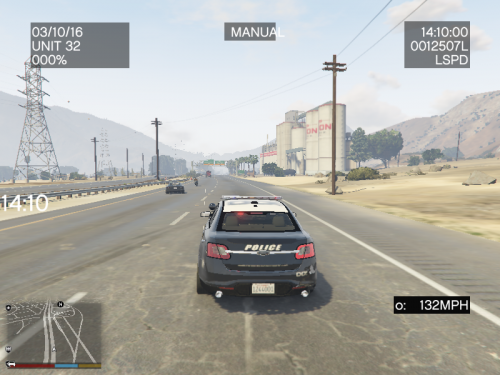 Even after all of this time, this mod still works like a charm. I don't play LSPDFR without it. Killer mod my man!
- 528 comments
- 42 reviews
-
-
- 1
-
-
Its no problem my man. A fresh install is always good. I'm actually doing a fresh install myself right now. Does it load up at all? Or is it crashing from the get go like right after you launch Rage or does it actually make it to the final loading where it says "loading LSPDFR" and then crash?
-
I also wanna add that if anyone in this discussion happens to have The Nahimic Audio Driver, uninstall it. That driver alone will make your game crash. Mine started crashing outta the blue one day so I looked up some forums. And someone in the forum had given me that tip, I went back to my desktop, uninstalled that nahimic audio driver, and my LSPDFR fired right up and I haven't had any problems since then. I hope you guys get your games up and running with the these tips. Make sure that everything is up to date including your windows your antivirus your drivers even your games if there is one little thing that is not updated it will cause your game to crash also make sure that your antivirus is all turned off this also include your firewall plus your virus and threat protection if none of this works try running your rage as administrator
-
Make sure that everything is up to date this includes your drivers your antivirus your games your windows etc. Also make sure that your antivirus is turned off this also includes your firewall as well as your virus and threat protection I left a comment about this down below but I'm not sure if you got that notification or not Make sure that everything is up to date including your windows your antivirus your drivers even your games if there is one little thing that is not updated it will cause your game to crash also make sure that your antivirus is all turned off this also include your firewall plus your virus and threat protection if none of this works try running your rage as administrator
-
Hey Guys I apologize for the late response. Make sure that your anti virus is all turned off. This includes your firewall as well as your virus and threat protection. If that doesn't work, try running your ragepluginhook as admin. Also make sure that everything on your pc is up to date. This is very important. This includes drivers, your anti virus, windows, even your games and etc...
-
Yeah man. Its no problem. It sounds as though the file itself might be corrupted. I hate to say that cause that's the last thing that any gamer wants to hear and that may not even be the case here. I'm just saying. That's what it sounds like to me imo. Have you tried verifying the integrity of your game files?
-
😊😊🤗🤗
-
Yeah man no problem at all. And thank you for your feedback on here as well as your advice. I myself do not have that option but I will definitely be sure to tell others on my tutorials about this option from now on. Thanks again! 😊😊
-
Thank you man I appreciate that. Very good advice from you as well. As I wasn't aware that we could even still use patchday 3 for some vehicles. 😊😊 I appreciate your kindness brother. 🤗🤗
-
Dont use patchday 21 if that's what your using. Use patchday 20. I still use patchday 20 to this day and it never fails me. So try installing those sheriff vehicles into patchday 20 and see if that works.
-
If you wanna learn how to install LSPDFR plus all of the most recently updated and essential mods that come with it, then your definitely in the right place. This is my entire LSPDFR Tutorials playlist and it has 16 videos in the playlist itself. I also have another LSPDFR Tutorials playlist that has over 40 videos in it on my YouTube channel. Their will be more added in the very near future. Please be sure to visit my channel and Hit that Like and Subscribe for me if you would please? I would greatly appreciate it everybody. So with that being said, sit back, relax, and let's install and play some LSPDFR!
-
I know this an old post but just wondering if and when you were gonna update these Callouts?
-
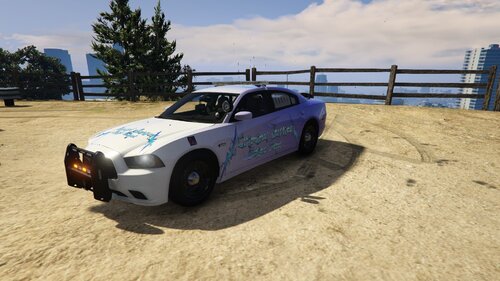 As Promised my man. Thanks again brother. I surely do appreciate your hard work on this. Your the best man!
 -
Again bro. I could never thank you enough for making this texture pack with my YouTube name on it and our logos as well. Thank you again so much for your hard work on this, you'll never really know how much this truly means to me. I'll be showcasing this pack on my LSPDFR Episode that will come out either tomorrow or Thursday. So with that being said, great job my man. And I'll be sure and link my video here as well if that's ok with you ofcourse. And I will definitely give you credit for this amazing texture in the video itself.
-
-
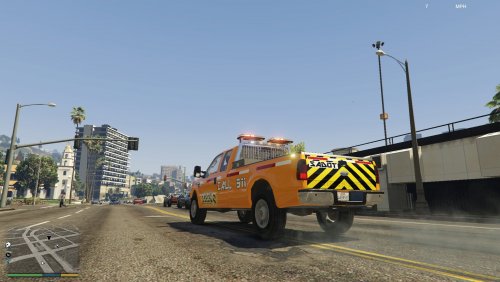 I'm going to be showcasing this mod on my Youtube channel tomorrow. Ill be sure and give you credit in the video. Awesome job on the truck my man!
- 20 comments
- 4 reviews
-
-
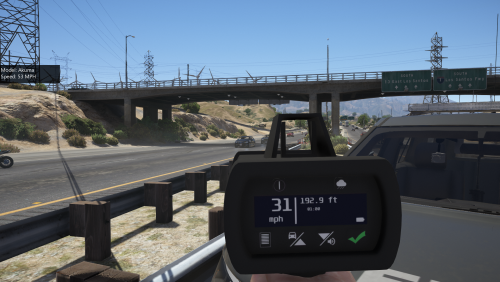 It does the same thing to me inside the vehicle. Awesome mod though non the less.
- 79 comments
- 17 reviews
-
.thumb.png.24105fb4296b9892843bd85d64ae3785.png) You forgot to drop the fbi.xml in the file. The fbi2 is there but no fbi. Just letting ya know my man.
You forgot to drop the fbi.xml in the file. The fbi2 is there but no fbi. Just letting ya know my man.- 22 comments
- 1 review
-
-
- 2
-
-
My EUP Menu wont load at all. Will verifying the integrity of my game files do the trick? I mean that's what I'm doing now as we speak. Just curious if that might fix it and make it load up on the game for me? If not, do you have any suggestions? Thank you for your time man. That's what it's been doing to me and this isnt the first nor second time its happened either. Its probably something were missing thats right under our noses. Like the old saying goes, if it was a snake, it would've bitten you. Lol

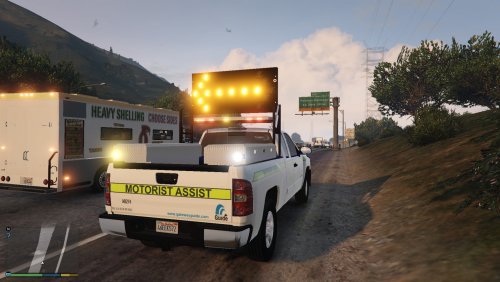
.thumb.png.24105fb4296b9892843bd85d64ae3785.png)