Yard1
Friends of LSPDFR
-
Joined
-
Last visited
Everything posted by Yard1
-
It will be compatible by default, I'll add backup files for download later after release.
-
 No, LSSD doesn't have different liveries based on location.
 -
We ought to change the name lol
-
Just gonna leave this picture here:
-
No, CustomBackup is for LSPDFR Backup, and our script replaces the wanted level. Since you can't be wanted when in LSPDFR, it will do nothing.
-
It's not done, trust us. I think we know more about that than you do.
-
When it's done. We are currently testing to make sure the experience is flawless.
-
It's not done, I am not working on it at this moment.
-
Not staged, made possible with RDE 3.0.
-
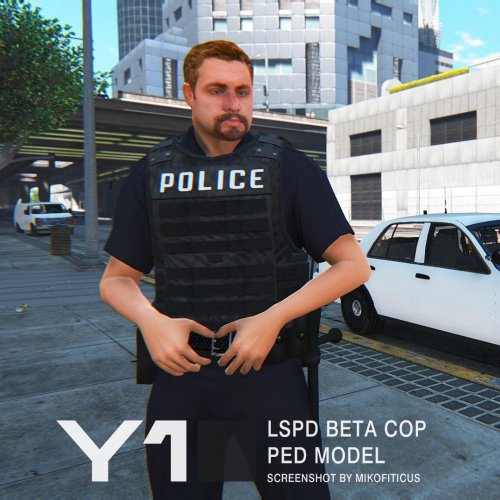
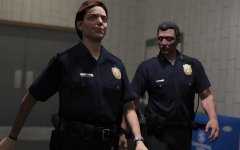
Another update - not much to show, but a lot to tell! As you know, RDE has a special "in-house" script - FiveStarResponse.dll (FSR) which handles the spawning of special vehicles, such as tanks and planes. Dilapidated and I have worked hard on expanding it. One of the main problems with the dispatch.meta system (that's how I'll refer to the vanilla wanted level system) was the lack of configurability - we were limited to 3 predefined zones and amounts of passengers, weapons etc. were hardcoded. Now, our script can successfully replace most of dispatch.meta (leaving only helicopters and roadblocks in - helicopters can be spawned by FSR though), while providing greater configurability at almost no performance and stability loss. Examples include: New zones, each of which has different units responding - run away from SAHP on the highways, get into shootouts with Airport Police at LSIA, experience the beauty of SA State Parks while being chased by Park Rangers, or hide from LS Sheriff Department in Davis and LS County! New vehicles, which were not supported by dispatch.meta, such as Riots and Insurgents packed full with SWAT. Complete configurability - choose the ped models, armor, health, weapons, components, props, vehicles, amount of passengers, spawn and respawn times (min and max), spawn distances and more. New FSR will enable us to fully utilize all new peds and vehicles added to RDE 3.0. We believe that the configurability will allow every user to create a perfect experience for themselves. In the graphical department, Alex_Ashfold has been hard at work improving the textures on the peds. The devil's in the details! New belt and badge textures New lore friendly radios Aren't they great? Officer Ronson agrees! In the meanwhile, Nefarious_Bonne and I have worked on new Beta Cop based LS Sheriff peds to increase variety and diversity (previously they used the same model as BCSO Deputies - while the BCSO addon will still be optional, you should use it!). Don't mind what's going on in the background - the perp and Deputy Wade are just having a friendly talk. New LSSD Deputies (WIP) And to finish it off, SAHP got a shipment of new bulletproof vest (configured to only spawn at 3 stars and above by the FSR script). Fun fact - they were the only LE agency in RDE which did not have them. SAHP Vests But wait, there is more! AlexVonShep used his mad skills to make various police stations more realistic and life-like - they actually make sense now! Mission Row Vespucci (notice the giant decals gone) Davis Beaver Bush That will be all for now. We are getting closer and closer to the release - which only means we are picking up the pace! Stay tuned for more updates!
-
 Guys, if you have issues, at this point you might as well just wait for 3.0.
- 1,522 comments
- 85 reviews
-
 Ehhhh, IDK really. Maybe?
 -
-
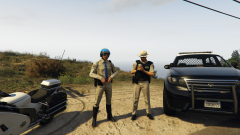
Vests for SAHP, finally! Does not replace the motorcycle setup! To be included in RDE 3.0
-
It works now, looks like one of my older plugins was conflicting with RPH itself. Sorry for the false alarm.
-
 Thanks, forgot to add that to RDE :)
 -
Please do, I can't play LSPDFR without this plugin :)
-
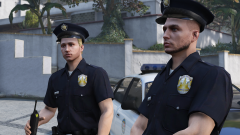 Why the hats though? ;_;
 -
Yep, not working for me either after the 0.45 RPH update. The vanilla LSPDFR backup menu shows up instead.
-
-
-
-
Not possible without Zmodeler and modelling experience.
-
Hahaha, yeah, uh, we kinda forgot about it. Thanks, something will be done.
-
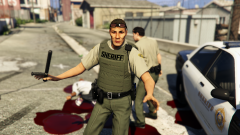 Yep! The task component is just the belt, meaning it's 100% cop holster compatible! The radio cord and mic has been attached to accs.