


Yard1
Friends of LSPDFR
-
Joined
-
Last visited
Everything posted by Yard1
-
You didn't install any mods after reinstall? Make sure you are running a clean, fresh game.
-
It's look like it's time to... *takes off glasses* Reinstall. YEAAAAH!
-
No... I didn't know it shows you a new version when available. I'm playing without logging in, so maybe that's the point. But anyway, how's that possible that only you've seen it so far?
-
-
Ask taximan5 (maybe PM him?).
-
The partner model will always match yours, and it will be randomized (like cops with coats etc.) and you can't change it. You can try to exit and enter PD to change his appearance, but not model (so it will always be for ex. cop, but first time he will be black with shirt, then white with jacket and so on).
-
What? I don't understand your english.
-
It's possible that's a save game fault.
-
LOL. http://bit.ly/M4jZsE is your answer. Use search next time. And LCPDFR requires newest patch to be working, so don't talk about downgrades here.
-
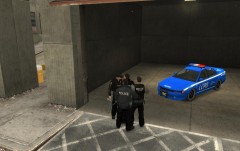 Wow! It's nice to see my skin here!
 -
Alright. I'm using OpenIV (it has more options, try it), but I should be able to help you. 1. Open SparkIV 2. Navigate to vehicles.img 3. Find model you replaced with CVPI (probably police) 4. Click one time on file with .wtd extension 5. Click edit 6. Click on import texture 7. Navigate to where your skin file is 8. Rename skin file to match one of liveries (like cvpi_sign_1 or something) 9. Import 10. Save & Rebuild 11. Exit SparkIV 12. You are done!
-
Do you know how to use OpenIV and have that CVPI already installed?
-
So, you've made/downloaded a skin and now you want to apply it to a car, right?
-
1. Make sure that all files in GTA folder are not marked as read-only. 2. Remove all mods. 3. Reinstall game. 4. Start a new campaign. 5. Install all those mods again. If it still crashes, try it with LCPDFR only. A log form diag tool would be also nice. And always run game as an administrator.
-
LOL. We don't like lazy pepole here. Go to sleep and search for it tomorrow. And get 0.95, it's better. Good night!
-
1. Delete all the saves 2. Reinstall 3. Start a new game 4. ??? 5. PROFIT!Don't forget about gtagarage, gta4-mods, gtainside etc.Use search next time.Are you sure it's not a cracked/pirated copy? If not reinstall, and if that doesn't work, redownload and then reinstall again.You know what, maybe you should start your own thread and tell us, I dunno, which fatal errors you encounter?You mean that fix? I didn't encounter any errors when I was installing, or when playing.dafuq?http://bit.ly/NmGjJp Was it so hard? BTW. Wow. A hijack of a thread hijack. Hijackception?

