


Yard1
Friends of LSPDFR
-
Joined
-
Last visited
Everything posted by Yard1
-
So, is there a folder LCPDFR inside "scripts", which are located in GTA4 root directory? BTW, Can't you specify path to GTA4 directory manualy in installer (I can't check it right now)?
-
Can you manualy check for LCPDFR files in GTA directory? [offtop]I think that I'll create a topic in Random called "Are you a brony? - First LCPDFR brony census".[/offtop]
-
I tried it, but it crashes my LCPDFR. Well, it's not a big deal for me, as everything else works great.
-
Yeah, but it's better to have it anyway - some programs require it. PS. Yeah, I know it :D
-
You should have both if you have x64 system. Not sure about the second one. PS. I wonder how many bronies we have here on the forum...
-
I've seen one mod on GTA4-mods that turned LC into massive gang wars arena. And I don't think that the second thing is possible (I'd like it too, anyway).
-
Let's end this before mod will end with us.
-
-
Oh, thank you! English is not my mother language so I don't know all those phrases :) And I agree with Asuna on the second thing.
-
I don't mean to offend you, I just suggest that you should use such things to help us understand you. It's nothing bad to be dyslectic. BTW. I can't fully understand your last post.
-
Maybe this will help too.
-
( Sorry for offtop, but I had to :)
-
And don't forget that Ultimate is overpriced! Home Premium has everything for average user.
-
1. Baton - You'll have to download a weapon skin for baseball bat (like this one - http://gtapolicemods...?do=file&id=550). 2. Are you sure you installed it? Have you tried hitting Alt + T twice? BTW. You already asked those question in other topic, so what's the point in creating new one?
-
-
You'll have to download a baton skin for baseball bat (like this one - http://gtapolicemods...?do=file&id=550).
-
Yeah, I've added NOOSE agent and detective using OpenIV and I spawn them with TSB (check Nutt's Border Patrol officer, there's a guide, just replace M_Y_BORDERPAT with something else), but detectives have LCPD on their backs while in Alderney, same for LC ESU...
-
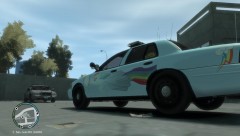 Now that's what I call 20% cooler!
 -
Just like in title - wouldn't it be cool if somebody would make something like ALM, but for peds? With that we could have ESU in LC and SWAT (or something else) in Alderney, different firefighters on each island, NOOSE (DHS) on airport instead of cops, or maybe even Highway Patrol on, well, highways? Just think of it - different ped skins (or maybe even models!) to enhance realism and diversity! I hope that somebody could script such thing (is it even possible, as I said before)!
-
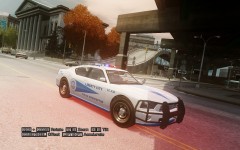 Looking good!
 -
-
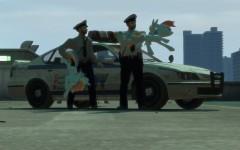 Simply awesome.
 -
GTA just crashed 'cause of too many cars. Just don't spawn cars so much, and you should be fine.
-
No problem. I've already done a black tie, but if you want, I can change it. EDIT: Here they are! http://www.mediafire...ei09qfo7ue069ac I hope you know what to do with them :happy:
-
Do you want fat cops and normal ones, or only normals? Do you want them to have white jackets, or only shirts? Also, which color their ties should have?

