



Vaultcop
Members
-
Joined
-
Last visited
Everything posted by Vaultcop
-
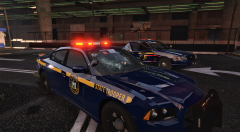
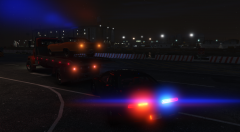 It was downloaded from the LSPDFR website however it looks like the creator has now taken it down.
 -
From the album: Vaultcop's duty shots
© Vaultcop
From the album: Vaultcop's duty shots
© Vaultcop
From the album: Vaultcop's duty shots
© Vaultcop
@Disfyncial You need to edit the VocalDispatch.ini file located at plugins/lspdfr. At the top change the locale to en-GB so it reads Locale="en-GB" (This is assuming you have your windows language set as British. If not change to locale to the same as your windows language settings)The log is displaying the message The 'vehicle' start tag on line 15 position 6 does not match the end tag of 'Vehicle'. Line 15, position 37 in realtion to the file agency_dppd.xml located in Grand Theft Auto V/lspdfr/data/custom/. This means one of the <vehicle> tags in the file has not been used correctly. Please check the file and alter this mistake to see if it resolves your problem.It could be either of the 2 things you have mentioned. Try reinstalling the vehicle pack/ vehicles you are replacing and ensure you are putting them in the correct location.The troubleshooter no longer works as it has not been updated for version 0.4 of LSPDFR. What isuues are you having with your mods? Hopefully we'll be able to assist you.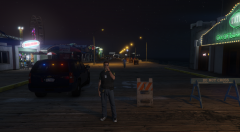
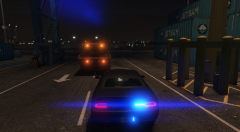
From the album: Vaultcop's duty shots
Officer Weston having a drink while monitoring the pier during an event.© Vaultcop
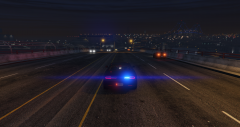
From the album: Vaultcop's duty shots
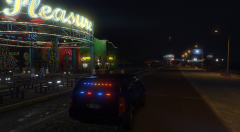
A late night patrol on the pier in the unmarked SUV.© Vaultcop
 It's located in your main GTA V folder and is called RagePluginHook.logHave you altered / replaced the police3 model as the game is unable to sapwn it which is causing the crash. If you have then firstly revert back to the original model and see if it works. Once you've done this add the custom model you want as per the instructions that come with it. If it again doesn't work then there is likely an issue with the model.I wasn't aware of that, thank you 🙂No problem, If you want to alter the ped (person) model used alter the section below: Change it to <Ped>s_m_y_sheriff_01</Ped> for example and the male sheriff model will be used. If you want more than one model you can use the example below which gives you a 50% chance each of a male or female sheriffHi there, Looking at your second image you haven't assigned a key to TRAFFICSTOP_INTERACT which would explain the problem. Try setting this to E and see if it works now.Hello, Try this and see if it makes a difference at all Open the RAGEPluginHook settings menu (hold down SHIFT immediately after clicking RPH) Increase 'Plugin timeout threshold' to a higher value (e.g. 30000) Save and LaunchHi there, Try the following from the common issues thread which for future use can be found here. We've noticed that some people are having issues with world textures disappearing when LSPDFR is loaded. See below for a possible solution: Set Main.PreloadAllModels to false in the lspdfr.ini file.Hi, This is going on the basis you still have the original agencies and haven't altered them You need to go to your agency.xml file located at /lspdfr/data in your main GTA V directory and edit it. You'll find a part like below: The simplest solution is where it says <vehicle>policeb</vehicle> you can change policeb to a different police vehicle. for example change it to <vehicle>police</vehicle> and the motorcycle will no longer appear and will instead be replaced by the standard police cruiser.Hi there, Have you tried running LSPDFR without any additional mods or plugins to see if it works? You can then add the ones you wish to use one at a time and should be able to determine which ones are causing the issue.Hi, The issue is that the game sometimes freezes because of the time it is taking mods to load. Try this and see if it helps Open the RAGEPluginHook settings menu (hold down SHIFT immediately after clicking RPH) Increase 'Plugin timeout threshold' to a higher value (e.g. 30000) Save and LaunchHi there, Have you already gone on duty via a police station and created your character?Indeed it is, It was the RageNativeUI i was meant to include like you've said! Thanks for poiniting it out 😀




