



Vaultcop
Members
-
Joined
-
Last visited
Everything posted by Vaultcop
-
Does your GTA V load ok when launched normally? Also do you have GeForce software installed? If you do then try disabling the in game overlay and see if that resolves the issue.
-
Just to confirm, does your GTA V run ok when launched normally without RagePluginHook?
-
Do you have a nvidia graphics card and the GeForce in game overlay? If so disable the in game overlay and try launching again
-
Hi there, Just to confirm, does your GTA V work correctly when launched normally without RPH?
-
Can you confirm you have installed the latest version of the Rage plugin hook?
-
Hi there, It looks like LSPDFR has not been installed correctly as it is unable to find the files when attempting to load the plugin. Please ensure you have installed LSPDFR according to the installation guide located here.
-
If it runs fine without stop the ped then it may be worth just removing that. But otherwise if you want to try reinstalling LSPDFR then it can't cause any harm trying it as a solution.
-
The problem looks to be that the installation files are in the wrong location in your file directory These lines within the log show the problem: Firstly start with a clean install of GTA V and follow the LSPDFR installation instruction located here. Once you have done that check the game launches correct with Rage Plugin Hook and loads LSPDFR. Following this install the additional plugins you wish to use according to their specific installation instructions which are normally included on the file page as well as in the downloads. Each new plugin should ideally be installed and tested one at a time to check they are working correctly.
-
Yes those are the files that control the default responding units and agencies within LSPDFR.
-
If the issue is with all vehciles then the only thing i can think of suggesting is removing Radiance V and reinstalling it.
-
Have you edited any of these files: "regions.xml", "backup.xml", or "agency.xml"? If it is backup related then it may be something to do with these files.
-
Please can you post an image showing where in the file directory you have placed the files for the plugins.
-
I think the issue seems to be arising as a result of something in the calling for backup process. The plugin crashes right after a mention of local patrol backup in Davis. I'm not greatly experienced in reading the logs however so this may not be the case.
-
I've not used Visual V for a while however i remember that there were seperate installation files included which had to be used in order for it to be compatible with Radiance V. Have you checked to ensure you've installed the files required for this?
-
Hi, Please could you post the Ragepluginhook.log file from your main GTA V folder as it may help find the issue.
-
Hi, Try the following and see if it helps: Open the RAGEPluginHook settings menu (hold down SHIFT immediately after clicking RPH) Increase 'Plugin timeout threshold' to a higher value (e.g. 30000) Save and Launch
-
Have you checked you graphics settings to ensure you have the "post fx" and "shader quality" options set at high or above?
-
From the common issues thread located here. Open the RAGEPluginHook settings menu (hold down SHIFT immediately after clicking RPH) Increase 'Plugin timeout threshold' to a higher value (e.g. 30000) Save and Launch
-
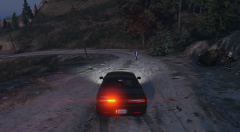
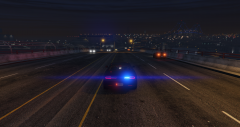
From the album: Vaultcop's duty shots
© Vaultcop
-
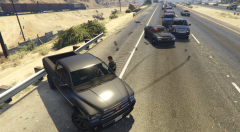
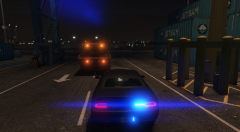
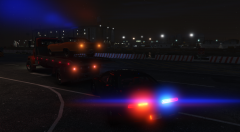
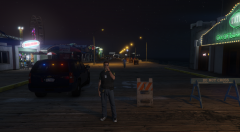
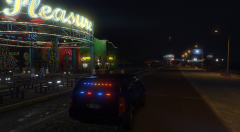
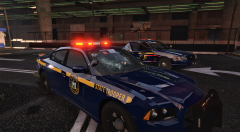
A selection of the best and worst that my characters come across while on duty.
-
From the album: Vaultcop's duty shots
© Vaultcop
-
From the album: Vaultcop's duty shots
© Vaultcop
-
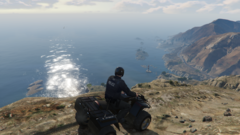
From the album: Vaultcop's duty shots
© Vaultcop
-
In order to change the appearance of vehicles you would need to change the textures. Alternatively there are new vehicle models that you can replace them with. There are many of each available in the downloads section of the website.
-
Please could you post your RagePluginHook.log file from the main GTA V directory.


.png.903de72007dcd4b474704f34479189a1.png)
.png.1ff1f2860f1a9470bb7bdc949a3742cd.png)
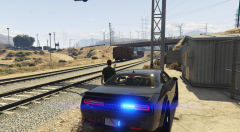
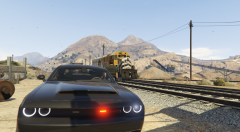
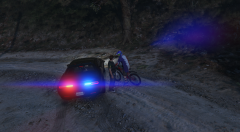
.png.c760ba2cdd1b0cb52faf83aeec65c9b0.png)
.png.5e2dc8056ef5967cc924e46a59e29e65.png)
.png.3bb303172e15e2d9f214622c66fe7922.png)