



Vaultcop
Members
-
Joined
-
Last visited
Everything posted by Vaultcop
-
You need to edit the agency.xml file located in lspdfr/data. Within the file you'll find a section like this Alter <Vehicle>policeb</Vehicle> so it's <Vehicle>police4</Vehicle> and you're good to go.
-
Can you post your ragepluginhook.log file from your main GTA V folder please.
-
Please post your ragepluginhook.log file from the main GTA V folder.
-
There is a guide that explains how to install and launch the game with LSPDFR located here.
-
It looks like the crash happens when trying to load the Beaver Bush Ranger Station. Have you edited the stations.xml file at all?
-
@WestTigersNRL1 This mod sounds like what you are looking for:
-
@Yaman2233 In the VocalDispatch.ini file in the plugins/lspdfr folder there is a line at the top with Locale="en-US" at the top by default. This is the language used by vocal dispatch. This needs to be set to the same language as your operating sytem due to vocal dispatch using the inbuilt windows speech recognition to work. I know for certain that it supports en-US (American) and en-GB (British) but i believe for other languages you have to manually translate certain files, something i've never looked into so couldn't assist with. If possible can you install either the american or British language pack for windows and set it to your default operating system language and then set the language in the vocal dispatch file to the same?
-
One of the issues is the additional vehicle models you've tried to add have not be done correctly so are shown as invalid I don't believe that's what is causing the crash but it will however cause you issues so try removing or reinstalling those models.
-
Can you post your RPH log file from your main GTA V folder please
-
Can you confirm what mods you have installed and also check that they are made for the latest LSPDFR version (0.4.1)
-
I'm currently running a Ryzen 7 2700X Eight Core, GTX 1060 and 32GB RAM. There's little if any noticeable difference between vanilla GTA and having LSPDFR running. Having a higher amount of RAM would definitely be beneficial as has been said above.
-
If you like simulator games then there are lots of different types out there. Driving wise Euro Truck Simulator is decent and, although not technically a simulator, Dirt Rally is brilliant when played with a wheel.
-
Could you please post the ragepluginhook.log file from your main GTA V folder.
-
The problem you are having is one that is set to be fixed in the next update to LSPDFR i believe.
-
@3X21 Have you added GTA V and RPH as exceptions in your anti-virus ?
-
@CaptainT42 Try adding GTA V and RPH as exceptions in your anti-virus and then try loading LSPDFR again.
-
@Pruchol5 Try adding exceptions in your anti-virus for GTA V and RPH to see if it solves the issue.
-
In a (somehwhat slow) pursuit with a bicycle that failed to stop.
.thumb.png.332517fd26b7001207eb335ce42dc31e.png)
-
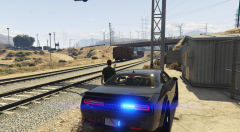
From the album: Vaultcop's duty shots
© Vaultcop
-
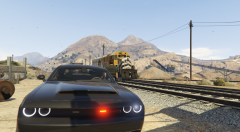
From the album: Vaultcop's duty shots
© Vaultcop
-
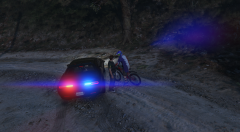
From the album: Vaultcop's duty shots
© Vaultcop
-
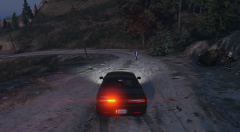
From the album: Vaultcop's duty shots
© Vaultcop
-
@HandCotton In the RPH settings tick the 'force windowed mode' option and try loading the game again.
-
@nypd1999 Try adding an exception in your anti-virus for GTA V and Rage plugin hook to see if that fixes it.
-
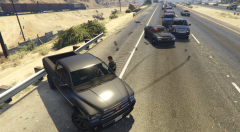
From the album: Vaultcop's duty shots
Officer Weston speaks to a driver while investigating a fatal crash.© Vaultcop


.png.b8c5e12af7f1e94ee3be31354bf3c6b8.png)
