


Creators: Due to background reprocessing of files, approvals and file security checks may be delayed. Thanks for your patience.

Stripe
Members
-
Joined
-
Last visited
Everything posted by Stripe
-
Post your pc specs, it could be just because your computer isn't powerful enough
-
I had the exact same problem, didn't get any successful help for it. All I tried was to make sure you have the very latest patch, you can find them on these forums I believe!
-
Have you put xliveless in your actual folder or just downloaded it. You can find the Asi loader on Gta mods- http://www.gta4-mods.com/
-
Make sure you're running the installers as Administrator, also check around the Forums & Google
-
So you're saying that you're Card can't run Gta? If so make sure: you have as many programmes closed down as possible, make sure all your drivers are up-to-date. Also, post your official specs- Start-Computer-System Properties
-
Need to see more RTCs or whatever they are in America. This would add a whole new aspect as you'd have to call for various services or arrive after they have and close the scene down. This could be hard to make but it would be worth it!
-
Yes I have, sadly nothing seems to be working for me... Thanks anyway, good suggestion!
-
You can get skins with dogs, whether they actually do anything I don't know
-
Download a Slick-top vehicle then
-
This is a BIG problem and lots of people have it, currently I don't know of any fixes but I'm sure work's being done on it!
-
You can download a slick-top car ...I'm not really sure what he means!
-
I've had the problem of Alt+P not working before so I re-installed it but it did nothing, make sure you're running it as admin for the first step, second of all make sure that your game is properly and completely installed. Did you use a CD/DVD to install GTA or something else ie Steam?
-
Are you running the game as Administrator? Try doing that but run it from your Program Files
-
Are you running GTA off a CD/DVD or on something else like Steam? It could be that installing the actual game may of not completed properly, and are there any error reports when it closes down?
-
Here's what the Diagnostic says: BEGIN *SIGNED* LCPD First Response Issue Report Diagnostics Tool Version: 0.4.3 Operating system: Windows7 HomePremium (6.1.1.0 Build: 7601) Service Pack:Service Pack 1 System RAM (GB): 7.97 CPU cores: 8 NET Framework 4.0 installed: True Visual C++ 2010 Redistributable installed: True GTA IV - Installed: True GTA IV - Install folder: C:\Program Files (x86)\Steam\steamapps\common\Grand Theft Auto IV\GTAIV GTA IV - Version: 1, 0, 7, 0 GTA IV - Asi loader installed: True GTA IV - Asi loader: DSOUND GTA IV - Asi loader valid: True GTA IV - C++ ScriptHook installed: True GTA IV - C++ ScriptHook valid: True GTA IV - C++ ScriptHook version: 0, 5, 1, 0 GTA IV - ScriptHookDotNet installed: True GTA IV - ScriptHookDotNet valid: True End of *SIGNED* LCPD First Response Issue Report Digital signature: PX6wTwh+AZiufTg3XgQkJw== It should all be fine as far as I can see. And no, I get no blips or red circles
-
Saw that on YouTube, good job with those, it's just a shame they don't immobilise the car like they possibly would in a real-life situation. Oh and by the way have you figured how to reduce the stretching?
-
Yep, all that I should be doing I am
-
Hey guys, I've downloaded LCPDFR and installed it about 5 times now, hoping that there will of been an error with the previous one, but it's as simple as this. LCPDFR just doesn't work, there's no problem in the Diagnostic tool and I get no error report, all that happens is when I press ALT+P is my screen goes slightly blurry. If there's any help with this I'd greatly appreciate it, But all I've got on other posts are arguments... so it's take 2 I guess?
-
I played Arma for so many hours, it's such great fun especially when you find good Chernarus/Zargabad life servers to play on.It's what got me started on LCPDFR a few years ago
-
Yeah it's something to do with my actual game, I keep getting errors even when I have nothing modded. But thanks anyway
-
Ok I'm reinstalling Gta... another 8 hours I can't use my internet Anyone else using BT that are having massive issues with internet? Anyways, I'll post back in here if it doesn't work!
-
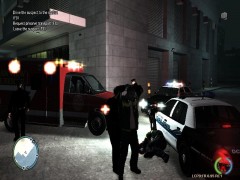 It has to be said Ambulance drivers in this game are completely crazy!! :S
 -
That thing looks like a good bit of fun I know some people who do this kind of thing but not for Emergency vehicles, I'll have a word with them to see if they can make it!
-
ELS always seems more fun to me, although as you said having non-ELS means you don't get constant crashes However non-ELS cars are much more difficult to find... it all comes down to personal preference I guess
-
None of the things suggested works, I have an up to date version as well, I got the diagnostic tool and this is what it says on it: BEGIN *SIGNED* LCPD First Response Issue Report Diagnostics Tool Version: 0.4.3 Operating system: Windows7 HomePremium (6.1.1.0 Build: 7601) Service Pack:Service Pack 1 System RAM (GB): 7.97 CPU cores: 8 NET Framework 4.0 installed: True Visual C++ 2010 Redistributable installed: True GTA IV - Installed: True GTA IV - Install folder: C:\Program Files (x86)\Steam\steamapps\common\Grand Theft Auto IV\GTAIV GTA IV - Version: 1, 0, 7, 0 GTA IV - Asi loader installed: True GTA IV - Asi loader: DSOUND GTA IV - Asi loader valid: True GTA IV - C++ ScriptHook installed: True GTA IV - C++ ScriptHook valid: True GTA IV - C++ ScriptHook version: 0, 5, 1, 0 GTA IV - ScriptHookDotNet installed: True GTA IV - ScriptHookDotNet valid: True End of *SIGNED* LCPD First Response Issue Report Digital signature: PX6wTwh+AZiufTg3XgQkJw== It could just be me but that seems way too short...

