


Taxi
Members
-
Joined
-
Last visited
Everything posted by Taxi
-
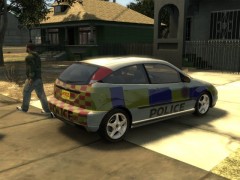
From the album: Midnight Club L.A Police Cars
Midnight Club L.A© taximan5,Midnight Club L.A (Rockstar Games)
-
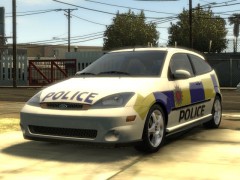
From the album: Midnight Club L.A Police Cars
Midnight Club L.A© taximan5,Midnight Club L.A (Rockstar Games)
-
yeah you do a real good job with that.. i'm gonna subscribe to your channel to see more xD Thanks for the +1 buddy
-
-
I agree xD Remeber how much videos in youtube came up ? Hole Channels just keeped making movies about San Andreas Myths... The X-Files theme was played to death back in the day :D But it was really great and i think thats something you just have to love.
-
the sites i use are: LCPDFR GTAPOLICEMODS GTAINSIDE pretty much all i need xD
-
Also 1. Es weare sehr hilfreich wenn du mal satzzeichen benutzen wuerdest (soll keine klugscheisserei sein aber ich musste dein post 2 mal lesen um ihn halbwegs zu verstehen xD) 2. fuer LCPDFR brachst du erstmal das neuste Net Framework. Das findest du hier: http://www.microsoft.com/de-de/download/details.aspx?id=17851 3. Du bracuhst die Aktuellsten Patches fuer GTA (ich weiss nicht welcher das bei EFLC ist aber bei GTA 4 ist das 1.0.7.0) 4. Jetzt musst du einfach die Mod von hier runterladen und installieren (ist ein Installer) 5. Das wars auch schon xD Im Spiel einfach Alt+P druecken und du kannst loslegen //English I just told him that he need to install the latest patches and Net Framework. After that he can install the mod and use Alt+P to start it xD
-
niiiice
-
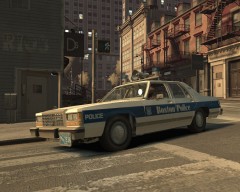 Tomorrow will be a great day :D can't wait.. love older police vehicles
 -
-
at least thats the way i do it. if i come across somebody thats warrant for arrest i add a case and namend it something like "Warrant for Arrest" or something like that xD after that i fill out the custody report and than i'm give out the crime report and called it again something like Warrant for Arrest xD Oh and don't forgett to update the warrant after you arrest a person. So that pother officers now that the warrant is complete
-
-
-
-
-
-
-
Me too :D And the Video was funny as hell xD This never happend to me xD
-
that fixed the problem for me. I replaced the police lines (the slot where my Vic is) with the FBI lines (and renamed them to police of course) and now i finaly have a clear view xD Thx Sniper.
-
AWESOME A frech Idea,a frech City,Great Great Graphics....What do you want more ? xD Really looking forward to more gameplay vids
-
so i need to go to the vehicles.ide and copy the line from the DF8 and paste them to the police1,police2, ect?
-
-
-
Howdy Ya'll I got a little bit of a Problem. When i use modded Police Cars and try to switch to the Camera View wear you see the Hood of the Car i mostly ending up beeing "inside" the hood. OR i see a piece of the Front Window. This is very annoying. It happens whit almost all Chargers and Crown Vic's i testet so far. Is there a way to change that? http://imageshack.us/photo/my-images/705/gtaiv20120612202000.jpg/ this dosen't happens on the Normal Unmodded Cars and it also dosen't happens with all the Taurus'es i tried so far
-
looks very good. for me as a big Dodge Fan i'm really looking forward to this.


