
Matthew686
Members
-
Joined
-
Last visited
Everything posted by Matthew686
-
 You can't do this. Uploading very well-done models is bad. You should know this Rylan! HAHA Good work as always!
- 56 comments
- 6 reviews
-
-

- 1
-
-
-
-
-
 Install visual v, then install better radiance after. WARNING THE NEW VISUAL V WILL NOT WORK WITH BETTER radiance!! update coming soon!
- 110 comments
- 20 reviews
-
 😆
😆 -
What are you talking about? Also how did he copy you? I looked at your file, and Mattys file and they don’t even look alike. So why are you saying he copied your content? Please correct me if I’m wrong, but I really don’t understand how you think he copied your content and context.
-
-
you could using this mod here: Spotlight - Script Modifications & Plugins - LCPDFR.com just mess around with the settings its easy to do, the INI is in-game. the keybinding is f11
- 110 comments
- 20 reviews
-
 weather's nice out today!
 -
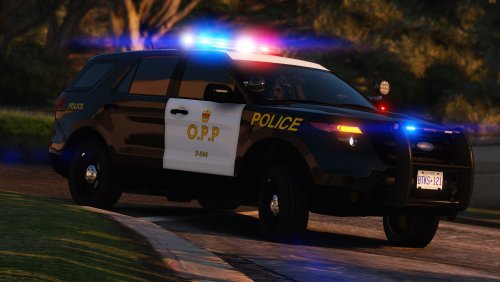 wow, i see these cars a lot driving around, and its just like real life!
 -
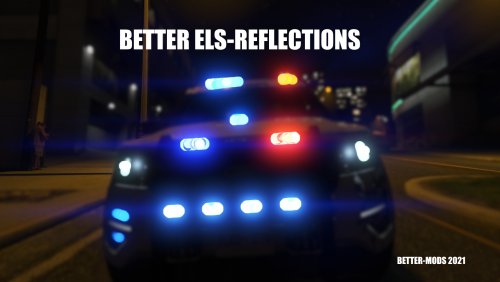 No, it’s different, you can try them both to see if you like mine or the other one!
 -
BETTER ELS Reflections is an ELS lighting file remake, giving you the most realistic reflections! DO NOT RE-UPLOAD WITHOUT MY PERMISSION! Did you hit a snag? Or installing for the first time? Or maybe the mod isn’t working properly? Rest assured! Please join this discord server for help! --https://discord.com/invite/gyw5rDHCfr People who made this mod what it is today! @Charlie686 @OfficerBenzo @GeoffreyGamer @CriminalJustice RECOMMENDED USE WITH:
-
alrighty, do you edit any metas? also what antivirus are you using? If your using one.
-
Hello, try reinstalling RAGE and LSPDFR. Do you edit and metas?
-
glad i could help, and im happy you got your problem solved!
-
Hey, so betterEMS is not updated for 0.48. you can try Ultimate backup by Bejoijo: Home | BejoIjo Plugins
-
hi, you can try using my mod here: i did edit a few settings to make AI pull over better. BETTER environment lighting [ELS] - Visuals & Data FIle Modifications - LCPDFR.com you could also try: ClearTheWayV - Script Modifications & Plugins - LCPDFR.com if it doesn't work for you, i can show you the setting to change
-
this is a really cool idea, i know that when somebody comments on my mods i have scroll down and change pages. This feature would also help on support forms by getting people help faster. For say if somebody uploaded their RAGE log and you don't want to go and find it, it will always be at the top.
-
yeah, I'm very happy your figured out your problem! you should use these plugins instead of albos, they are always updated and includes all of the features from albo and some really cool new ones! Home | BejoIjo Plugins
-
I'm really not sure about how well i can help you but here's a few things your can try, since you reinstalled gta5 so many times, you have had to restart your computer. I mean a full shut down and power on. are you using steam? if so i believe there is something wrong with steam being able to receive a signal from your controller and send it to the modded LSPSFR files. What controller are you using? and if you are running any antivirus please tell me.
-
hello, try setting your Plugin Timeout Threshold(in the main page of RAGE settings) to: 60000, if it still fails, i honestly recommend to remove all of albos plugins, and install these ones by bejoijo. Albos mods has kinda bit the dust since 0.4 release. Home | BejoIjo Plugins
-
try setting your Plugin Timeout Threshold(in the main page of RAGE settings to: 60000
-
are you running any antivirus software?
-
delete all LSPDFR files and manual install them back Do not delete your lspdfr-plugins