


Joe.L
Members
-
Joined
-
Last visited
Everything posted by Joe.L
-
-
trouble is...I forgot to make a backup of the file (I know this is entirely my fault) is there a way of reinstalling only the sounds if that makes sense, not the whole game or something?
-
Good evening all, I'm trying to replace a siren pack I have installed with a retro type siren, however, when I follow the same steps as before, the siren can't be replaced by the one i'm currently using. Is there a way of deleting the current .awc files or resident.rpf in openiv?
-
thanks, will check those out!
-
IT'S WORKED, looks so 80's now, thank you both so much!!
-
ok, will have to have a dig around the files and see if I can find the individual name. I can't thank either of you enough for the help!
-
-
so sorry to keep coming back on here and asking questions but my game is crashing on startup with a "failed to initialize backup template" what have I done wrong? retro_nypd is the name of one vehicle and nopd is the name of the other agency.xml backup.xml
-
thanks for your help both of you, much appreciated!
-
oh ok thanks, can I delete the pre-existing police ones?
-
really sorry to ask one last question, i'm a bit confused with how to incorporate the new pack with the AI driving?
-
How would you add a add-on vehicle in the backup area and generally patrolling around, bit confused with the files?
-
that makes a lot of sense and I will have a look at that topic, thanks for all your help!
-
it's both of these
-
Yeah pretty much, the only way to drive the retro pack is by going into simple trainer and spawning manually, the default police cars remain the same.
-
sorry, probably not the right place to ask but, I have installed a vehicle mod for LSPDFR (it's a retro pack) and I would like to swap the default police cars out for this new pack. I know how to spawn in this new car via simple trainer but seeing modern police cars driving around is a bit distracting. Any help appreciated!
-
.thumb.png.78e11f05c068c8f838cc736c029f680e.png) sorry, still such a noob at this sort of thing, when it says in the read me "The model name should be changed to which ever model you are replacing" what model should I replace it with, so in the meta file what should modelname me called??" <modelName>police</modelName>"
sorry, still such a noob at this sort of thing, when it says in the read me "The model name should be changed to which ever model you are replacing" what model should I replace it with, so in the meta file what should modelname me called??" <modelName>police</modelName>"- 20 comments
- 1 review
-
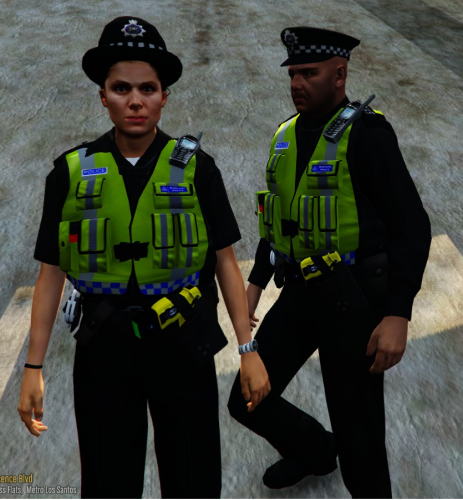 Ok so I followed the tutorial and now some peds show up in this uniform (not sure why they all don't but oh well) but how do you get the uniform on your character instead of it just being AI peds with it on?
- 53 comments
- 13 reviews
-
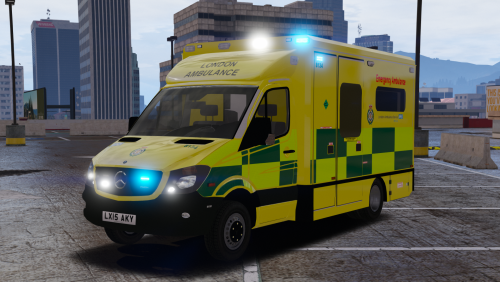 Having a bit of a problem installing this pack, I have another ELS Ambulance pack that I now want to replace with this one however, I have followed all the steps and the Ambulance is still the old one, it has not been replaced, anyone have any idea what I am doing wrong?
- 17 comments
- 8 reviews
-
thanks for the reply 🙂 I managed to work out what it was, it was a certain plugin that was causing it when loading all the plugins so all sorted now
-
I am having the same issue, what do you mean you fixed it by changing up to up, what does that mean?
-
What mods did you have installed when it stopped working, having the exact same problem now
-
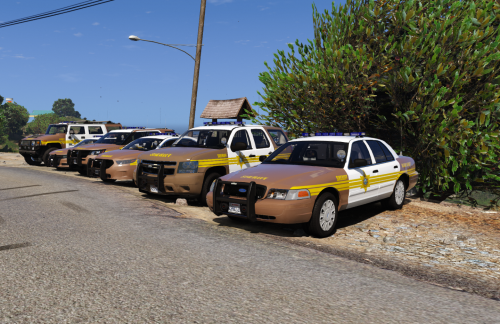 This is a great pack I really like it, the only problem is I can only get the 2016 FPIS, no other vehicle shows up. Which folder does this need to be installed to in OpenIV, is it just x64e.rpf and then vehicles.rpf or does it need to go into a certain Patchday to see all vehicles. Please let me know, thanks 🙂
- 43 comments
- 5 reviews
-
-
 Ok so I tried to to install into the said file and it still hasn't showed up in game, anything I could try? Bearing in mind I am using an outdated game due to scripthook V not yet being updated, not sure if that would make a difference?
- 325 comments
- 53 reviews
.thumb.png.78e11f05c068c8f838cc736c029f680e.png)
